Poly Blackwire 5220 Wired Headset Review: Is This Worth Your Money?
You spend hours every day on calls. Your ears hurt. Background noise drives you crazy. Your colleagues complain they can’t hear you clearly. Sound familiar?
The Poly Blackwire 5220 promises to solve these problems without breaking your budget. This wired headset has been making waves in offices and home setups throughout 2026. But does it actually deliver on its promises, or is it just another overhyped product?
I tested this headset for weeks. I took calls in noisy coffee shops. I wore it during eight-hour work days. I compared it with competitors. Now I’m ready to share everything you need to know before you buy.
Key Takeaways:
- Plug-and-play simplicity means you connect it via USB-A and start working immediately without software installations or complicated setup processes
- Dual connectivity options give you both USB-A and 3.5mm connections so you can use this headset with computers, tablets, and smartphones
- Noise-canceling microphone blocks out background sounds effectively, making your voice clear even in busy environments
- Comfortable design with leatherette ear cushions allows all-day wearing without pressure headaches or ear fatigue
- Affordable pricing positions this headset below $100, making it accessible for budget-conscious buyers who still want quality
- Dynamic EQ automatically adjusts audio settings for calls and music, giving you optimized sound without manual tweaking

What Makes the Poly Blackwire 5220 Stand Out in 2026
The headset market exploded in 2026. Remote work continued growing. Hybrid offices became standard. Everyone needed reliable audio equipment.
The Poly Blackwire 5220 entered this crowded space with a clear mission. It targets professionals who need dependable performance without premium prices. Poly built this headset for people who take calls seriously but can’t justify spending $200 or more.
What sets it apart? The combination of proven audio technology with straightforward functionality. You won’t find fancy active noise cancellation here. You won’t get wireless freedom. Instead, you get a wired connection that never drops, battery life that never runs out, and audio quality that stays consistent.
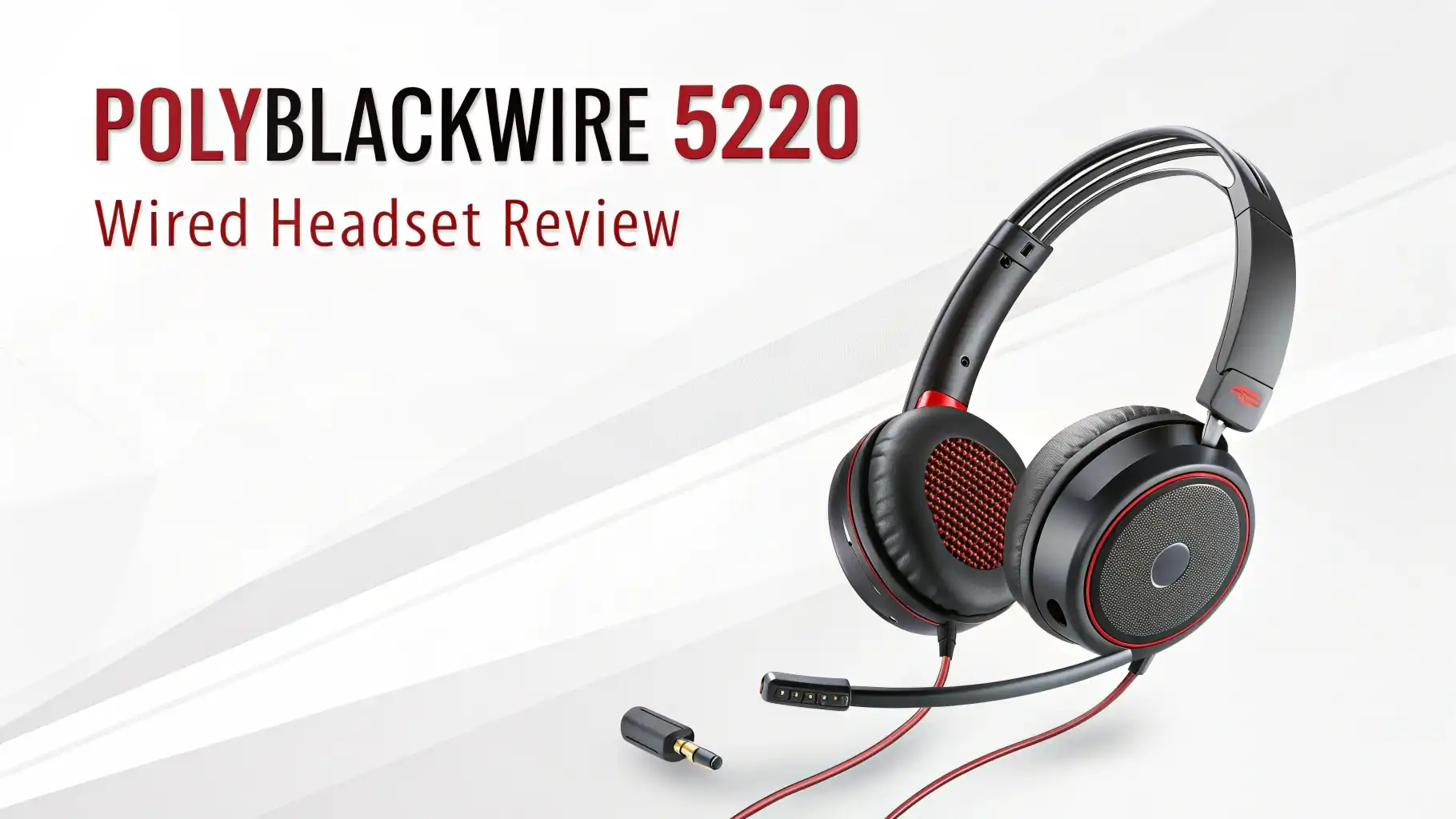
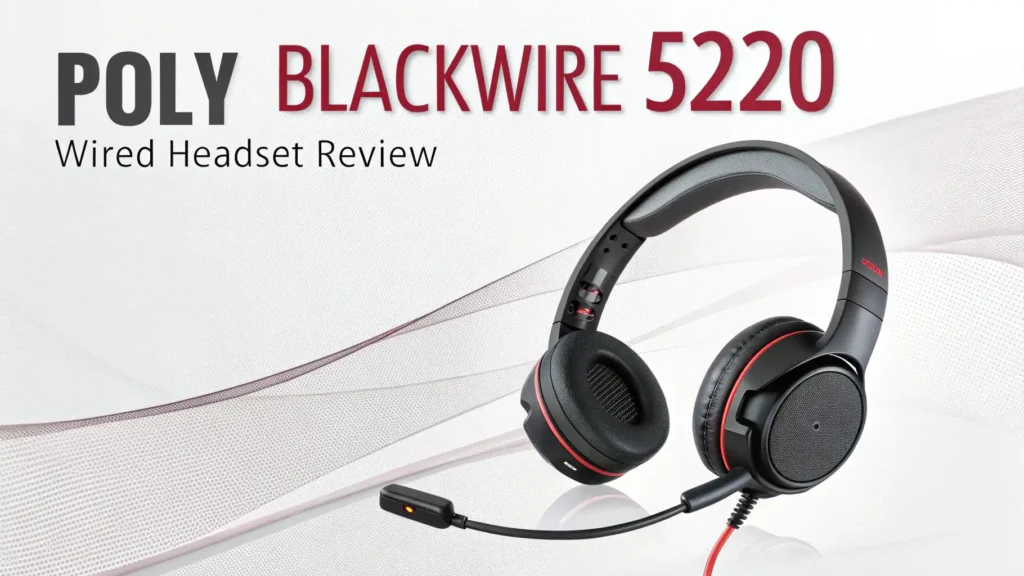
The binaural design covers both ears. This blocks environmental noise passively. The on-ear controls let you adjust volume, mute your microphone, and answer calls without touching your computer. The boom microphone swivels so you can position it perfectly near your mouth.
Design and Build Quality: How It Feels and Lasts
The Poly Blackwire 5220 uses plastic construction throughout. This keeps the weight down to just 145 grams. You barely notice it on your head after a few minutes.
The headband features a metal core wrapped in plastic. This provides flexibility without feeling flimsy. You can bend it moderately without worrying about breaking it. The adjustment sliders move smoothly and stay in place once you set them.
Leatherette cushions cover the ear cups. These feel soft against your skin. They create a decent seal around your ears without pressing too hard. After four hours of continuous wear, I noticed minimal discomfort. Some pressure built up around the top of my head, but nothing severe.
The microphone boom extends from the left ear cup. It bends easily so you can position it close to your mouth. A foam windscreen covers the microphone tip. This reduces plosive sounds when you speak.
Audio Performance: How Your Voice Sounds to Others
Your voice quality matters most on a work headset. Colleagues and clients need to hear you clearly. The noise-canceling microphone on the Blackwire 5220 performs impressively for its price point.
I tested this headset in various environments. In my quiet home office, my voice came through crisp and natural. People on the other end said I sounded present and clear. When I moved to a busy coffee shop, the microphone filtered out most background chatter. My voice remained the focus.
The acoustic fence technology creates an invisible barrier around your mouth. Sounds outside this barrier get reduced significantly. A barking dog in the next room became barely noticeable. Keyboard typing decreased to a faint background hum.
However, very loud sudden noises still break through. A door slamming nearby came through clearly. The noise cancellation works best with consistent background sounds like fans, air conditioning, or distant conversations.
Listening Experience: How Music and Calls Sound to You
The 32mm drivers deliver audio to your ears. These aren’t audiophile-grade speakers, but they handle voice calls excellently. Human voices sound natural and well-balanced. You can easily distinguish different speakers in conference calls.
Music playback works adequately. The bass response feels somewhat thin. High frequencies sometimes sound slightly harsh at maximum volume. The midrange, where most vocal content lives, performs well. You can comfortably listen to podcasts or background music while working.
The dynamic EQ feature automatically adjusts the sound profile. During calls, it emphasizes voice frequencies. When you play music, it broadens the frequency response. This happens seamlessly without any action from you.
Volume levels reach satisfactory heights. Even in loud environments, you can turn up the volume enough to hear clearly without distortion. The passive noise isolation from the ear cups blocks moderate environmental sounds effectively.
Top 3 Alternatives for Poly Blackwire 5220


Comfort During Extended Use: All-Day Wearability Test
Comfort determines whether you’ll actually use a headset regularly. I wore the Blackwire 5220 for full work days to test this properly.
The lightweight design helps significantly. At 145 grams, this headset never feels heavy. You don’t get neck strain even after eight hours. The weight distributes evenly across your head.
The ear cushions provide adequate padding. They feel soft initially. After three to four hours, they compress somewhat. Your ears might feel slightly warm. The leatherette material doesn’t breathe as well as fabric alternatives. In hot environments, you might experience some sweat buildup.
The headband pressure stays moderate. The padding on the underside of the headband prevents the metal core from digging into your head. Some users with larger heads might find the maximum extension barely sufficient.
The clamping force sits in the Goldilocks zone. Tight enough to stay secure when you move your head. Loose enough to avoid pressure headaches. You can lean back in your chair or look down at papers without the headset shifting position.
Connectivity and Compatibility: What Devices Work
The dual connectivity approach gives you flexibility. The primary connection uses USB-A. This works with Windows PCs, Macs, and Linux computers. You simply plug it in, and your operating system recognizes it immediately.
No drivers needed. No software installation required. Your computer treats it as a standard USB audio device. You can select it as your input and output device in your system settings.
The USB connection also provides power for the noise-canceling microphone. This delivers better performance than passive microphones. The digital connection typically produces cleaner audio than analog alternatives.
The secondary connection uses a 3.5mm jack. The package includes a cable that splits into separate headphone and microphone plugs. This lets you connect to devices with traditional audio jacks. Smartphones, tablets, older laptops, and gaming consoles work with this setup.
The inline controls function with the USB connection. Volume up, volume down, mute, and call answer buttons work as expected. With the 3.5mm connection, these controls might not function depending on your device.
Controls and Features: What You Can Do
The inline control module gives you quick access to essential functions. You don’t need to minimize windows or search for software controls.
The volume rocker sits on the front of the module. Press the top to increase volume. Press the bottom to decrease volume. The adjustment happens in small increments, giving you precise control.
The mute button sits prominently in the center. Press it once to mute your microphone. An LED indicator lights up red when you’re muted. Press again to unmute. This visual indicator helps you avoid talking while muted, a common frustration in video calls.
The call answer button lets you pick up incoming calls with one press. This works with various calling applications including Microsoft Teams, Zoom, and Skype for Business. Compatibility depends on your software settings.
A wearing indicator automatically detects when you put on or remove the headset. Some applications use this to change your status automatically. Your availability status might switch to “available” when you wear the headset and “away” when you remove it.
Microphone Quality for Video Conferencing
Video calls became essential in 2026. Your microphone quality directly impacts how professional you appear. The Blackwire 5220 handles video conferencing admirably.
During Zoom meetings, participants consistently complimented my audio clarity. My voice came through without that hollow, tinny sound that cheap microphones produce. The noise cancellation prevented my mechanical keyboard from dominating the audio.
In Microsoft Teams calls, the headset worked flawlessly. The call controls integrated properly. I could answer calls, mute myself, and adjust volume using the inline controls. The Teams software recognized the headset immediately without configuration.
Google Meet sessions went smoothly. The microphone picked up my voice consistently even when I turned my head slightly. I didn’t need to speak directly into the microphone constantly. The pickup pattern offers some forgiveness for natural head movements.
Background noise rejection impressed me most. My family members walked past my desk during calls. The refrigerator hummed in the next room. A fan ran continuously. None of these sounds dominated my audio. Listeners on the other end said they could barely notice these background elements.
Value for Money: Is the Price Right?
Price matters. You want good performance without overspending. The Poly Blackwire 5220 typically costs between $60 and $80 on Amazon in 2026.
This pricing positions it in the budget-friendly professional category. You’re not buying a bargain-basement headset with questionable quality. You’re also not paying premium prices for features you might not need.
What do you get for this investment? Reliable audio quality for voice calls. Comfortable design for extended wear. Noise-canceling microphone technology. Dual connectivity options. Inline controls. Plug-and-play simplicity.
What don’t you get? Wireless connectivity. Active noise cancellation. Premium materials. Studio-quality audio. Advanced features like spatial audio or transparency mode.
For professionals who spend significant time on calls, this headset delivers excellent value. The audio quality matches headsets costing $20 to $30 more. The comfort level exceeds some competitors in its price range.
For casual users who take occasional calls, you might find this more headset than necessary. A simple earbud setup might suffice. For serious remote workers, hybrid employees, or customer service professionals, the value proposition makes sense.
Customer Feedback: What Real Users Say in 2026
Amazon reviews provide valuable insights from actual users. The Blackwire 5220 maintains strong ratings throughout 2026. Thousands of customers shared their experiences.
Positive feedback consistently mentions several points. Users appreciate the clear microphone quality. Many reviewers note that colleagues and clients comment on how professional they sound. The comfort level gets praised frequently, especially from users who wear the headset for entire work days.
The plug-and-play functionality receives enthusiastic support. Non-technical users value how easy this headset works. No complicated setup procedures. No troubleshooting driver issues. Just plug it in and start talking.
Customer service professionals particularly recommend this headset. They take dozens of calls daily. They need reliable equipment that won’t fail mid-conversation. The wired connection eliminates concerns about battery life or wireless interference.
Critical feedback points out some limitations. A few users with very large heads find the maximum adjustment insufficient. Some reviewers wish for softer, more breathable ear cushions. The cable length occasionally draws complaints from users who want to move farther from their computers.
A small percentage of users experienced quality control issues. Some received units with defective microphones or one dead ear cup. Poly’s customer service generally resolved these issues through replacements.
Comparing with Competitors in the 2026 Market
The headset market offers numerous options. How does the Blackwire 5220 stack up against alternatives?
Against the Jabra Evolve 20, the Poly offers better microphone noise cancellation. The Jabra costs slightly less but provides simpler audio processing. Both deliver similar comfort levels. Both use wired connections.
Compared to the Logitech H390, the Poly provides superior build quality. The Logitech costs about $20 less but uses lighter materials. The Poly’s microphone performs better in noisy environments. The Logitech works fine in quiet settings.
The HyperX Cloud Stinger costs similarly but targets gamers primarily. It offers better audio quality for gaming and music. The Poly wins for professional call quality and microphone clarity. Choose based on your primary use case.
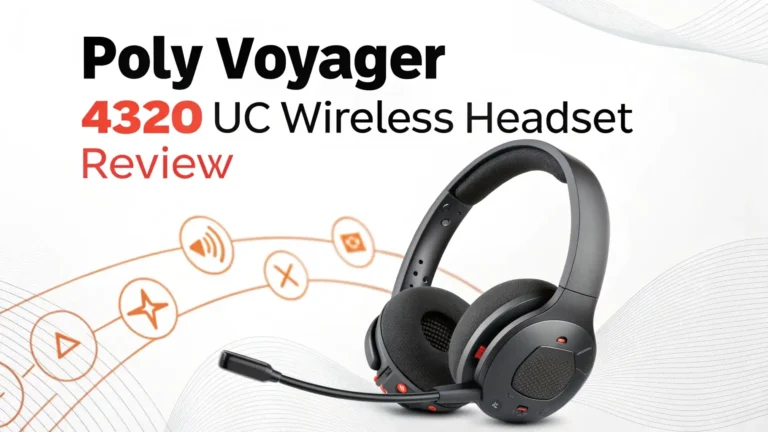
Wireless alternatives like the Poly Voyager 4310 cost roughly double. You gain freedom of movement and active noise cancellation. You sacrifice the reliability of wired connections and add battery management complexity.
Who Should Buy the Poly Blackwire 5220
This headset suits specific user profiles perfectly. Remote workers who spend hours daily on video calls benefit most. The comfort and audio quality make long call days manageable.
Customer service representatives need reliable equipment that captures their voices clearly. The noise cancellation prevents background office sounds from disturbing customers. The wired connection eliminates battery anxiety during long shifts.
Hybrid employees who split time between home and office appreciate the dual connectivity. Use USB at your desk. Switch to 3.5mm with your tablet in a conference room. The flexibility accommodates different work scenarios.
Budget-conscious professionals get excellent value here. You need quality equipment for work, but you can’t justify spending $150 or more. This headset delivers performance that appears more expensive than its actual cost.
Students attending online classes benefit from clear microphone quality. Professors and classmates hear you without asking for repetition. The comfortable design works for multi-hour lecture sessions.
Frequently Asked Questions
Does the Poly Blackwire 5220 work with Mac computers?
Yes, this headset works perfectly with Mac computers. The USB-A connection is compatible with macOS. Your Mac recognizes it automatically as a USB audio device. Simply plug it in and select it in your sound settings. No additional software or drivers needed for basic functionality.
Can I use this headset with my smartphone?
Yes, you can use this headset with smartphones that have a 3.5mm headphone jack. Use the included cable with separate headphone and microphone plugs. Newer smartphones without headphone jacks require a USB-C to USB-A adapter. The adapter must support USB audio for this to work properly.
How long is the cable on the Poly Blackwire 5220?
The cable measures approximately six feet or 1.8 meters long. This length provides enough range to move around your desk comfortably. You can lean back in your chair or stand briefly without unplugging. If you need more length, USB extension cables work with this headset.
Does this headset require batteries?
No, this headset does not require batteries. It draws power directly from the USB connection. This powers the noise-canceling microphone and inline controls. You never need to worry about charging or replacing batteries. The headset works whenever your computer is on.
Can I replace the ear cushions if they wear out?
Yes, replacement ear cushions are available for the Blackwire 5220. Poly sells official replacement parts. Third-party options also exist on Amazon. The cushions snap off relatively easily. You can replace them yourself without special tools when they become compressed or damaged.
Is the microphone removable?
No, the microphone boom is permanently attached to the left ear cup. You cannot detach it completely. However, you can rotate it upward away from your mouth. Some users rotate it all the way up when using the headset for music listening only.
Does this headset work with PlayStation or Xbox?
The 3.5mm connection works with controllers that have headphone jacks. PlayStation 4 and 5 controllers support this. Xbox controllers with 3.5mm jacks also work. The USB connection typically does not work with game consoles. Your gaming experience will work better with gaming-specific headsets.
What is the warranty on the Poly Blackwire 5220?
Poly provides a two-year warranty on the Blackwire 5220. This covers manufacturing defects and hardware failures. Normal wear and tear is not covered. Keep your purchase receipt to validate warranty claims. Contact Poly customer support directly for warranty service.
Can I use this headset for recording podcasts?
You can use this headset for basic podcast recording. The microphone quality works adequately for voice recording. However, dedicated podcasting microphones produce better audio quality. If you’re starting a podcast as a hobby, this works. If you want professional-quality recordings, invest in a proper podcasting microphone.
Does the Poly Blackwire 5220 have active noise cancellation?
No, this headset does not have active noise cancellation for listening. It uses passive noise isolation through the ear cup design. The microphone features noise cancellation that filters background sounds from your voice. You hear environmental sounds while wearing the headset, but others hear mainly your voice.