
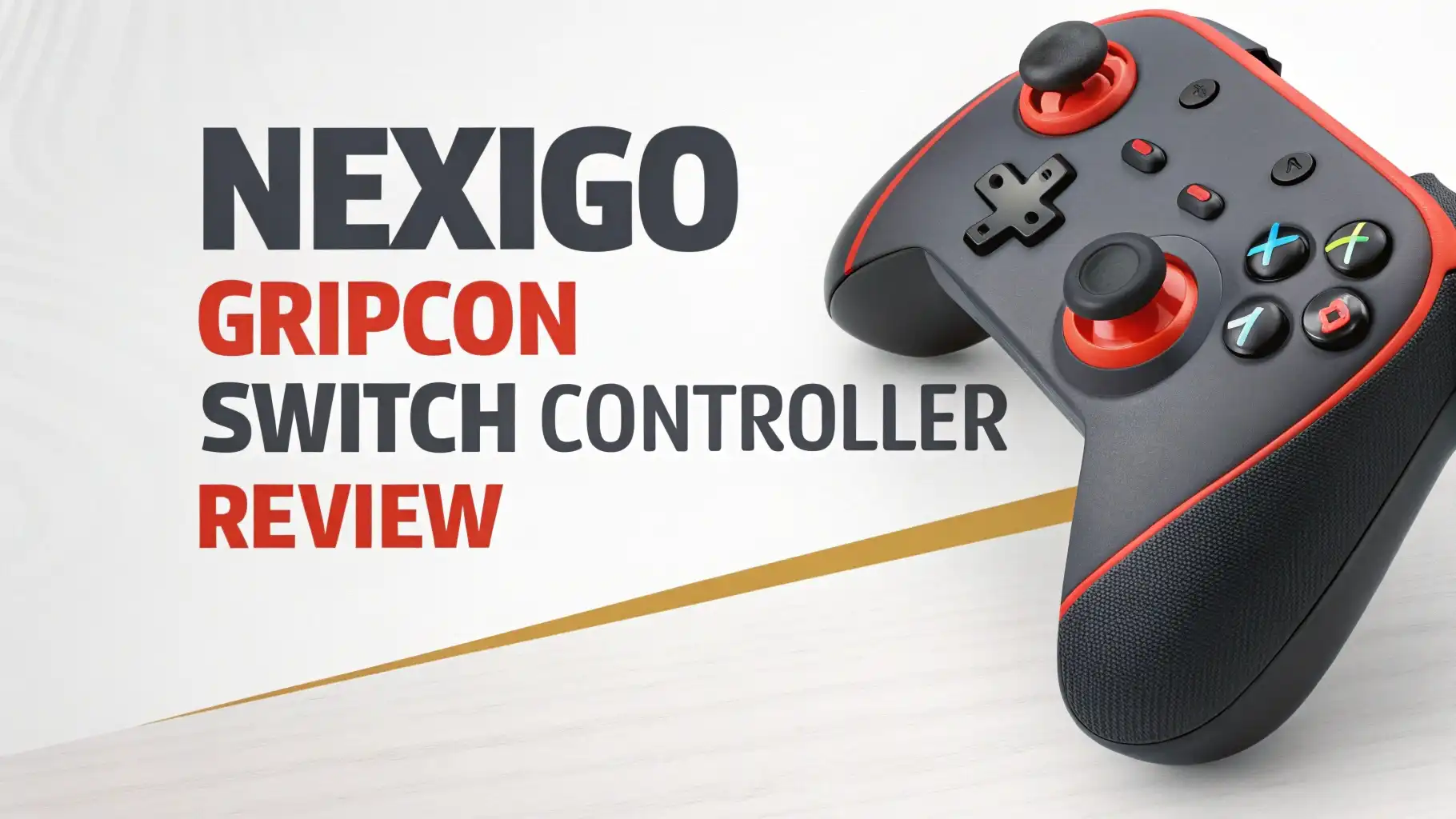
NexiGo Gripcon Switch Controller Review: Step-by-Step Guide
Are your hands cramping after long gaming sessions on your Nintendo Switch? Do you find yourself constantly adjusting your grip to get comfortable? You’re not alone.
Thousands of Switch players struggle with the tiny Joy-Con controllers that came with their console. The good news is that there’s a solution that won’t break the bank and will transform your handheld gaming experience forever.
In this detailed review, we’ll explore everything you need to know about this popular gaming accessory, from its innovative features to real-world performance.
Key Takeaways:
- Enhanced Ergonomics: The Gripcon transforms your Switch into a full-sized controller with textured grips that fit adult hands comfortably. No more finger cramps or awkward positioning during marathon gaming sessions.
- Hall Effect Technology (Gen 2 models): The newer generation features advanced Hall Effect joysticks that eliminate stick drift completely. This contactless sensor technology ensures your controller maintains precision for years.
- Full Feature Set: You get 6-axis gyroscope, dual motor vibration, turbo functions, and mappable back buttons. Everything you need for competitive gaming is built right in.
- Pass-Through Charging: The USB-C port at the bottom supports PD Fast Charging while you play. You never have to choose between gaming and keeping your battery topped up.
- Universal Compatibility: Works seamlessly with both Nintendo Switch and Switch OLED models. The package includes adjustable sliders for different console sizes, making it a future-proof investment.
- Protective Case Function: The controller doubles as a protective case for your Switch, with strategic cutouts that don’t block heat vents or essential ports. Your console stays safe during transport without sacrificing accessibility.

NexiGo Gripcon Switch Controller Overview
The NexiGo Gripcon represents a new approach to handheld gaming. Instead of replacing your Joy-Cons entirely, this controller wraps around your Switch console to create a unified gaming device. The design philosophy is simple: give players the comfort of a Pro Controller while maintaining the portability of handheld mode.
The controller comes in multiple color options including red and blue, sleek black, and blue and green combinations. Each design features premium plastic construction with textured grips that prevent slipping during intense gaming sessions.
The buttons are larger than standard Joy-Con buttons, making them easier to press accurately. The joysticks are also full-sized, giving you the precise control you need for competitive games.
What sets the NexiGo Gripcon apart is its attention to detail. The controller includes interchangeable thumb grips so you can customize the feel to match your preferences.
There are slots for game cartridges built into the top, and the entire assembly feels solid and well-constructed. This isn’t a cheap accessory that will break after a few uses. The build quality rivals official Nintendo products.
Unboxing and First Impressions
When you first open the NexiGo Gripcon package, you’ll find everything you need to get started. The main controller unit comes with four replacement thumb grips in different heights and textures. There are also plastic sliders included for the original Switch model, ensuring compatibility across different console versions.
The initial setup takes less than a minute. You simply enable Pro Controller Wired Communication in your Switch settings, slide your console into the Gripcon, and press the A button to connect. The connection is instant and reliable. There’s no pairing process, no Bluetooth complications, and no firmware updates required.
The first thing you’ll notice when holding the assembled unit is the dramatic improvement in comfort. The grips fill your palms naturally, and the weight distribution feels balanced.
The controller adds some bulk to your Switch, but it never feels too heavy or unwieldy. The textured backing provides excellent grip security, so you won’t worry about dropping your console during heated gaming moments.
NexiGo Gripcon Gen 2 with Hall Effect Technology

The second generation Gripcon takes everything great about the original and adds revolutionary Hall Effect joysticks. This technology uses magnetic sensors instead of physical contact points, which means there’s zero stick drift over time.
Traditional analog sticks wear out because the internal components physically rub together. Hall Effect sensors measure position through magnetic fields, eliminating mechanical friction entirely.
For gamers, this means your controller will maintain factory-fresh precision even after thousands of hours of gameplay.
You won’t experience the frustration of characters moving on their own or aim slowly drifting off target. The Hall Effect sticks respond instantly to the slightest input, giving you competitive accuracy in fast-paced games.
The Gen 2 also features adjustable RGB lighting with multiple modes including breathing effects, color cycling, and brightness control. The lighting isn’t just for show – it provides useful feedback during gameplay and helps you quickly identify which controller profile you’re using.
The two programmable back buttons can be mapped to any function, giving you up to 16 different button configurations. This customization is invaluable for games that require quick access to multiple actions.
Top 3 Alternatives for NexiGo Gripcon


Ergonomic Design and Comfort Analysis
The ergonomic design is where the NexiGo Gripcon truly shines. The controller grips follow the natural contour of your hands, with subtle curves that reduce strain on your wrists and fingers. The textured surface provides optimal friction without feeling rough or uncomfortable during extended use.
The button placement is well thought out. The ABXY buttons are slightly larger than Joy-Con buttons and have satisfying tactile feedback.
The D-pad is a full cross design rather than individual buttons, which makes fighting games and classic platformers feel much better. The shoulder buttons and triggers are positioned where your index fingers naturally rest, requiring minimal finger movement.
However, there is one minor compromise. The right joystick sits slightly lower than on standard controllers. Players with larger hands won’t notice this, but those with medium or smaller hands might need a brief adjustment period.
This positioning allows the controller to maintain a slim profile while still providing full-sized sticks. After a few gaming sessions, most players adapt naturally and no longer notice the difference.
Performance and Gaming Experience
The NexiGo Gripcon delivers exceptional performance across all game genres. The 6-axis gyroscope provides accurate motion controls for games like Splatoon and Zelda: Breath of the Wild. The gyro responds instantly to tilting and rotation, giving you precise aiming that rivals mouse and keyboard setups.
The dual motor vibration system creates immersive haptic feedback that enhances every gaming experience.
Whether you’re feeling the rumble of an engine in Mario Kart or the impact of landing after a big jump, the vibration adds depth to gameplay. The motors are powerful enough to be noticeable but never overwhelming or distracting.
Button response is instantaneous with zero latency. The turbo function works flawlessly, with three speed settings that let you customize rapid-fire actions.
The programmable back buttons respond just as quickly as the face buttons, making them perfect for mapping jump, sprint, or reload commands. Your thumbs never need to leave the joysticks during critical moments.
Battery Life and Charging Considerations
The NexiGo Gripcon doesn’t have an internal battery, which is both a strength and a limitation. The controller draws power directly from your Switch console to operate the vibration motors and gyroscope. This means you don’t need to worry about charging an additional device, but it does impact your Switch’s battery life.
In practical testing, the Gripcon reduces battery life by approximately 45 minutes to an hour compared to using regular Joy-Cons.
For example, games like Zelda: Breath of the Wild that normally run for 5.5 hours on Switch OLED will last about 4.5-5 hours with the Gripcon attached. This difference is noticeable but not deal-breaking.
The good news is the USB-C pass-through port at the bottom supports Power Delivery Fast Charging. You can plug in while playing without removing the Gripcon, and the charging speed matches what you’d get from directly connecting to your Switch.
Many players keep a portable power bank handy for long trips, which completely eliminates battery concerns. The charging port positioning doesn’t interfere with comfortable grip, so gaming while charging feels natural.
Compatibility and Setup Process
Setting up the NexiGo Gripcon is remarkably straightforward. The controller works with both Nintendo Switch and Switch OLED right out of the box.
For the original Switch model, you’ll insert the included plastic sliders on either side of your console’s screen before attaching the Gripcon. For Switch OLED, the console fits directly into the controller without any adapters.
The connection process requires zero technical knowledge. Simply navigate to your Switch system settings, select Controllers and Sensors, and enable Pro Controller Wired Communication.
Slide your console into the Gripcon unit until you hear a satisfying click. Press the A button on the controller, and connection happens instantly. There’s no Bluetooth pairing, no firmware updates, and no troubleshooting required.
The controller maintains its connection reliably. You won’t experience random disconnects or input lag during gameplay. When you want to dock your Switch, simply slide the console out of the Gripcon. The process takes seconds in either direction, making it easy to switch between handheld and TV mode whenever you want.
Build Quality and Durability
The NexiGo Gripcon is built to last. The plastic construction feels solid and premium, without any creaking or flexing when you apply normal gaming pressure. The grips maintain their texture even after months of use, and the buttons show no signs of wear or reduced responsiveness.
The joysticks are the most impressive durability feature, especially on Gen 2 models with Hall Effect technology. Traditional analog sticks start drifting after 400-600 hours of gameplay.
The Hall Effect sensors in the Gripcon Gen 2 are rated for millions of inputs without degradation. You can game intensively for years without experiencing any reduction in accuracy.
The USB-C port is reinforced and handles repeated plugging and unplugging without becoming loose. The game cartridge slot covers stay securely closed but open easily when needed.
The overall assembly protects your Switch from minor drops and scratches, adding another layer of durability to your console. This controller is designed for daily use by serious gamers who demand reliability.
Features Comparison: Gen 1 vs Gen 2
Understanding the differences between Gripcon generations helps you make the right purchase decision. The original Gripcon offers excellent ergonomics, full-sized buttons, 6-axis gyro, and dual vibration motors. It provides everything most gamers need at a lower price point around $34.99.
The Gen 2 Gripcon adds several advanced features that justify its higher $44.99 price tag. The Hall Effect joysticks completely eliminate stick drift concerns.
The adjustable RGB lighting provides both aesthetic appeal and functional feedback. The two programmable back buttons offer competitive advantages in multiplayer games. The Gen 2 also features improved button materials that provide better tactile response.
For casual players who game a few hours per week, the original Gripcon delivers excellent value. For competitive players, speedrunners, or anyone who games daily, the Gen 2’s drift-free technology and programmable buttons make it the clear choice.
The price difference is modest considering the significant longevity improvement that Hall Effect sensors provide.
Pros and Cons of the NexiGo Gripcon
Advantages: The ergonomic grips dramatically improve comfort during long gaming sessions. The full-sized buttons and joysticks provide superior control accuracy compared to Joy-Cons. All essential features including gyro, vibration, and button mapping are included.
The controller doubles as a protective case for your Switch. Pass-through charging lets you game without battery anxiety. The Hall Effect joysticks in Gen 2 models guarantee years of drift-free performance.
Limitations: The controller drains your Switch battery faster than standard Joy-Cons. The right joystick positioning might feel slightly low for players with smaller hands.
You cannot scan amiibo while using the Gripcon. The controller blocks the Switch’s built-in kickstand, though some models include their own kickstand. Your Switch won’t fit in the dock while attached to the Gripcon, requiring you to remove it for TV mode.
Most of these limitations are minor compromises for the massive comfort improvement. The battery impact is easily managed with charging cables or power banks.
The amiibo limitation only affects players who actively use those figures. The inability to dock is inherent to all handheld controller attachments and isn’t unique to the Gripcon.
Price and Value Proposition
The NexiGo Gripcon offers outstanding value in the Switch accessory market. The original model typically sells for $34.99, while the advanced Gen 2 version is priced at $44.99.
Both options cost significantly less than official Nintendo Pro Controllers, which retail for $69.99, yet provide similar comfort and features specifically optimized for handheld mode.
When you consider that the Gripcon also functions as a protective case and includes interchangeable thumb grips, the value proposition becomes even stronger.
Purchasing a separate grip case would cost $15-25, making the Gripcon’s all-in-one design economical. The Gen 2’s Hall Effect technology provides long-term savings by eliminating the need to replace controllers due to stick drift.
For players who primarily use their Switch in handheld mode, the Gripcon delivers more practical value than a Pro Controller. You get the same comfort and button quality while maintaining portability.
The investment pays for itself in improved gaming performance and reduced hand fatigue. Whether you’re a student gaming between classes or a commuter playing on your daily travels, this controller transforms your experience without breaking your budget.
Who Should Buy the NexiGo Gripcon?
The NexiGo Gripcon is ideal for several types of gamers. If you primarily play in handheld mode and find Joy-Cons uncomfortable, this controller will transform your gaming experience. Players with larger adult hands particularly benefit from the ergonomic grips and full-sized controls.
Competitive gamers who play online multiplayer titles like Splatoon, Smash Bros, or Fortnite will appreciate the programmable buttons and precise gyro controls. The Gen 2’s Hall Effect joysticks ensure your aim stays accurate during tournaments and ranked matches.
Long session gamers who regularly play for multiple hours will notice the comfort difference immediately. The ergonomic design prevents the hand numbness and finger cramping that plague extended Joy-Con use. If you’ve ever had to take breaks specifically because your hands hurt, the Gripcon solves that problem.
Parents buying for younger players should consider that the Gripcon is sized for adult or teenage hands. Very young children might find the grips too large. However, pre-teens and teenagers will love the controller, especially if they’re already complaining about Joy-Con discomfort.
Frequently Asked Questions
Does the NexiGo Gripcon work with the Switch Lite?
No, the Gripcon is designed specifically for the standard Nintendo Switch and Switch OLED models. The Switch Lite has a non-detachable design that isn’t compatible with controller attachments like the Gripcon.
Can I use the Gripcon while my Switch is docked?
The Gripcon prevents your Switch from physically fitting into the dock. You’ll need to remove your console from the controller to use TV mode. However, some advanced models feature built-in HDMI ports that allow video output without docking.
How do I connect the NexiGo Gripcon to my Switch?
Enable Pro Controller Wired Communication in your Switch settings under Controllers and Sensors. Slide your Switch into the Gripcon until it clicks into place, then press the A button on the controller to establish connection.
Will the Gripcon cause stick drift like Joy-Cons?
The original Gripcon uses traditional analog sticks that can develop drift over time. However, the Gen 2 model features Hall Effect joysticks that eliminate drift completely through contactless magnetic sensor technology.
Does the controller have an internal battery?
No, the Gripcon draws power directly from your Switch console. This eliminates the need to charge an additional device but does reduce your Switch’s battery life by approximately 45 minutes to an hour during gameplay.
Can I charge my Switch while using the Gripcon?
Yes, the USB-C port at the bottom of the Gripcon supports pass-through PD Fast Charging. You can plug in your charging cable and play simultaneously without removing the controller.
Does the NexiGo Gripcon support wireless gameplay?
No, the Gripcon is a wired controller that connects directly to your Switch console. It cannot be used wirelessly or detached like Joy-Cons. It’s specifically designed for handheld mode gaming.
What games work best with the Gripcon?
The controller works with all Switch games. It particularly excels in action games, shooters, and platformers that benefit from precise controls and extended play sessions. Games like Zelda, Mario, Splatoon, and Monster Hunter feel significantly better with the improved ergonomics.
Is the Gripcon officially licensed by Nintendo?
No, the NexiGo Gripcon is a third-party accessory not officially licensed by Nintendo. However, it’s designed to work seamlessly with Switch consoles and maintains high quality standards that rival official products.
Can I use amiibo with the Gripcon attached?
No, the Gripcon blocks access to the NFC reader required for amiibo scanning. You’ll need to remove your Switch from the controller if you want to scan amiibo figures. This is a limitation shared by most handheld controller attachments.





