Logitech Signature Slim K950 Wireless Keyboard Review
Are you tired of noisy keyboards that disturb your focus? Do you constantly juggle between different devices and wish you could type seamlessly across all of them?
The Logitech Signature Slim K950 Wireless Keyboard might be exactly what you need. This keyboard brings together sleek design, whisper-quiet typing, and smart features that make working across multiple devices a breeze.
Whether you’re a remote worker, a student, or someone who values a clean desk setup, this keyboard promises to transform your typing experience.
Key Takeaways:
- Multi-Device Switching: Connect up to three devices simultaneously and switch between them with a single button tap. This feature works perfectly for people who use a laptop, tablet, and desktop throughout the day.
- Incredibly Quiet Typing: The SilentTouch technology reduces typing noise significantly. Your keyboard becomes almost silent, which is perfect for shared workspaces or late-night work sessions.
- Exceptional Battery Life: With up to 36 months of battery life from two AAA batteries, you won’t need to worry about replacements for years. This makes it one of the most efficient keyboards available.
- Universal Compatibility: Works seamlessly with Windows, Mac, Chrome OS, Linux, iOS, and Android. You can use it with virtually any device you own without compatibility concerns.
- Comfortable Low-Profile Design: The slim, laptop-style keys provide a comfortable typing experience without requiring a wrist rest. The keyboard sits flat on your desk, reducing wrist strain during extended typing sessions.
- Dual Connectivity Options: Choose between Bluetooth 5.1 or the included Logi Bolt USB receiver. This flexibility ensures stable connection regardless of your device’s capabilities.

Logitech Signature Slim K950 Wireless Keyboard
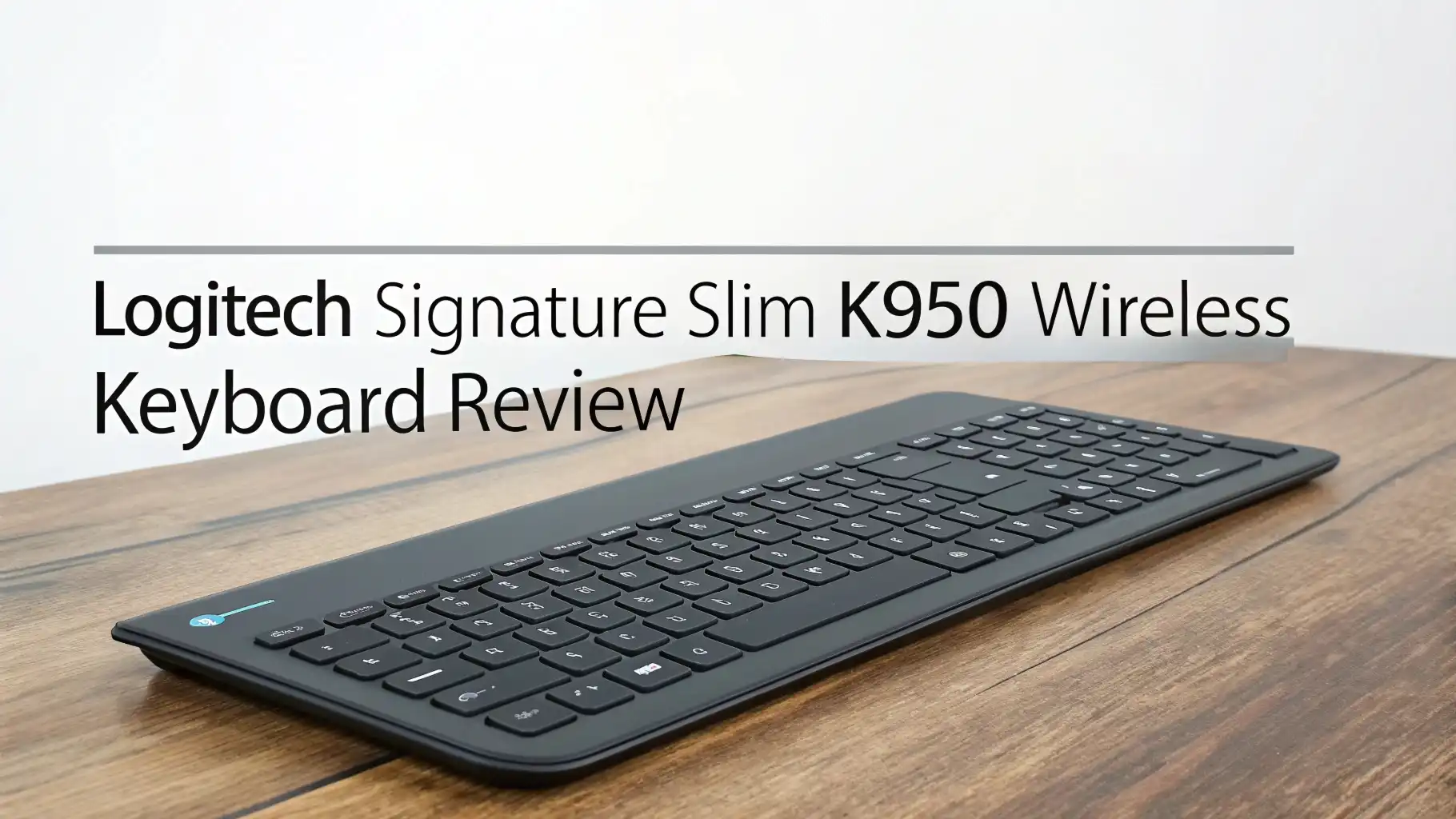
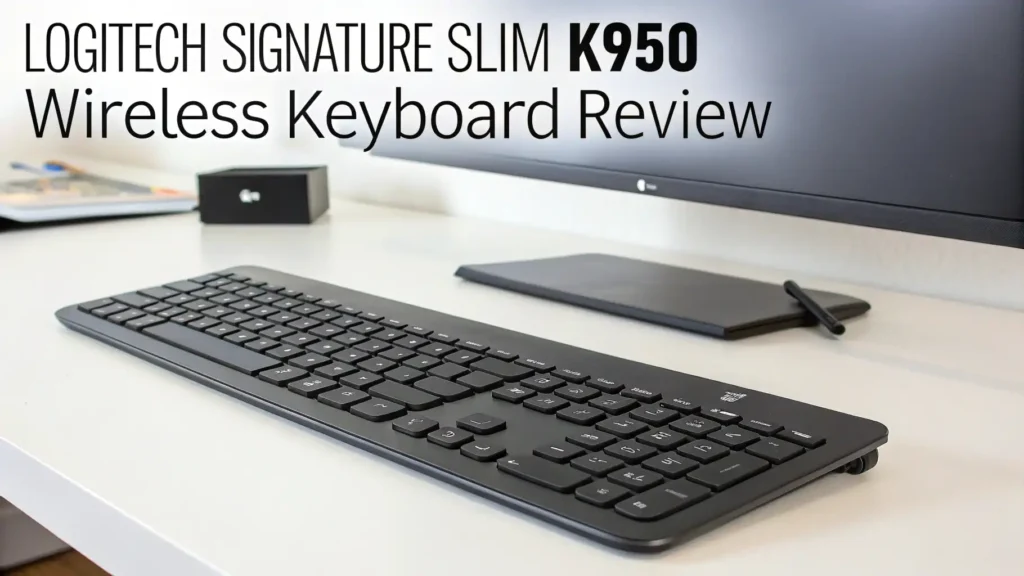
The Logitech Signature Slim K950 represents a significant step forward in wireless keyboard design. This keyboard combines practicality with aesthetics, creating a device that looks professional while delivering exceptional performance.
The graphite and off-white color options allow you to match your workspace aesthetic perfectly. The keyboard measures 18 inches wide, making it a full-size keyboard with a complete number pad, yet it maintains a remarkably thin profile at less than an inch tall.
The build quality feels solid and premium despite the lightweight construction. The keys have a satisfying tactile response that strikes a perfect balance between mechanical and membrane keyboards.
Each keystroke registers accurately without requiring excessive force. The keyboard’s surface features a matte finish that resists fingerprints and maintains its clean appearance even after months of daily use.
Silent Typing Technology That Actually Works
Noise pollution from keyboards can be surprisingly disruptive. The K950 addresses this problem with its SilentTouch technology, which dramatically reduces the sound of each keystroke.
When you type on this keyboard, the sound level drops to barely noticeable levels. This makes it ideal for office environments, libraries, or home offices where you share space with others.
The silence doesn’t come at the cost of typing satisfaction. The keys still provide clear tactile feedback that confirms each press. You can feel when a key actuates without hearing the typical clicking sound.
This combination creates a typing experience that feels both responsive and respectful of your surroundings. Users who previously worried about disturbing colleagues or family members can now type freely at any hour.
The rubber dampeners underneath each key absorb the impact sound. This engineering detail makes a massive difference compared to standard keyboards. Whether you’re writing emails, coding, or working on documents, the quiet operation helps you maintain focus without the constant clacking distraction.
Multi-Device Connectivity Made Simple
Modern workflows often involve multiple devices. You might start work on your desktop, continue on a laptop during a meeting, and finish on a tablet in the evening.
The K950 makes this device switching incredibly smooth with its Easy-Switch technology. Three buttons at the top of the keyboard represent three different device connections.
Press button one to type on your Windows desktop. Press button two to switch instantly to your MacBook. Press button three to connect with your iPad.
The transition happens in less than a second. This feature eliminates the frustration of manually disconnecting and reconnecting Bluetooth devices. You can maintain active connections with all three devices simultaneously.
The keyboard remembers each device’s operating system layout. When you switch to a Mac, the keyboard automatically maps keys to Mac-specific functions.
Switch to Windows, and it reverts to Windows shortcuts. This intelligent adaptation means you don’t need to remember different key combinations for different systems. Everything works naturally regardless of which device you’re using.
Top 3 Alternatives for Logitech Signature Slim K950


Battery Life That Outlasts Your Expectations
Battery anxiety shouldn’t be part of your keyboard experience. The K950 delivers an astounding 36 months of battery life from just two AAA batteries.
This three-year lifespan means you can essentially forget about battery maintenance. The keyboard includes a small LED indicator that glows red when battery levels drop below five percent, giving you plenty of warning before replacement becomes necessary.
The Bluetooth 5.1 technology contributes significantly to this impressive battery performance. This newer Bluetooth version uses less power while maintaining a strong, stable connection. The keyboard automatically enters a power-saving mode when inactive, further extending battery life without requiring manual intervention.
This extended battery life offers practical advantages beyond convenience. You reduce battery waste, save money on replacements, and eliminate the frustration of dead keyboards at critical moments. For businesses purchasing multiple keyboards, the reduced maintenance burden translates to real cost savings over time.
Design That Complements Your Workspace
Aesthetics matter when you spend hours looking at your desk. The K950 features a minimalist, modern design that suits contemporary workspaces.
The slim profile keeps your desk looking clean and organized. The keyboard doesn’t feature flashy RGB lighting or aggressive gaming aesthetics. Instead, it presents a professional, understated appearance appropriate for any environment.
The low-profile keys mimic the typing feel of premium laptops. If you’ve ever enjoyed typing on a MacBook or high-end Windows laptop, you’ll recognize this familiar key travel and spacing.
The transition between typing on your laptop and this keyboard feels seamless. This consistency reduces the adjustment period and potential typing errors when switching between devices.
The keyboard includes adjustable tilt legs on the bottom. You can raise the back edge slightly to find your preferred typing angle. This customization helps you maintain proper wrist position and reduces strain during extended typing sessions.
The rubber feet keep the keyboard firmly in place on your desk, preventing unwanted sliding during enthusiastic typing.
Full-Size Layout With Complete Functionality
Despite its slim design, the K950 maintains a complete full-size layout. You get all standard keys including a dedicated number pad, function keys, and navigation cluster.
This comprehensive layout ensures you never need to hunt for special key combinations to access basic functions. The number pad proves especially valuable for data entry, spreadsheet work, and financial applications.
The function keys provide quick access to media controls, volume adjustment, and screen brightness. You can pause music, skip tracks, and adjust volume without leaving your keyboard or clicking through software menus.
These shortcuts streamline your workflow and reduce unnecessary mouse movements. The keyboard also includes dedicated keys for home, search, and other frequently used functions.
The key spacing follows standard dimensions, preventing accidental key presses. People with larger hands appreciate the generous spacing, while those with smaller hands still find the layout comfortable.
The full-size design doesn’t sacrifice portability significantly. While not as compact as 60% keyboards, it remains reasonable for occasional transport between home and office.
Logi Bolt USB Receiver for Enhanced Security
Bluetooth connectivity offers convenience, but some users prefer the reliability and security of a USB receiver.
The K950 includes a Logi Bolt USB receiver that provides encrypted communication between keyboard and computer. This encryption protects your keystrokes from potential wireless eavesdropping, making it suitable for sensitive work environments.
The Logi Bolt receiver uses advanced technology that minimizes interference from other wireless devices. Even in crowded office environments with dozens of wireless peripherals, your keyboard maintains a stable connection.
The receiver is small enough to leave permanently plugged into your computer without blocking adjacent USB ports.
You can choose between Bluetooth and USB receiver connection based on your specific situation. Use Bluetooth with tablets and phones that lack USB ports. Use the Logi Bolt receiver with desktop computers where you want maximum reliability. The flexibility to switch between connection methods adds to the keyboard’s versatility.
Smart Actions and Customization Options
The K950 supports Logitech Options+ software, which unlocks additional customization possibilities. This software allows you to reprogram specific keys to perform custom actions.
You can create keyboard shortcuts that launch applications, open specific websites, or execute multi-step commands. This customization helps you automate repetitive tasks and improve productivity.
Smart Actions take customization further by creating workflows that respond to context. You can set different key behaviors for different applications.
For example, function keys might control Spotify when that application is active, but switch to Zoom controls when you’re in a video call. These context-sensitive shortcuts reduce the mental overhead of remembering different commands.
The software also provides detailed battery monitoring, firmware updates, and key testing functions. You can check which keys you press most frequently and ensure all keys respond correctly. Regular firmware updates from Logitech ensure the keyboard remains compatible with new operating systems and gains occasional feature enhancements.
Cross-Platform Compatibility Done Right
True cross-platform compatibility requires more than just basic connection. The K950 adapts its functionality to match each operating system’s conventions.
When connected to a Mac, the keyboard shows Mac-specific symbols and functions. Command keys work as expected, and shortcuts follow Mac standards. Switch to Windows, and everything adjusts to Windows conventions.
This adaptation extends to less common operating systems too. The keyboard works perfectly with Chrome OS, Linux, Android, and iOS. Whether you’re typing on a Chromebook, Linux workstation, Android tablet, or iPhone, the keyboard provides appropriate key mappings. This universal compatibility makes the K950 an excellent choice for households or offices with diverse device ecosystems.
The keyboard maintains separate pairing profiles for each operating system. You don’t need to re-pair devices each time you switch. The keyboard remembers your Windows PC, MacBook, and iPad simultaneously. This memory function eliminates setup frustration and makes device switching truly instantaneous.
Ergonomic Comfort for Extended Use
Keyboard comfort directly affects productivity and health. The K950’s low-profile design promotes a more natural wrist position compared to tall traditional keyboards. Your hands rest at a comfortable angle without requiring excessive wrist extension. This neutral position reduces strain on your wrists, forearms, and shoulders.
The laptop-style keys require less finger travel distance. Each keystroke involves less vertical movement, reducing the cumulative fatigue from thousands of daily keystrokes. Touch typists particularly appreciate this efficient key design. The reduced travel distance translates to faster typing speeds without sacrificing accuracy.
The keyboard’s integrated palm rest area provides subtle wrist support without adding bulk. The smooth edge prevents sharp contact points that can cause discomfort during long typing sessions. While the keyboard doesn’t include a separate padded wrist rest, many users find the design comfortable enough without one. Those who prefer additional support can easily add a third-party wrist rest.
Comparison With Premium Alternatives
The K950 occupies an interesting position in Logitech’s keyboard lineup. It sits below the MX Keys S in terms of price and features, but above budget models like the K380. This middle-ground positioning offers excellent value. You get many premium features without paying premium prices. The K950 costs approximately $75, compared to $110 for the MX Keys S.
The primary differences compared to the MX Keys S include the lack of backlighting and rechargeable battery. The MX Keys S offers illuminated keys that automatically adjust brightness based on ambient light.
It also features a built-in rechargeable battery rather than replaceable AAA batteries. However, the K950’s battery life actually exceeds the MX Keys S when considering battery replacements versus recharging cycles.
Compared to the compact K380, the K950 provides a full-size layout with number pad and function keys. The K950 also includes the more secure Logi Bolt receiver option.
The typing feel on the K950 feels more refined and closer to premium laptop keyboards. For users who need a full-size keyboard and can accommodate the larger footprint, the K950 offers better long-term value.
Real-World Performance and Reliability
Testing the K950 in daily use reveals its strengths. The keyboard handles intensive typing workloads without missing keystrokes or exhibiting lag. Software developers, writers, and data entry professionals report excellent reliability. The wireless connection remains stable even at the maximum rated distance of 33 feet.
The quiet keys deliver on their promise. In side-by-side comparisons with standard keyboards, the noise reduction is immediately apparent. Roommates, family members, and coworkers notice the difference. This quietness becomes especially valuable during video calls, where traditional keyboard clacking can be distracting and unprofessional.
Build quality holds up well over months of continuous use. The keys don’t develop wobble or inconsistent feel. The matte finish resists wear and maintains its appearance. The only minor weakness is the lack of backlighting, which some users miss when working in dim environments. However, the low profile and standard key spacing make touch typing relatively easy even without illumination.
Who Should Buy the Logitech K950
This keyboard excels for specific user profiles. Remote workers who juggle multiple devices benefit enormously from the multi-device switching.
The quiet typing makes it ideal for shared living spaces where loud keyboards would be disruptive. The professional appearance suits office environments where flashy gaming keyboards would look out of place.
Students appreciate the affordable price point combined with premium features. The long battery life means less maintenance during busy semesters. The full-size layout works well for research papers and data analysis assignments. The compatibility with tablets and phones enables flexible study setups.
The K950 works less well for certain users. Gamers might prefer keyboards with faster key response times, programmable RGB lighting, and mechanical switches. People who frequently work in dark environments will miss backlighting. Users who prefer the tactile feedback of mechanical keyboards might find the low-profile switches too subtle.
Frequently Asked Questions
Does the Logitech K950 have backlit keys?
No, the K950 does not feature keyboard backlighting. This represents one of the main differences between the K950 and the more expensive MX Keys S. The lack of backlighting helps extend battery life significantly and reduces the overall cost. If you primarily work in well-lit environments, the absence of backlighting won’t affect your experience. However, if you frequently type in dim conditions, you might want to consider the MX Keys S or add a desk lamp to your workspace.
How long does the battery last on the K950?
The K950 offers up to 36 months of battery life using two AAA batteries. This exceptional longevity comes from the efficient Bluetooth 5.1 technology and intelligent power management. The keyboard enters sleep mode when inactive and wakes instantly when you press any key. A small LED indicator turns red when battery levels drop below 5%, giving you advance warning before the batteries need replacement. This three-year battery life exceeds most competing wireless keyboards by a significant margin.
Can I connect the K950 to my iPad and iPhone?
Yes, the K950 works perfectly with iPads and iPhones through Bluetooth connectivity. The keyboard automatically adapts to iOS, providing appropriate key functions and shortcuts. You can use the Easy-Switch buttons to maintain connections with your iPad, iPhone, and computer simultaneously. This makes it easy to respond to messages on your phone, then switch back to working on your iPad or computer without re-pairing devices.
What is the difference between Bluetooth and Logi Bolt connection?
Bluetooth connection works wirelessly without requiring a USB receiver. It’s ideal for devices like tablets and phones that don’t have USB ports. Logi Bolt uses a small USB receiver that plugs into your computer and provides encrypted communication. The Logi Bolt offers potentially more stable connections in crowded wireless environments and adds security through encryption. Most users prefer Bluetooth for mobile devices and Logi Bolt for desktop computers.
Is the K950 good for typing all day?
Yes, the K950 excels for extended typing sessions. The low-profile design promotes a natural wrist position that reduces strain. The quiet keys prevent the fatigue that can come from constant clicking noise. The laptop-style key travel feels comfortable and responsive without requiring excessive force. Many professional writers, programmers, and office workers use this keyboard for 8+ hour workdays without discomfort. The full-size layout with proper key spacing further contributes to comfortable all-day typing.
Can I use the K950 with Windows and Mac at the same time?
Yes, this is one of the K950’s best features. You can pair the keyboard with up to three devices simultaneously, regardless of their operating systems. For example, you can connect button one to your Windows PC, button two to your MacBook, and button three to your iPad. Press the corresponding button to switch between devices instantly. The keyboard automatically adjusts its key mappings to match each device’s operating system conventions.