
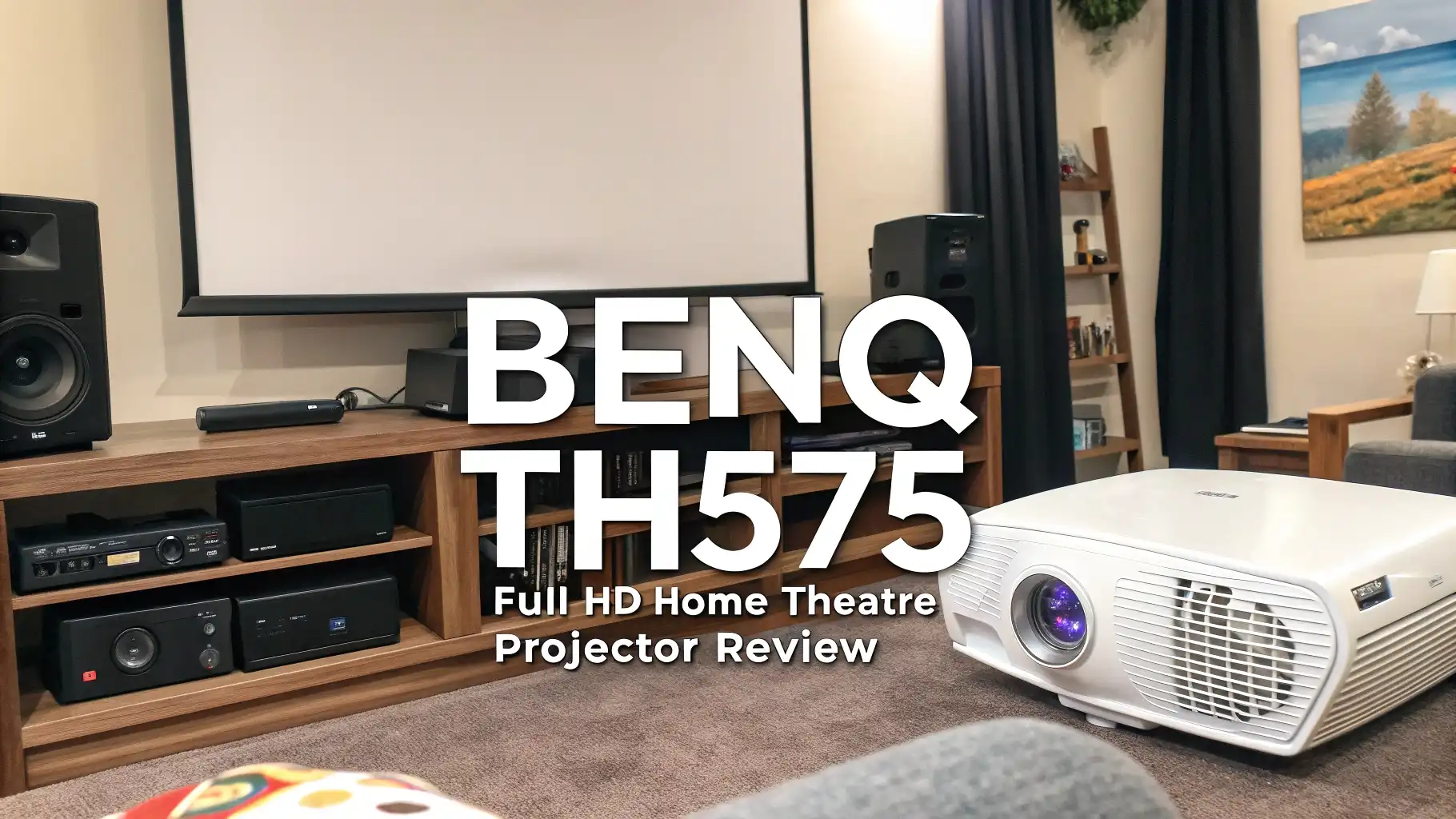
BenQ TH575 Full HD Home Theatre Projector Review
You want a projector that transforms your living room into a real cinema. The BenQ TH575 Full HD Home
Theatre Projector delivers bright images, fast response times, and crystal clear picture quality. This projector works perfectly for gaming sessions, movie nights, and sports viewing.
Your home entertainment setup deserves an upgrade that combines performance with affordability.
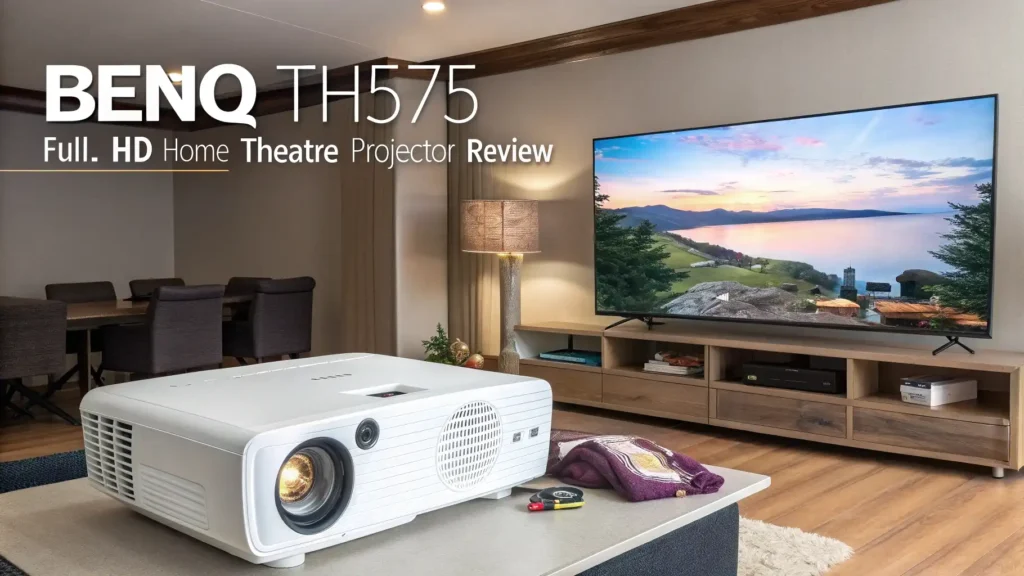
Key Takeaways:
- The BenQ TH575 offers several important features that make it a strong contender in the home theatre projector market.
- You get 3,800 ANSI lumens brightness that works well even in rooms with ambient light. The projector displays true Full HD 1080p resolution for sharp and detailed images.
- Gaming enthusiasts benefit from the ultra low 16.7ms input lag that eliminates screen delay during fast action sequences.
- The device includes dual HDMI ports for connecting multiple devices simultaneously without constant cable swapping.
- BenQ backs this projector with a comprehensive 3 year warranty that protects your investment and provides peace of mind for long term use.

BenQ TH575 Full HD Home Theatre Projector
The BenQ TH575 represents the perfect balance between performance and value for home entertainment enthusiasts. This projector delivers exceptional brightness at 3,800 ANSI lumens that cuts through ambient light with ease. You can enjoy your favorite movies and games during the day without closing all curtains and blinds. The native Full HD 1080p resolution ensures every detail appears sharp and clear on screens up to 300 inches diagonal.
Gaming performance sets this projector apart from competitors in the same price range. The 16.7ms input lag matches the responsiveness of dedicated gaming monitors. Your controller inputs translate instantly to on screen action without noticeable delay. Fast paced shooters, racing games, and competitive sports titles all perform smoothly. The enhanced Game Mode optimizes colors and contrast specifically for video game content. Dark areas in games become more visible, helping you spot enemies hiding in shadows.
The contrast ratio of 15,000:1 creates deep blacks and bright whites for a dynamic image. Movies look cinematic with this level of contrast performance. Dark scenes maintain detail instead of appearing as murky gray areas. The DLP technology from BenQ produces accurate colors straight out of the box. You spend less time tweaking settings and more time enjoying content. The projector supports 3D content for an immersive experience with compatible Blu-ray discs and gaming titles.
Brightness Performance That Adapts to Your Environment
Brightness determines how well a projector performs in different lighting conditions. The BenQ TH575 delivers 3,800 ANSI lumens that handle various room environments effectively. You enjoy watchable images even with lamps turned on or curtains partially open. Daytime viewing becomes practical without creating a cave-like atmosphere in your living room. The high brightness levels maintain image quality across the entire 300 inch maximum screen size.
The projector offers multiple brightness modes to match your viewing situation. Normal mode provides full brightness for well lit rooms and daytime use. Eco mode reduces brightness to 80% while extending lamp life significantly. SmartEco mode automatically adjusts brightness based on content for optimal viewing and energy efficiency. These modes give you flexibility to balance image quality with lamp longevity. The lamp lasts up to 6,000 hours in normal mode and extends to 15,000 hours in Eco mode.
Color accuracy remains consistent across different brightness settings. Many projectors sacrifice color quality when pushing maximum brightness. BenQ maintains vibrant and natural colors even at full output. Skin tones appear realistic in movies and TV shows. Grass looks green and skies show proper blue hues in sports broadcasts. The projector handles HDR content well, enhancing the dynamic range of compatible sources.
Image Quality and Resolution Details
Full HD 1080p resolution provides 1920×1080 pixels for detailed images. This resolution standard remains popular for home entertainment and gaming. You see sharp text, clear facial features, and defined textures in video game environments. The 0.65 inch DLP chip processes images smoothly without visible pixelation from normal viewing distances. Movies appear cinematic with proper detail levels that match your Blu-ray collection.
The 16:9 aspect ratio matches modern content perfectly. Widescreen movies fill the entire screen without black bars on the sides. TV shows and streaming content display at their intended proportions. Gaming consoles output native 16:9 signals that the projector handles without scaling issues. The projector accepts various input resolutions up to 1920×1200 and scales them appropriately for the native 1080p panel.
DLP technology offers several advantages over LCD projection systems. The single chip design eliminates convergence issues that plague three panel systems. You never see color separation or rainbow effects during normal viewing. The sealed optical path prevents dust from settling on internal components. Image quality remains consistent over years of use without degradation. Colors stay accurate and brightness remains stable throughout the lamp life cycle.
Top 3 Alternatives for BenQ TH575


The market offers several excellent alternatives to the BenQ TH575 that deserve consideration. The Epson Home Cinema 980 provides 4,000 lumens brightness with 3LCD technology for accurate colors. This projector offers slightly higher contrast at 16,000:1 and includes automatic picture skew correction. The ViewSonic PX700HDH delivers 3,700 lumens with an impressive 22,000:1 contrast ratio for deeper blacks. The BenQ TH685P steps up with 4K support, 120Hz refresh rate capability, and 8.3ms input lag for competitive gaming. Each alternative brings unique strengths to match different user priorities and budgets.
Gaming Performance and Input Lag Analysis
Input lag measures the delay between controller input and on screen response. The BenQ TH575 achieves 16.7ms input lag at 1080p 60Hz that rivals dedicated gaming monitors. Competitive gamers appreciate this responsive performance for fast twitch gameplay. First person shooters feel immediate and controllable. Racing games respond instantly to steering inputs. Fighting games register combo inputs accurately without timing issues.
The Enhanced Game Mode optimizes picture settings specifically for video game content. This mode brightens dark areas where enemies might hide in tactical shooters. Shadow details become more visible without washing out the entire image. Color saturation increases slightly to make environments pop with vibrant hues. Contrast adjustments help distinguish objects from backgrounds more easily. The mode works automatically once selected without requiring manual tweaking of individual settings.
Console compatibility covers all major gaming platforms seamlessly. PlayStation 5 and Xbox Series X connect via HDMI and output at 1080p 60fps flawlessly. The Nintendo Switch displays games at native 1080p when docked for optimal clarity. PC gaming works well with graphics cards outputting standard 1080p signals. Retro gaming consoles connect through HDMI adapters and look surprisingly good when properly scaled. The projector handles motion smoothly without judder or stuttering during fast camera pans.
Installation and Setup Process
Setting up the BenQ TH575 takes minimal time and effort for most users. The projector weighs 5.5 pounds, making it easy to move and position. You place it on a sturdy table or mount it to the ceiling using a standard mounting bracket. The standard throw ratio means you need roughly 10 to 12 feet of distance for a 100 inch diagonal screen. The included 1.1x manual zoom provides slight adjustment flexibility for positioning.
Automatic vertical keystone correction fixes trapezoidal distortion when the projector sits above or below screen center. You activate this feature in the menu, and the projector straightens the image electronically. Manual keystone works for situations where automatic correction needs fine tuning. Horizontal keystone correction requires manual adjustment since the projector lacks automatic horizontal correction. The overall process takes just minutes even for first time projector owners.
Connection options include two HDMI 1.4a ports for digital devices. You connect game consoles, streaming devices, Blu-ray players, and computers easily. One USB port allows firmware updates and powers streaming sticks. The 3.5mm audio input accepts analog audio sources. The audio output jack connects to external speakers or sound systems. An RS232 port enables integration with home automation systems for advanced users. The built-in 10 watt mono speaker provides adequate audio for casual viewing but external speakers deliver better sound quality.
Picture Quality Across Different Content Types
Movie watching on the BenQ TH575 creates an engaging cinematic experience. The 15,000:1 contrast ratio produces deep blacks essential for dramatic scenes. Dark movie theaters in films appear truly dark instead of murky gray. Bright outdoor scenes maintain highlight detail without clipping. The projector handles 24fps film content smoothly without judder that breaks immersion. Blu-ray discs look spectacular with rich colors and fine detail. Streaming content from Netflix, Amazon Prime, and Disney Plus displays clearly at 1080p quality.
Sports viewing benefits from the bright output and smooth motion handling. Fast moving athletes appear clear without excessive motion blur. The high brightness ensures visibility during daytime games with windows open. Stadium lighting and grass colors look natural and vibrant. Large screen sizes make you feel present at the game. Multiple viewers can watch comfortably without straining to see a small TV screen. The projector handles the constant motion of sports broadcasts without artifacts or stuttering.
TV shows and streaming content display with proper color accuracy and detail levels. Sitcoms look bright and cheerful with natural skin tones. Dramas maintain mood with appropriate contrast and shadow detail. Animated content pops with saturated colors and sharp lines. The projector upscales lower resolution content reasonably well when streaming older shows. Most modern streaming services output at 1080p, which the TH575 displays natively without any scaling issues. Menu navigation on streaming devices appears clear and readable.
Connectivity and Port Selection
The dual HDMI ports provide the most important connections for modern devices. HDMI 1.4a supports 1080p at 60Hz with full audio pass through. You connect one port to a game console and another to a streaming device permanently. No cable swapping becomes necessary when switching between devices. The HDMI ports support HDCP copy protection for commercial content playback. 3D content passes through properly when using compatible sources and glasses.
USB connectivity offers two ports for different functions. One USB port powers streaming sticks like the Amazon Fire TV Stick or Roku Streaming Stick. This eliminates the need for a separate power adapter and reduces cable clutter. The second USB port accepts firmware updates from BenQ when new features or fixes become available. You download the update file, copy it to a USB drive, and let the projector install it automatically. The process takes just a few minutes and requires no technical expertise.
Audio connections include both input and output options for flexibility. The 3.5mm audio input accepts analog audio from older devices without HDMI. The audio output jack sends sound to external speakers or home theater receivers. The built-in 10 watt speaker provides acceptable sound for small rooms or casual viewing. External audio systems deliver much better sound quality for immersive movie and gaming experiences. The projector passes audio through HDMI properly, so AV receivers can decode surround sound formats.
Lamp Life and Operating Costs
The lamp lifespan directly affects the total cost of ownership for any projector. The BenQ TH575 uses a 203 watt metal halide bulb rated for 6,000 hours in normal mode. This translates to watching 4 hours daily for over 4 years before replacement becomes necessary. Eco mode extends lamp life to 15,000 hours by reducing brightness by approximately 20%. You gain 10 years of use at 4 hours per day in Eco mode. SmartEco mode balances lamp life with image quality by adjusting brightness dynamically based on content.
Replacement lamp costs typically range from 80 to 150 dollars depending on the source. Original BenQ lamps cost more but guarantee compatibility and performance. Third party lamps offer lower prices but may vary in quality and lifespan. The lamp replacement process requires opening the projector and swapping the bulb module. BenQ provides clear instructions in the manual for DIY replacement. Professional installation services are available for users who prefer expert handling. The lamp hour counter in the menu tracks usage and reminds you when replacement becomes necessary.
Energy consumption affects monthly electricity costs moderately. The projector draws 280 watts during full brightness operation. This equals roughly 1.1 kilowatt hours for a 4 hour movie session. Eco mode reduces power consumption proportionally with the brightness reduction. Annual electricity costs remain reasonable compared to large screen TVs. The SmartEco mode saves energy by dimming during dark scenes and reducing standby power consumption. Most users find the operating costs acceptable for the large screen experience provided.
Audio Quality and Speaker Performance
The built-in 10 watt mono speaker provides basic audio output for convenient setup. This speaker works adequately for small rooms and casual viewing scenarios. Dialogue remains clear and understandable in movies and TV shows. Background music and sound effects have limited depth and bass response. Volume levels reach sufficient loudness for rooms up to medium size. The speaker faces downward from the projector body and benefits from placement on solid surfaces that reflect sound forward.
External audio solutions dramatically improve the home theater experience. Connecting a soundbar through the audio output jack adds depth and clarity to audio. Home theater receivers process surround sound formats for truly immersive movie watching. Bluetooth speakers pair easily with modern AV equipment for wireless audio transmission. Many users combine the TH575 with affordable powered speakers for significantly better sound quality. The projector focuses on video performance while leaving audio to dedicated equipment that handles it better.
Audio delay sync becomes important when using external speakers. Some audio systems introduce slight delays between video and audio signals. The projector lacks built-in audio delay adjustment features. Most AV receivers and soundbars include lip sync adjustment to match audio timing with video. You adjust these settings on the audio equipment rather than the projector. Gaming with external audio requires minimal delay for the best experience. Wired connections generally introduce less delay than wireless Bluetooth audio solutions.
Remote Control and Menu Navigation
The included remote control provides all necessary functions for operating the projector. Large buttons enable easy operation in darkened rooms without fumbling. Direct input selection buttons switch between HDMI sources quickly. Picture mode buttons cycle through presets including Cinema, Game, and Bright modes. Volume controls adjust the built-in speaker output or send signals to compatible audio equipment. The remote uses standard batteries and includes a reasonable range for most room sizes.
Menu navigation follows BenQ’s standard interface that remains logical and organized. The main menu divides settings into clear categories like Display, Image, Audio, and System. You adjust basic settings like brightness, contrast, color, and sharpness easily. Advanced options include color temperature, gamma curves, and noise reduction features. The menu text appears large and readable on screen. Response time when navigating menus feels quick without frustrating lag. You make changes and see results immediately on screen.
Quick access features save time during common adjustments. The source button cycles through inputs without entering menus. Picture mode switching happens instantly with dedicated buttons. The menu button provides direct access to frequently adjusted settings. Volume and mute controls work whether using internal or external speakers. The remote includes a laser pointer for presentation use, though most home users won’t need this feature. Battery life remains excellent with typical usage patterns requiring replacements every few months.
Room Requirements and Screen Size Options
Throw distance calculations determine proper projector placement for desired screen sizes. The BenQ TH575 features a 1.49:1 to 1.64:1 throw ratio that requires moderate distances. A 100 inch diagonal screen needs the projector positioned approximately 10 to 12 feet away. The 1.1x zoom range provides slight adjustment flexibility once positioned. Smaller screens of 60 inches work well at roughly 6 to 7 feet distance. Maximum screen size reaches 300 inches when space and ambient light conditions permit. You use BenQ’s online calculator for precise measurements based on your specific room dimensions.
Room lighting affects image quality more than any other environmental factor. The 3,800 lumen brightness handles moderate ambient light reasonably well. You achieve best results by controlling window light with curtains or blinds. Evening viewing requires minimal light control for excellent picture quality. Daytime viewing benefits from closing curtains on bright sunny days. The projector works in rooms with indirect lighting from lamps and sconces. Direct light shining on the screen washes out the image and reduces contrast noticeably. Light colored walls reflect ambient light less than dark walls, improving perceived contrast.
Screen surface selection impacts the final image quality significantly. White matte screens provide even brightness and work well for this projector. Gray screens improve black levels and contrast in rooms with ambient light. High gain screens increase brightness but narrow the viewing angle. Fixed frame screens stay flat and provide the best optical performance. Pull down screens offer convenience and adjustable positioning. White painted walls work as budget screens but lack the refinement of proper screen surfaces. Screen size should match viewing distance using the formula of screen width equals viewing distance divided by 1.5 for optimal immersion.
Maintenance and Long Term Ownership
Filter cleaning maintains optimal cooling performance and extends projector life. The air intake filter catches dust and debris before it enters the optical path. BenQ recommends checking the filter every 100 hours of use and cleaning when visibly dirty. You remove the filter, wash it with water, dry thoroughly, and reinstall in minutes. Clean filters ensure proper airflow that keeps internal components cool. Neglecting filter maintenance can lead to overheating and shortened lamp life. The projector monitors filter condition and displays warnings when cleaning becomes necessary.
Firmware updates add new features and fix issues discovered after release. BenQ releases updates periodically through their website support section. You download the update file, copy it to a USB drive, and install through the projector menu. Updates typically improve compatibility, fix bugs, and occasionally add new picture modes. The update process takes just minutes and requires no technical knowledge. Many users never update firmware if the projector works satisfactorily. Updates become important when specific issues affect your usage patterns or new features match your needs.
Long term reliability remains strong based on user reports and reviews. The sealed DLP optical path prevents dust accumulation on critical components. Colors stay accurate and brightness remains stable throughout lamp life. The projector fan noise stays reasonably quiet at 29 to 34 decibels depending on mode. Some users report thousands of hours of use without any problems. The 3 year warranty provides comprehensive coverage during the most likely failure period. BenQ’s customer support receives generally positive reviews for responsiveness and helpfulness. Most owners consider the TH575 a reliable investment for home entertainment.
Frequently Asked Questions
Does the BenQ TH575 support 4K resolution?
No, the BenQ TH575 projects native Full HD 1080p resolution at 1920×1080 pixels. The projector accepts input signals up to 1920×1200 resolution but downscales them to the native 1080p panel. You get excellent image quality at Full HD, but true 4K requires a different projector model. The BenQ TH685P offers 4K input support if you need higher resolution capabilities.
Can I use the projector for outdoor movie nights?
Yes, the BenQ TH575 works well for outdoor movie nights thanks to its 3,800 lumen brightness. You need to wait until after sunset for best results, as even this bright projector struggles with direct sunlight. A portable screen or white sheet provides the projection surface. External speakers improve the audio experience outdoors. Remember that outdoor use exposes the projector to dust and humidity, so store it properly after each use.
How loud is the fan noise during operation?
The projector produces 29 decibels in Eco mode and 34 decibels in normal mode. This noise level remains fairly quiet and most users find it unnoticeable during movie or game audio playback. The fan noise becomes more apparent during quiet dialogue scenes in movies. Positioning the projector behind the viewing area or mounting it on the ceiling reduces perceived noise. The fan automatically adjusts speed based on temperature and selected power mode.
Is the BenQ TH575 compatible with gaming consoles?
Yes, the BenQ TH575 works excellently with all modern gaming consoles. The 16.7ms input lag provides responsive gameplay for PlayStation 5, Xbox Series X, Xbox Series S, and Nintendo Switch. The dual HDMI ports let you connect two consoles simultaneously without cable swapping. Enhanced Game Mode optimizes picture settings specifically for video game content. Many users report excellent gaming experiences with this projector across different game genres.
Do I need to buy a separate screen?
A proper projection screen improves image quality significantly, but you can project onto white walls initially. Dedicated screens provide even brightness, better contrast, and proper aspect ratios. White matte screens work well for most situations. Gray screens improve contrast in rooms with ambient light. You can start with a wall and upgrade to a screen later when budget permits. Screen prices range from affordable portable options to premium fixed frame installations.
What is the warranty coverage for the BenQ TH575?
BenQ includes a 3 year manufacturer warranty with the TH575 projector. This warranty covers defects in materials and workmanship under normal use conditions. The lamp receives a separate 1 year warranty or 1,000 hours of use, whichever comes first. You register the product on BenQ’s website to activate warranty coverage. The warranty includes repair or replacement at BenQ’s discretion. Extended warranty options may be available through retailers at the time of purchase.





