
AutoSky TV Adapter Review: Should You Buy It in 2026?
Are you tired of dealing with messy cables every time you get in your car? Do you wish you could stream your favorite shows on your car’s screen during long trips?
The AutoSky TV Adapter might be exactly what you need. This small device changes how you use your car’s entertainment system. It turns wired CarPlay into wireless and lets you stream videos right on your dashboard screen.
In this detailed review, we will explore everything about the AutoSky TV Adapter. You will learn if this product is worth your money.
Key Takeaways:
Before we dive deep into the details, here are the most important points about the AutoSky TV Adapter:
- Dual Functionality: The adapter converts wired CarPlay to wireless and adds HDMI input for streaming devices like Fire TV Stick.
- Easy Installation: Simple plug and play setup that takes less than five minutes with no technical knowledge required.
- Wide Compatibility: Works with most vehicles that have factory wired CarPlay systems from 2016 and newer models.
- Entertainment Boost: Stream Netflix, YouTube, and other apps on your car screen when parked or during passenger viewing.
- Affordable Upgrade: Priced around $70 to $75, making it cheaper than replacing your entire car stereo system.
No products found.
What is the AutoSky TV Adapter
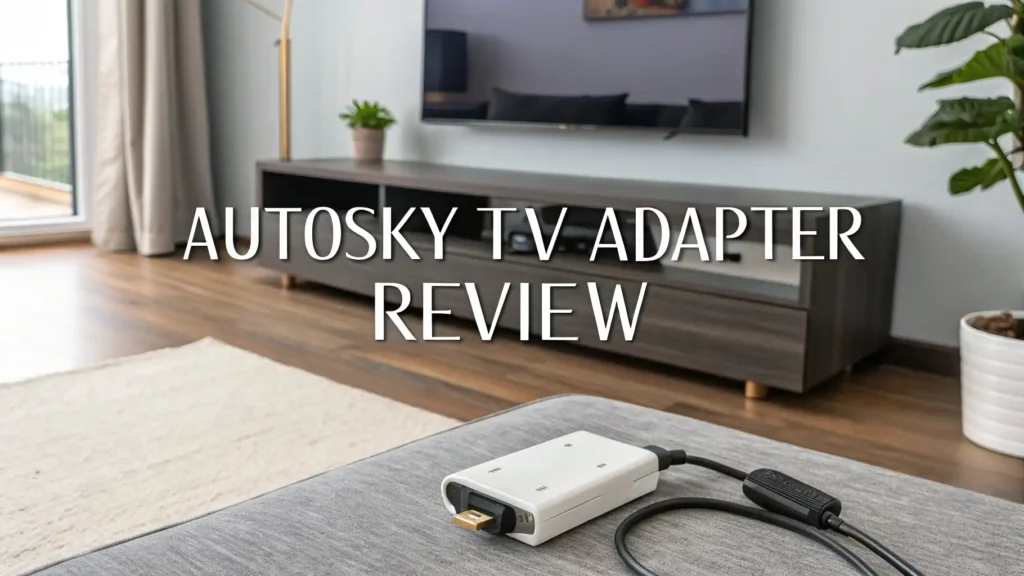
The AutoSky TV Adapter is a small electronic device that plugs into your car’s USB port. This adapter serves two main purposes. First, it eliminates the need for cables by making your wired CarPlay system wireless. Second, it adds an HDMI port to your car’s entertainment system. This means you can connect streaming devices like Amazon Fire TV Stick or Roku directly to your car screen.
The device measures about the size of a small USB drive. It comes with a built in cable that connects to your car’s USB or USB C port. The adapter works with both iPhone and Android devices. When you use the wireless CarPlay feature, you can make calls, use navigation apps, and play music without plugging in your phone. The HDMI functionality opens up a whole new world of entertainment. You can watch movies, browse social media, or even play games on your car’s display screen.
How Does the AutoSky TV Adapter Work
Understanding how this adapter functions is simple. The device acts as a bridge between your phone and your car’s infotainment system. When you start your car, the adapter powers on automatically. Your iPhone or Android phone detects the wireless CarPlay signal. You connect to it just like connecting to a Bluetooth device. Once connected, your CarPlay interface appears on your car screen without any cables.
For the HDMI feature, you need to plug in a streaming device. The adapter has a small HDMI port on its body. You connect your Fire TV Stick or similar device to this port. The adapter then sends the video signal to your car’s screen. You will need a mobile hotspot for internet connection. Most streaming apps like Netflix and YouTube work perfectly. The adapter supports 1080p resolution for clear and sharp video quality. The dual WiFi processor ensures smooth streaming without lag or buffering issues.
Key Features and Specifications
The AutoSky TV Adapter packs impressive features into a compact design. Let’s look at the technical specifications that make this device special.
The adapter uses a dual WiFi processor for stable connections. It supports both 2.4GHz and 5GHz WiFi bands. This means faster data transfer and less interference. The Bluetooth connectivity works with version 5.0 for quick pairing. The device draws power directly from your car’s USB port, so no extra batteries are needed.
Video output quality reaches 1080p Full HD resolution. This ensures your movies and shows look crisp on your car screen. The adapter includes a micro USB port for firmware updates. You can keep the device updated with the latest features. The built in cable is durable and designed to withstand daily use. The adapter housing uses quality materials that resist heat and wear. Installation requires zero technical skills because it is truly plug and play.
AutoSky TV Adapter Bundle Package

When you purchase the AutoSky TV Adapter Bundle, you get more than just the adapter. The complete package includes everything you need to start using the device immediately. The bundle comes with the main adapter unit that has the built in USB cable. You also receive a USB C to HDMI cable in the package. This cable lets you mirror your phone screen directly to your car display.
The bundle includes a detailed user manual. The manual has step by step instructions with pictures. You will find troubleshooting tips if you encounter any problems. Some packages include a protective carrying case. This case keeps your adapter safe when not in use. The complete setup takes less than five minutes. You do not need any additional tools or equipment. Everything you need comes in one box ready to use right away.
Top 3 Alternatives for AutoSky TV Adapter
While the AutoSky TV Adapter is excellent, you might want to explore other options. Here are three popular alternatives that offer similar features:


These alternatives provide different features and price points. Each one has unique benefits depending on your specific needs and budget.
Setting Up Your AutoSky TV Adapter
Getting started with your new adapter is incredibly easy. The setup process follows simple steps that anyone can complete. First, locate your car’s USB port. Most modern cars have USB ports near the dashboard or center console. Plug the adapter’s USB cable into this port. Make sure it fits snugly and securely.
Next, turn on your car’s ignition. The adapter will power on automatically. You will see a CarPlay logo appear on your car’s screen. On your iPhone, open the Bluetooth settings. Look for a device name that starts with “AutoSky” followed by numbers. Tap on this name to connect. Your phone will ask for permission to use CarPlay. Accept all the necessary permissions.
For Android Auto users, the process is similar. Open your Android Auto app and follow the on screen prompts. Once connected, your phone’s interface will mirror on the car screen. To use the HDMI feature, plug your streaming device into the adapter’s HDMI port. Switch your car’s input source to HDMI mode. Your streaming device will then display on the screen. Connect to your mobile hotspot for internet access. Now you can enjoy unlimited entertainment while parked or when passengers are watching.
Performance and Connection Quality
The AutoSky TV Adapter delivers solid performance in real world use. The wireless CarPlay connection establishes quickly, usually within 10 to 15 seconds after starting your car. Once connected, the system responds smoothly to touch inputs. Navigation apps like Google Maps and Waze work without noticeable delays. Music streaming through Spotify or Apple Music plays clearly through your car’s speakers.
The 5GHz WiFi band provides stable connections even in areas with many wireless signals. You will experience minimal disconnections during normal driving. The audio quality matches wired CarPlay connections. Some users report better audio quality compared to older wireless adapters. The adapter handles phone calls well. Voice clarity remains excellent during hands free conversations.
For video streaming, the performance depends on your internet connection speed. With a strong 4G or 5G hotspot, videos play smoothly in 1080p resolution. Buffering is rare when you have good signal strength. The dual processor handles multitasking effectively. You can browse apps while streaming music without slowdowns. The device does not overheat even during extended use. Overall performance meets the expectations for a device in this price range.
Compatibility with Different Car Models
One important question is whether the AutoSky TV Adapter works with your specific car. The adapter is designed to work with vehicles that have factory wired CarPlay systems. Most car manufacturers started offering CarPlay in 2016 and later models. Popular brands like Honda, Toyota, Ford, Chevrolet, BMW, and Mercedes support this adapter.
Before buying, check if your car has wired CarPlay capability. You can test this by plugging your iPhone into the car’s USB port with a cable. If CarPlay appears on your screen, the adapter will work. The device also supports Android Auto for Android phone users. Some older infotainment systems may have compatibility issues. The manufacturer provides a compatibility checker on their website. You can enter your car’s make, model, and year to verify compatibility.
The adapter works with both USB A and USB C ports. Different cars use different port types. The included cable handles the most common connections. If your car has an unusual setup, you might need an additional adapter. The device functions with touchscreen and non touchscreen displays. However, touchscreen displays provide the best user experience.
Streaming Capabilities and Entertainment Options
The entertainment possibilities with the AutoSky TV Adapter are impressive. Once you connect a streaming device through HDMI, you can access hundreds of apps. Netflix works perfectly for watching movies and TV shows. YouTube lets you watch videos, music, and educational content. Disney Plus, Hulu, and Amazon Prime Video all function smoothly.
Beyond streaming video, you can use other apps too. Social media apps like Instagram and TikTok work when parked. Gaming apps can turn your car screen into an entertainment center. Kids love this feature during long road trips. The adapter also supports screen mirroring from your phone. You can display photos, presentations, or any content from your device.
The adapter includes a TF card slot in some models. This lets you play videos and music stored on a memory card. No internet connection is needed for local media playback. The HDMI input supports various devices beyond streaming sticks. You can connect gaming consoles, cameras, or laptops. This flexibility makes the adapter useful for different scenarios. Remember that video viewing is intended for when the vehicle is parked or for passenger viewing only.
Pros and Cons of AutoSky TV Adapter
Every product has strengths and weaknesses. Understanding both helps you make an informed decision. Here are the main advantages of the AutoSky TV Adapter.
The wireless CarPlay feature eliminates cable clutter completely. Setup is genuinely easy for non technical users. The dual functionality provides excellent value for money. Build quality feels solid and durable. Connection stability is reliable for daily use. The HDMI input adds significant entertainment value. Regular firmware updates improve functionality over time. Customer support responds quickly to questions and issues.
Now let’s look at some limitations you should know about. The device requires a hotspot for streaming content. This uses your mobile data plan. Some older car systems may have compatibility issues. Video streaming is only legal when parked or for passengers. The adapter price is higher than basic wireless CarPlay adapters. You need to purchase a streaming device separately. Initial connection sometimes takes a few tries. The device adds another piece of hardware to manage in your car.
Is the AutoSky TV Adapter Worth the Money
Deciding whether to buy the AutoSky TV Adapter depends on your specific needs. If you frequently take long road trips with family, this adapter is excellent. Kids can watch movies in the back while you focus on driving. The wireless CarPlay feature alone provides daily convenience. You save wear and tear on your phone’s charging port by going wireless.
For people who spend time waiting in their cars, the entertainment options are valuable. Parents picking up kids from school can catch up on shows. Road trip enthusiasts will appreciate the added entertainment. The adapter costs less than upgrading to a new car stereo with these features. Most aftermarket stereos with wireless CarPlay cost $500 or more. The AutoSky adapter provides similar functionality for under $100.
However, if you rarely use your car for long trips, the value decreases. Simple wireless CarPlay adapters without HDMI cost less. Consider your actual usage patterns before buying. The device provides the best value for families and frequent travelers. Solo commuters might not need all the features. Overall, the adapter offers good value if you will use both the wireless CarPlay and streaming features regularly.
Comparison with Competitor Products
The market offers several alternatives to the AutoSky TV Adapter. How does it compare to competing products? The Ottocast AI Box is a popular competitor. It offers similar features but costs more. User reviews suggest AutoSky has faster connection speeds. The AutoSky dual processor provides better stability than single processor alternatives.
LAMTTO makes a competing 3 in 1 adapter. It adds wireless CarPlay, HDMI input, and USB drive support. The price point is similar to AutoSky. Build quality appears comparable between both brands. Some users prefer LAMTTO’s interface design. Others find AutoSky more reliable for daily use.
Generic Chinese brands sell cheaper alternatives on Amazon. These budget options save money initially. However, they often have connection problems and poor support. The AutoSky brand provides better customer service. Firmware updates come regularly for bug fixes. The slightly higher price ensures better long term reliability. When comparing options, consider not just features but also support quality and update frequency.
User Reviews and Customer Feedback
Real user experiences provide valuable insights about the AutoSky TV Adapter. Many customers praise the easy setup process. First time users report successful installation within minutes. The wireless CarPlay connection receives positive feedback for reliability. Users appreciate not fumbling with cables while getting in the car.
Parents particularly love the entertainment features. Kids stay occupied during long drives. This reduces driver distraction and stress. Several reviews mention the adapter working flawlessly for months. The build quality impresses customers who expected cheaper materials. The included cable length works well for most car layouts.
Some customers report initial connection issues. These usually resolve after firmware updates. A few users experienced compatibility problems with specific car models. Customer service helped resolve most issues quickly. Battery drain concerns appear in some reviews. The adapter draws minimal power when the car is off. Overall satisfaction ratings remain high across different platforms. Most buyers would recommend the adapter to friends and family.
Frequently Asked Questions
Does the AutoSky TV Adapter work with all car models?
The adapter works with most vehicles that have factory wired CarPlay from 2016 onward. You should check your car’s compatibility before purchasing. The manufacturer provides a compatibility tool on their website. If your car supports wired CarPlay or Android Auto, the adapter will likely work. Some older infotainment systems may not be compatible. Always verify your specific car model before buying.
Can I use the streaming feature while driving?
No, you should not watch videos while driving. This is illegal in most places and extremely dangerous. The streaming feature is designed for when your vehicle is parked. Passengers can watch content during breaks. Some people use it while waiting in parking lots. Safety should always be your top priority. Only the driver’s navigation and audio features should be used while moving.
Do I need to pay for a subscription to use this adapter?
The adapter itself requires no subscription fees. You pay once for the device and own it permanently. However, streaming services like Netflix require their own subscriptions. You will also need mobile data or a hotspot for internet access. Data usage can be significant when streaming videos. Check your mobile plan to avoid unexpected charges. The wireless CarPlay feature works without any additional costs.
How much mobile data does streaming use?
Streaming video uses considerable data. One hour of Netflix in HD quality uses about 1GB to 3GB of data. YouTube uses similar amounts depending on video quality. You can reduce usage by lowering video quality settings. Downloading content to your streaming device before trips saves data. Using WiFi at home to preload content is smart. Consider unlimited data plans if you stream frequently in your car.
Can I update the adapter’s firmware?
Yes, the AutoSky TV Adapter receives regular firmware updates. These updates fix bugs and add new features. You can update through a computer using the included micro USB port. The manufacturer provides update instructions on their website. Updates take about 10 to 15 minutes to complete. Keeping your adapter updated ensures the best performance. Check for updates every few months for optimal functionality.
Does the adapter drain my car battery when parked?
The adapter uses very little power when your car is off. Modern cars cut power to USB ports when the ignition is off. This prevents battery drain. If your car keeps USB ports powered constantly, the adapter draws minimal current. Battery drain would take many days to become noticeable. Most users report no battery issues. If concerned, you can unplug the adapter when parking for extended periods.





