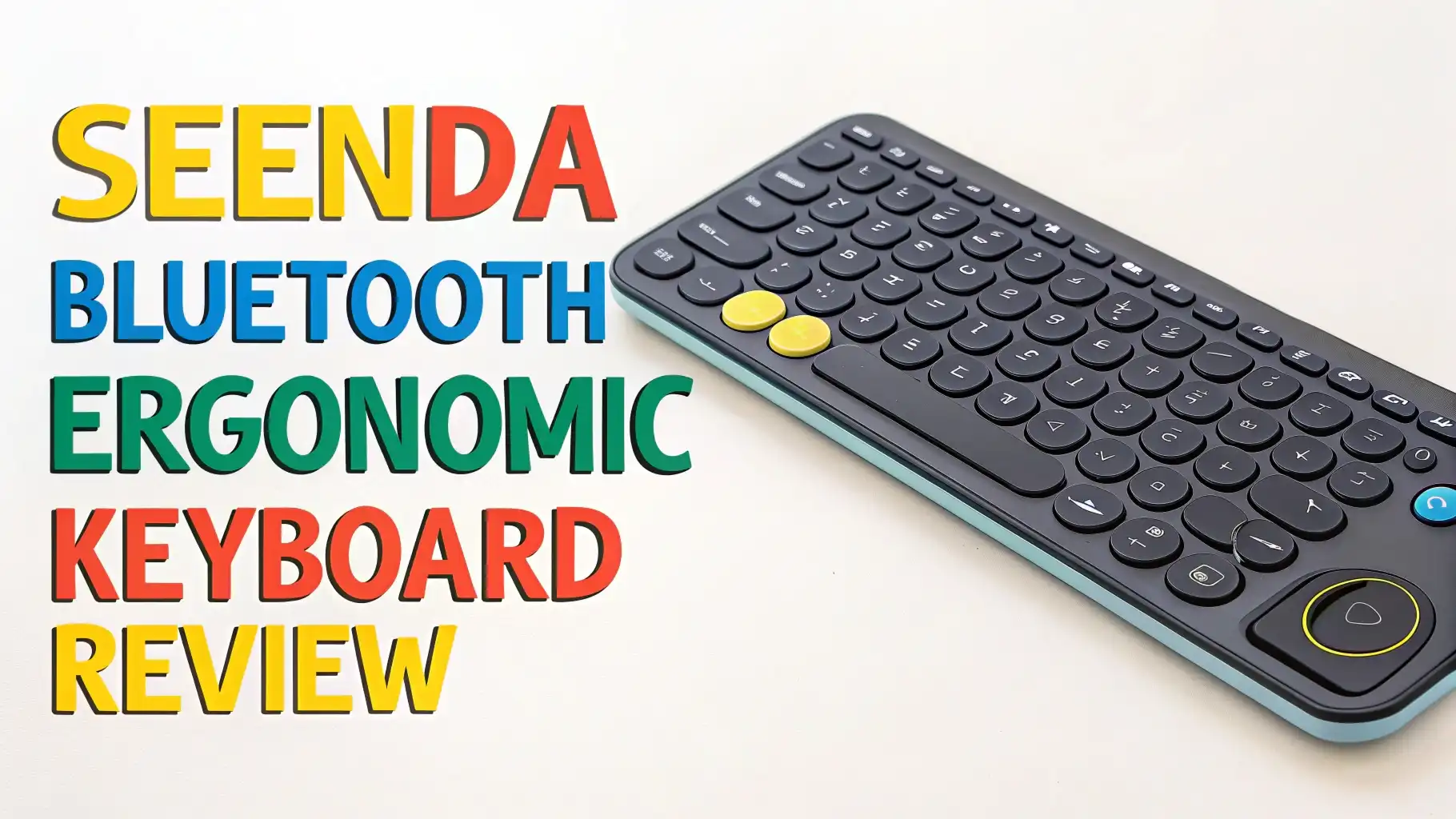
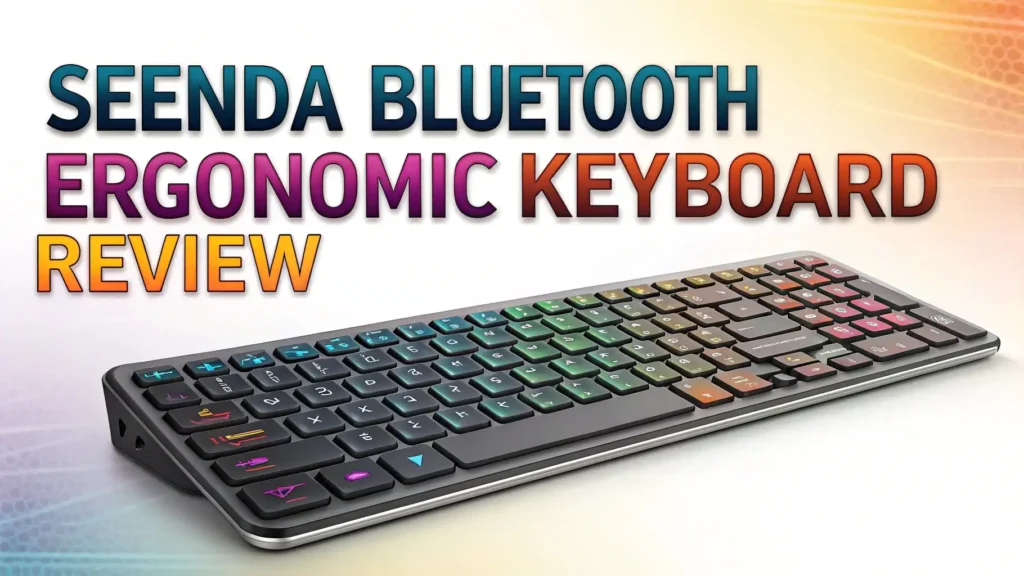
Seenda Bluetooth Ergonomic Keyboard Review: Your Complete Guide
Tired of wrist pain after long typing sessions? Looking for a keyboard that works with your laptop, tablet, and phone without constant reconnecting hassles?
You’ve landed in the right place. This detailed review covers everything you need to know about the seenda Bluetooth Ergonomic Keyboard, a game changer for anyone who spends hours at their desk.
We’ll explore its features, benefits, real world performance, and whether it’s worth your money in 2026.
In a Nutshell:
- Multi-device connectivity lets you connect up to three devices simultaneously through USB and dual Bluetooth channels, making it perfect for professionals who switch between computers, tablets, and smartphones throughout the day.
- Wave key design with cushioned wrist rest provides natural hand positioning that reduces strain during extended typing sessions, helping prevent repetitive strain injuries and carpal tunnel syndrome.
- Universal compatibility works seamlessly with Windows, Mac, iPad, iOS, and Android devices, so you don’t need multiple keyboards cluttering your workspace.
- Rechargeable battery offers up to 365 days of standby time, eliminating the constant need for battery replacements and reducing environmental waste.
- Quiet operation features silent keys and clicks that won’t disturb colleagues or family members, making it ideal for shared workspaces and quiet environments.

What Makes the Seenda Bluetooth Ergonomic Keyboard Special
The seenda Bluetooth Ergonomic Keyboard stands out in a crowded market for several compelling reasons. This keyboard brings professional grade features at a fraction of the cost you’d pay for premium brands. The COE311 model combines thoughtful ergonomic design with practical connectivity options that modern users demand.
What sets this keyboard apart is its wave key layout. The keys follow the natural curve of your fingers, reducing the awkward stretching and finger fatigue common with flat keyboards. Your hands rest in a more neutral position, which means less stress on your wrists and forearms. The integrated wrist rest provides additional support, cushioning your palms throughout the day.
The build quality feels solid without being heavy. The keyboard maintains a low profile design that doesn’t take up excessive desk space. The keys offer satisfying tactile feedback with just enough resistance to prevent accidental presses. You get the responsiveness needed for fast typing without the loud clacking sounds that disturb others.
Connecting Three Devices Simultaneously Without Hassle
One of the biggest advantages of the seenda keyboard is its triple device connectivity. You can pair it with three separate devices and switch between them with dedicated buttons. No more unplugging and replugging cables or going through lengthy pairing processes.
The keyboard offers three connection methods: USB receiver, Bluetooth 1, and Bluetooth 2. Connect your desktop computer through the USB dongle for lag free performance. Pair your tablet to Bluetooth 1 and your smartphone to Bluetooth 2. Switching between devices takes one button press, making multitasking seamless.
This feature proves incredibly valuable for remote workers and content creators who juggle multiple devices. Edit documents on your laptop, check emails on your tablet, and respond to messages on your phone without touching different keyboards. Your workflow becomes more fluid and efficient.
The connection remains stable and responsive across all three channels. You won’t experience frustrating disconnections or input lag that plague cheaper wireless keyboards. The keyboard remembers your devices, so reconnecting after powering off happens automatically.
Top 3 Alternatives for Seenda Bluetooth Ergonomic Keyboard


Ergonomic Design That Actually Makes a Difference
The ergonomic features aren’t just marketing buzzwords. The seenda keyboard incorporates scientifically backed design principles that reduce strain on your musculoskeletal system. The wave pattern aligns with research showing that curved layouts decrease wrist extension and ulnar deviation.
Your wrists naturally angle outward when typing on flat keyboards, forcing them into unnatural positions. This ulnar deviation contributes to conditions like carpal tunnel syndrome over time. The wave design keeps your wrists straighter, maintaining a more neutral alignment that biomechanical studies prove reduces stress.
The built in wrist rest provides continuous support without requiring a separate accessory. The cushioning distributes pressure evenly across your palm, preventing the concentrated stress points that lead to discomfort. The rest height matches the keyboard profile perfectly, ensuring proper wrist elevation.
Adjustable kickstand angles let you customize the keyboard tilt to your preference. Some users prefer a flat typing surface while others need slight elevation. The ability to adjust means you can find the angle that works best for your unique desk setup and body mechanics.
Battery Life That Lasts for Months
Nobody wants to constantly charge their keyboard. The seenda COE311 delivers exceptional battery performance that eliminates this annoyance. With up to 365 days of standby time, you can go months between charges depending on your usage patterns.
The rechargeable battery means you never need to buy disposable batteries. Simply plug in the included USB cable when the low battery indicator appears. A full charge takes just a few hours and provides weeks of regular use. This saves money long term and reduces battery waste.
The keyboard enters automatic sleep mode after periods of inactivity to conserve power. Press any key to wake it instantly without noticeable delay. This smart power management extends battery life without impacting usability. You get the best of both worlds: long runtime and immediate responsiveness.
Battery status indicators keep you informed about remaining charge. You won’t experience unexpected shutdowns in the middle of important work. The visual feedback gives you plenty of warning to recharge during breaks or overnight.
Quiet Typing for Shared Workspaces
Loud keyboards create problems in offices, libraries, and homes where others need quiet. The seenda keyboard features whisper quiet keys that produce minimal noise during typing. The silent switches absorb impact without the harsh clacking sounds of traditional mechanical keyboards.
This quiet operation proves essential for noise sensitive environments. You can type late at night without waking family members. Work in coffee shops without annoying nearby patrons. Participate in video calls without keyboard noise overwhelming your microphone. The silence enhances your environment rather than disrupting it.
Despite the quiet operation, the keys maintain satisfying tactile feedback. You feel each keystroke register without needing to bottom out the keys forcefully. This balance between silence and feedback creates a pleasant typing experience that doesn’t sacrifice responsiveness for noise reduction.
The mouse included in combo versions also features silent clicking. The buttons press smoothly without the sharp clicks of standard mice. Together with the keyboard, you get a completely silent input solution that respects shared spaces.
Full Size Layout with Numeric Keypad
Many ergonomic keyboards sacrifice the number pad to save space. The seenda maintains a full size layout that includes dedicated numeric keys. This proves crucial for users who frequently enter numbers, work with spreadsheets, or perform data entry tasks.
The 104 key layout provides all standard keys in familiar positions. You won’t need to relearn key locations or adapt to a compact layout. The function row, navigation cluster, and arrow keys occupy their traditional spots. Muscle memory transfers directly from standard keyboards.
The number pad includes dedicated calculator style keys that speed up numeric input. Accountants, financial analysts, and anyone working with numbers daily will appreciate this feature. The keys have proper spacing that prevents accidental presses during rapid data entry.
Despite the full size layout, the keyboard maintains reasonable dimensions that fit standard desks. The efficient design doesn’t waste space with excessive bezels or unnecessary bulk. You get full functionality without requiring a massive desk footprint.
Wide Compatibility Across All Your Devices
The seenda keyboard works with virtually every modern device. It supports Windows XP through Windows 11, covering decades of Microsoft operating systems. Mac compatibility spans OS X 10.12 and newer versions. iPad and iPhone users can connect to devices running iOS 13.0 and above. Android compatibility starts with version 4.3.
This universal compatibility eliminates the frustration of buying separate keyboards for different platforms. One keyboard serves all your devices regardless of manufacturer or operating system. The keyboard automatically detects the connected device and adjusts key mappings appropriately.
System specific shortcuts work correctly on each platform. Command keys function properly on Mac while Windows keys operate as expected on PCs. The keyboard recognizes which device you’re using and responds accordingly without requiring manual switching or configuration.
Setting up new devices requires minimal effort. Turn on Bluetooth, enter pairing mode, and select the keyboard from your device list. The connection establishes within seconds without complex setup procedures. The keyboard remembers paired devices for instant reconnection.
Build Quality and Durability That Lasts
The seenda keyboard construction combines durable materials with thoughtful engineering. The keycaps resist fading and wear even after millions of keystrokes. The underlying switches maintain consistent feel over years of daily use. The frame provides rigidity that prevents flex during aggressive typing.
Spill resistant design protects internal components from accidental liquid exposure. Drainage channels allow water to escape before reaching sensitive electronics. While not completely waterproof, this feature provides valuable protection against common accidents.
The wrist rest attaches securely without wobbling or shifting during use. The cushioning material resists compression, maintaining support even after extended use. The surface cleans easily with a damp cloth, preventing buildup of oils and dirt.
Rubber feet on the bottom provide stable grip on various desk surfaces. The keyboard stays firmly planted during enthusiastic typing without sliding around. The feet resist hardening or losing adhesion over time, maintaining effectiveness throughout the keyboard’s lifespan.
Setup Process Takes Just Minutes
Getting started with the seenda keyboard requires no technical expertise. The process follows three simple steps that anyone can complete. First, charge the keyboard using the included USB cable until the indicator shows full power. Second, insert the USB receiver into your computer or activate Bluetooth pairing mode. Third, press the connection button and select the keyboard from your device list.
The included quick start guide provides clear instructions with diagrams. You don’t need to download drivers or install software. The keyboard works immediately as a plug and play device. Windows, Mac, and mobile devices recognize it automatically without additional setup.
Switching between paired devices becomes second nature after a few uses. Dedicated buttons labeled 1, 2, and 3 correspond to each connection channel. Press the appropriate button to activate that device. An LED indicator confirms which channel is active, preventing confusion when multitasking.
Troubleshooting rarely becomes necessary, but when issues arise, solutions are straightforward. Resetting the keyboard clears stored pairings if connection problems occur. The process involves holding specific key combinations detailed in the manual. Customer support responds quickly to questions through email or the manufacturer’s website.
Value for Money Compared to Premium Brands
The seenda keyboard costs significantly less than comparable models from Logitech, Microsoft, or other major brands. Despite the lower price, you don’t sacrifice essential features or build quality. The keyboard delivers performance that rivals products costing two or three times as much.
Premium ergonomic keyboards often exceed 100 or even 200 dollars. The seenda provides similar ergonomic benefits, multi device connectivity, and long battery life at a fraction of that cost. The savings become even more apparent when considering keyboard and mouse combo packages.
This value proposition makes ergonomic keyboards accessible to more users. Budget conscious students, small business owners, and families can afford proper ergonomic equipment without financial strain. Health benefits shouldn’t require premium prices, and seenda proves they don’t need to.
The long term value extends beyond the initial purchase price. The rechargeable battery eliminates ongoing costs for disposable batteries. The durable construction resists wear that forces replacement of cheaper keyboards. You save money both upfront and over the keyboard’s lifespan.
Real User Experiences and Customer Feedback
Customer reviews consistently highlight the comfortable typing experience as the most significant benefit. Users report reduced wrist pain after switching from flat keyboards. Many mention typing for hours without the fatigue they experienced previously. The ergonomic design delivers on its promises according to actual buyers.
Battery life performance meets or exceeds manufacturer claims in real world use. Reviewers report going weeks or months between charges with daily use. The extended runtime eliminates battery anxiety and charging interruptions. Users appreciate not worrying about their keyboard dying mid project.
The multi device switching receives praise for its convenience and reliability. Remote workers love seamlessly moving between work laptops and personal tablets. Content creators value switching from editing computers to reference devices without juggling multiple keyboards. The feature works as advertised without technical glitches.
Some users mention a brief adjustment period when first using the wave key layout. Typing speed may decrease slightly while your hands adapt to the curved design. Most reviewers report adapting within a few days, with many achieving faster speeds than on flat keyboards once adjusted.
Who Should Buy the Seenda Bluetooth Ergonomic Keyboard
This keyboard serves office workers who spend most of their day typing documents, emails, and reports. The ergonomic design prevents the cumulative strain that leads to chronic pain conditions. The quiet operation respects coworkers in shared office environments.
Remote workers and freelancers benefit from the multi device connectivity. Switch between client computers, personal devices, and mobile phones without desk clutter. The professional appearance suits video call backgrounds while providing comfortable long term use.
Students and educators find value in the affordable price and compatibility with school issued devices. Type papers and research notes comfortably during long study sessions. Connect to classroom computers, personal laptops, and tablets with the same keyboard.
Content creators and developers appreciate the full size layout with number pad. Program efficiently with standard key positions and proper spacing. Switch between writing, editing, and reference devices using the triple connectivity feature.
Anyone experiencing wrist discomfort or hand fatigue from current keyboards should consider upgrading. The ergonomic benefits prevent minor discomfort from becoming serious repetitive strain injuries. Prevention costs far less than treatment.
Frequently Asked Questions
How long does the battery actually last with regular daily use?
The battery typically lasts between 2 to 4 months with regular daily use involving several hours of typing. The 365 day standby time applies when the keyboard isn’t actively used. Actual runtime depends on usage intensity, but most users charge monthly or less frequently.
Can I use this keyboard while it charges?
Yes, the keyboard functions normally while plugged in for charging. You can continue working without interruption during the charging process. The included USB cable provides both power and data connection when needed.
Does the wrist rest detach for cleaning or replacement?
The wrist rest attaches permanently to the keyboard as an integrated component. You can clean it with a slightly damp cloth and mild soap. The material resists staining and odor absorption, maintaining freshness with basic cleaning.
Will this work with my iPad or iPhone for writing?
Absolutely. The keyboard pairs with iPads and iPhones running iOS 13.0 or newer through Bluetooth connection. It provides full keyboard functionality including iOS specific shortcuts. Many users prefer this over typing on touchscreens for longer writing tasks.
How do I know which device is currently connected?
LED indicators above the connection buttons show which channel is active. The illuminated number corresponds to your current device. Simply press a different numbered button to switch between your three paired devices.
Is the key spacing different from standard keyboards?
No, the key spacing remains standard despite the wave curve. Your fingers travel the same distances between keys. Only the vertical positioning changes to match natural hand angles. This preserves typing accuracy while improving ergonomics.
Can I replace the battery when it eventually wears out?
The internal rechargeable battery typically lasts several years before capacity degradation becomes noticeable. Replacement requires opening the keyboard case and should only be performed by someone comfortable with electronics. Most users won’t need replacement during the keyboard’s useful life.
Does this keyboard work with gaming or is it only for typing?
While primarily designed for typing and productivity, the keyboard functions adequately for casual gaming. The response time suits most game genres except competitive gaming requiring ultra low latency. Gamers focused on performance should consider dedicated gaming keyboards.