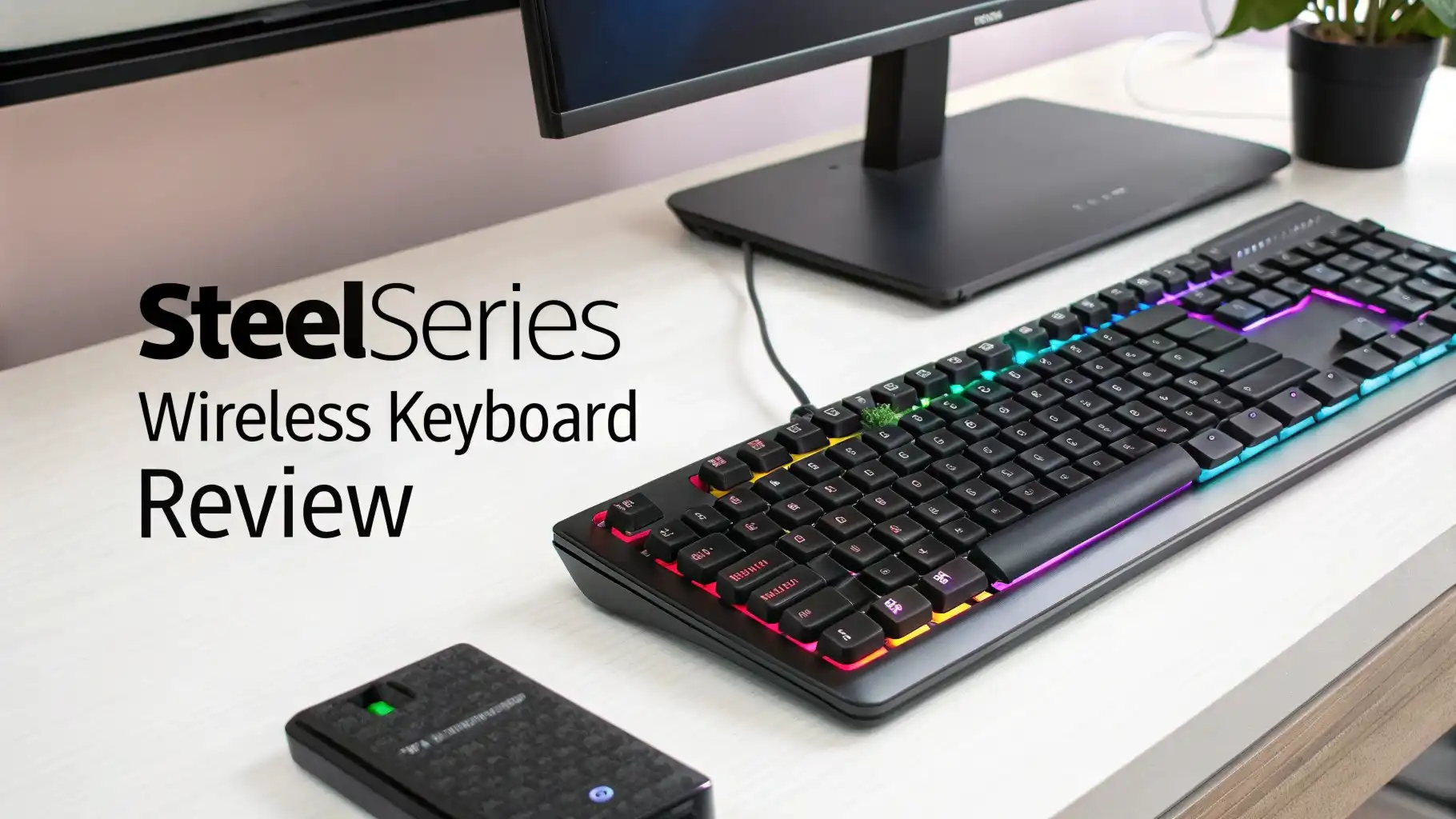
SteelSeries Wireless Keyboard Review: The Ultimate Guide
Are you tired of dealing with cable clutter on your gaming desk? Do you want the freedom to game from anywhere without sacrificing performance? You’re in the right place!
SteelSeries wireless keyboards have taken the gaming community by storm, and today we’re diving deep into what makes these keyboards stand out from the crowd.
Whether you’re a competitive esports player or a casual gamer who appreciates quality gear, this review will help you decide if a SteelSeries wireless keyboard is worth your investment.
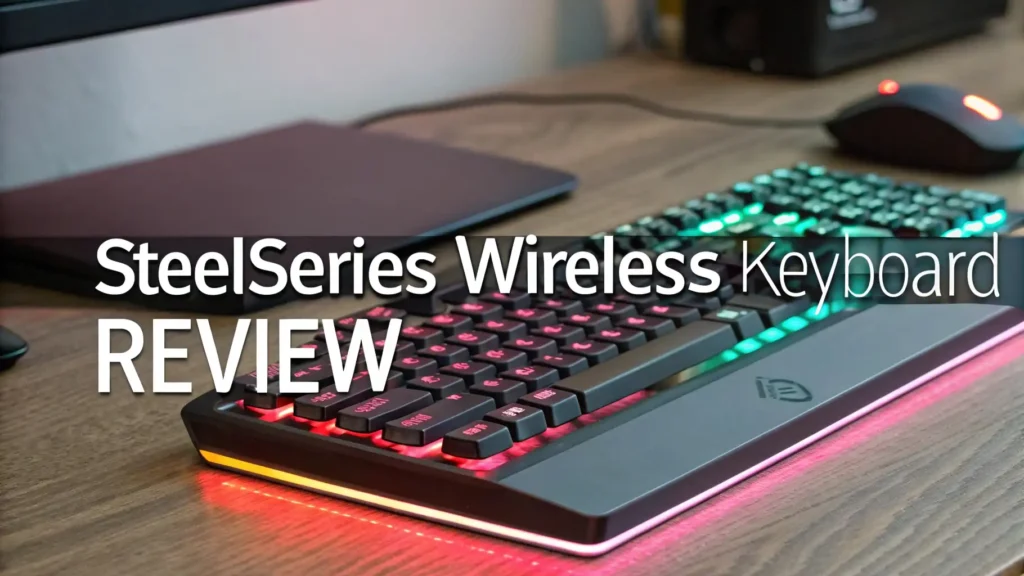
Key Takeaways:
- Performance matters most and SteelSeries delivers with their innovative OmniPoint magnetic switches that respond 20 times faster than traditional mechanical switches. This means every keystroke registers instantly, giving you that competitive edge.
- Dual connectivity options let you choose between ultra-fast 2.4GHz wireless or energy-saving Bluetooth 5.0, so you can switch seamlessly between gaming sessions and productivity work without missing a beat.
- Battery life is impressive, with most models offering 30 to 40 hours of continuous use on a single charge, meaning you won’t be scrambling for your charging cable in the middle of an important match.
- Build quality feels premium, featuring aircraft-grade aluminum frames, PBT double-shot keycaps, and magnetic wrist rests that provide comfort during those marathon gaming sessions that stretch into the early morning hours.
- Customization runs deep through the SteelSeries GG software, allowing you to adjust actuation points from 0.2mm to 3.8mm, create custom RGB lighting profiles, and set up game-specific macros that give you tactical advantages.


SteelSeries Apex Pro TKL Wireless Gen 3
The Apex Pro TKL Wireless Gen 3 represents the pinnacle of gaming keyboard technology. This keyboard comes packed with the revolutionary OmniPoint 3.0 HyperMagnetic switches that completely change how you think about key presses.
These switches use magnetic hall effect sensors instead of physical contacts, which means they never wear out and offer unmatched precision.
What really sets this keyboard apart is the Rapid Trigger feature. This technology allows the keyboard to register a new keypress the moment you lift your finger, even if the key hasn’t fully returned to its resting position.
For fast-paced games like Valorant or Counter-Strike, this millisecond advantage can mean the difference between victory and defeat. The adjustable actuation lets you customize each key to trigger at your preferred depth, from a feather-light 0.2mm to a more deliberate 3.8mm press.
The OLED display on the keyboard isn’t just for show. It provides real-time information about your settings, Discord notifications, and even game stats.
The dual wireless connectivity ensures you get lag-free performance whether you choose 2.4GHz for gaming or Bluetooth for general use. At $239.99, this keyboard targets serious gamers who want the best performance money can buy.
SteelSeries Apex Pro TKL Wireless

The standard Apex Pro TKL Wireless offers an excellent middle ground between features and price. This tenkeyless design saves valuable desk space while maintaining all the essential keys you need for gaming and typing.
The OmniPoint 2.0 switches still deliver exceptional performance, with adjustable actuation that lets you fine-tune your typing experience.
This model features premium PBT keycaps that resist shine and wear far better than standard ABS plastic. The texture feels great under your fingers, and the double-shot legends ensure the letters never fade away, even after years of intense use.
The magnetic wrist rest attaches securely and provides just the right amount of cushioning for extended gaming sessions.
Battery life impresses at around 30 hours with RGB lighting enabled, and you can extend this even further by dimming the lights or switching to single-color mode.
The USB-C charging port supports fast charging, giving you several hours of use from just a 15-minute charge. The keyboard remembers all your settings in onboard memory, so you can take it to a tournament and have all your profiles ready to go without installing software.
Understanding OmniPoint Technology
OmniPoint technology revolutionizes mechanical keyboards by using magnetic sensors instead of physical contact points. Traditional mechanical switches rely on metal contacts touching to register a keypress, which creates wear over time and limits how fast they can respond. Magnetic switches eliminate this problem entirely.
The hall effect sensors detect the position of the magnet attached to each key stem with incredible precision. This allows for adjustable actuation, where you can set exactly how far down you need to press before the key registers.
Want hair-trigger sensitivity for your WASD keys in FPS games? Set them to 0.2mm. Need more deliberate presses for your ability keys to avoid accidents? Set those to 3.0mm.
Rapid Trigger takes this further by dynamically adjusting the reset point. In traditional keyboards, you must release a key past a certain point before it can register again. Rapid Trigger removes this limitation, allowing instant repeated keypresses with minimal finger movement.
This creates faster strafing, better movement control, and quicker ability combos in competitive games. The technology provides a genuine competitive advantage that you can feel the moment you start using it.
Top 3 Alternatives for SteelSeries Wireless Keyboards


Design and Build Quality
SteelSeries builds their wireless keyboards like tanks wrapped in silk. The aluminum top plate provides rigid stability that prevents any flex, even during the most aggressive typing or gaming.
You can feel the weight and solidity the moment you pick one up. This premium construction ensures the keyboard stays planted on your desk, never sliding around during heated gaming moments.
The magnetic wrist rest deserves special mention for its thoughtful design. Strong magnets hold it securely in place, yet you can remove it instantly when you want more desk space.
The soft-touch coating feels comfortable against your wrists, and the gentle incline provides proper ergonomic support. Many cheaper keyboards skimp on wrist rests, but SteelSeries understands that comfort directly impacts performance.
PBT keycaps elevate the typing experience compared to the ABS plastic found on budget keyboards. The slightly textured surface provides better grip, and the thicker plastic produces a deeper, more satisfying sound with each keypress.
The double-shot molding process ensures the legends never fade, maintaining that new keyboard look for years. RGB lighting shines through beautifully, creating stunning effects without looking gaudy.
Wireless Performance and Connectivity
Gaming on wireless keyboards used to mean accepting input lag and connection dropouts. SteelSeries smashes these concerns with their Quantum 2.0 Wireless technology.
The 2.4GHz connection delivers 1000Hz polling rate, matching wired keyboards for responsiveness. You literally cannot tell the difference between wired and wireless mode during gameplay.
Bluetooth 5.0 provides versatility for non-gaming use. Switch to Bluetooth mode for work tasks, connecting to your laptop, tablet, or phone with ease.
The keyboard remembers multiple devices, letting you swap between them quickly through simple key combinations. This makes the keyboard incredibly versatile for people who use multiple computers throughout the day.
The USB dongle is compact and includes a convenient magnetic storage slot in the keyboard. When you need to transport the keyboard to a LAN party or tournament, the dongle snaps securely into place, eliminating the risk of losing this crucial component.
The included braided USB-C cable supports both charging and wired mode, and the premium materials ensure it won’t fray or break like cheaper cables.
Battery Life and Charging
Battery anxiety shouldn’t interrupt your gaming flow, and SteelSeries delivers with exceptional power management. The Apex Pro TKL Wireless models achieve 30 to 40 hours of active use with RGB lighting enabled. Turn off the lights or switch to a static color, and you can push this past 60 hours easily.
Fast charging technology saves you when battery runs low. A quick 15-minute charge provides several hours of gameplay, perfect for those moments when you forgot to charge overnight.
The USB-C port supports modern charging standards and works with any USB-C cable, though the included braided cable offers superior durability and flexibility.
The keyboard displays remaining battery percentage through the OLED screen or RGB indicators, giving you plenty of warning before power runs out. Low battery warnings appear well in advance, and the keyboard automatically switches to power-saving mode when battery reaches critical levels. You can even continue using the keyboard while it charges, seamlessly switching to wired mode without interrupting your game.
RGB Lighting and Customization
SteelSeries approaches RGB lighting with artistic flair and technical precision. Each key features its own RGB LED, allowing for stunning per-key lighting effects that respond to your gameplay. The lighting engine supports millions of colors and smooth transitions, creating immersive experiences that enhance your gaming atmosphere.
Reactive lighting effects bring your keyboard to life during gameplay. Keys light up as you press them, creating satisfying visual feedback.
You can set different colors for different key groups, making it easier to find your abilities, movement keys, or macros at a glance. The lighting can even respond to in-game events through Discord integration and certain supported games.
The SteelSeries GG software provides deep customization options without overwhelming users. Pre-made lighting profiles get you started quickly, while advanced users can create complex animations and sync lighting across all their SteelSeries peripherals.
The onboard memory stores your favorite profiles, so your lighting and settings travel with the keyboard to any computer.
SteelSeries GG Software Features
SteelSeries GG serves as your command center for customizing every aspect of your keyboard. The software features a clean, modern interface that makes complex adjustments feel simple. You can adjust actuation points on a per-key basis, creating custom profiles for different games that automatically activate when you launch them.
Macro recording provides powerful automation. Record complex key sequences and assign them to single keys, giving you instant access to difficult combos. The macro editor supports delays, repeats, and conditional logic, enabling sophisticated automation that gives you tactical advantages in MMOs and MOBAs.
The software tracks your keystroke statistics, showing which keys you press most often and how you interact with your keyboard.
This data helps optimize your key bindings and identify patterns in your gameplay. You can also update the keyboard’s firmware through the software, ensuring you always have access to the latest features and improvements.
Gaming Performance
SteelSeries wireless keyboards deliver professional-grade performance that competitive players demand.
The combination of OmniPoint switches and Rapid Trigger technology creates the fastest, most responsive typing experience available today. Your inputs register instantly, with zero perceptible delay even compared to top-tier wired keyboards.
Anti-ghosting and N-key rollover ensure every keypress registers accurately, even when you’re pressing multiple keys simultaneously.
This matters tremendously in fast-paced games where split-second reactions determine outcomes. The keyboard never misses an input or registers phantom keypresses, providing rock-solid reliability you can trust in crucial moments.
The adjustable actuation feature lets you optimize for different game genres. Set light actuation for movement keys in FPS games, allowing rapid strafing and precise positioning.
Use heavier actuation for MOBA ability keys, preventing accidental activations during team fights. This flexibility adapts the keyboard to your playstyle rather than forcing you to adapt to the keyboard.
Typing Experience
Beyond gaming, these keyboards provide an outstanding typing experience for productivity work. The magnetic switches feel incredibly smooth, with consistent actuation force and no scratchiness. The PBT keycaps have a pleasant texture that doesn’t become slippery or uncomfortable during long writing sessions.
Typing noise sits in a comfortable middle ground. The keyboards aren’t silent like membrane boards, but they’re not obnoxiously loud either.
The sound profile has a satisfying thock that provides auditory feedback without annoying coworkers or family members. The magnetic switches produce a unique acoustic signature that feels premium and refined.
The tenkeyless layout provides better ergonomics by allowing your mouse to sit closer to your keyboard. This reduces shoulder strain during long work sessions and creates more natural arm positioning.
The compact form factor also leaves more desk space for mouse movement during gaming, particularly beneficial for low-sensitivity FPS players who need sweeping mouse movements.
Price and Value Proposition
SteelSeries wireless keyboards command premium prices that reflect their advanced technology and build quality. The Apex Pro TKL Wireless Gen 3 at $239.99 represents the high end, while the standard Apex Pro TKL Wireless at $159.99 offers better accessibility. These prices position the keyboards as serious tools for dedicated gamers.
Value depends on your priorities. If you play competitively or game several hours daily, the performance advantages and comfort features justify the investment.
The adjustable actuation, Rapid Trigger, and wireless freedom provide tangible benefits that improve your gaming experience. The durable construction ensures these keyboards last for years, spreading the cost over a long usage period.
Budget-conscious buyers should consider that less expensive keyboards sacrifice the magnetic switch technology and adjustable actuation that make SteelSeries special.
You can find decent wireless gaming keyboards for $80 to $100, but they won’t match the responsiveness and customization options. Think of SteelSeries keyboards as long-term investments in your gaming setup rather than disposable peripherals.
Maintenance and Durability
SteelSeries keyboards require minimal maintenance thanks to their robust construction. The magnetic switches have no physical contacts to wear out, meaning they maintain consistent performance indefinitely. Traditional mechanical switches typically last 50 to 100 million actuations before degrading, but magnetic switches have no theoretical wear limit.
Cleaning proves straightforward with the PBT keycaps. The material resists oils from your fingers and doesn’t develop the greasy shine that ABS plastic gets over time.
Simply remove the keycaps using the included keycap puller, wipe everything down with a damp cloth, and reassemble. The aluminum frame cleans easily with a microfiber cloth.
The wireless connection components demonstrate excellent reliability in long-term use. Users report stable connections even after years of daily use, with no degradation in responsiveness or increased latency. The rechargeable battery maintains good capacity over hundreds of charge cycles, and SteelSeries provides solid warranty coverage should any issues arise.
Who Should Buy This Keyboard
SteelSeries wireless keyboards suit competitive gamers who want every possible advantage. If you play FPS, MOBA, or fighting games at a high level, the Rapid Trigger and adjustable actuation provide measurable performance improvements. Professional esports players and streamers choose these keyboards for good reason.
Enthusiasts who appreciate premium peripherals find tremendous value here. If you want the best gear available and enjoy customizing your setup, SteelSeries delivers.
The combination of cutting-edge technology, solid construction, and extensive customization options satisfies those who demand excellence from their gaming equipment.
The keyboards also appeal to productivity users who want one keyboard for both work and gaming. The excellent typing experience, wireless connectivity to multiple devices, and professional appearance make these keyboards suitable for office environments. You can game at night and write reports during the day with the same comfortable, responsive keyboard.
Frequently Asked Questions
How does the battery life compare to other wireless gaming keyboards?
The SteelSeries wireless keyboards offer 30 to 40 hours of battery life with RGB lighting enabled, which matches or exceeds most competitors. You can extend the battery life beyond 60 hours by reducing lighting brightness or switching to static colors. This compares very favorably to alternatives like the Logitech G915 or Razer BlackWidow V3 Pro.
Can I use the keyboard while it’s charging?
Yes, you can absolutely use the keyboard while charging. When you plug in the USB-C cable, the keyboard seamlessly switches to wired mode and continues functioning normally. You won’t experience any interruption in your gaming or typing. The keyboard charges quickly, reaching full capacity in about two to three hours.
Does the keyboard work with Mac and PlayStation?
The keyboard works perfectly with Mac computers through both Bluetooth and USB-C wired connections. All the keys function properly, though some Windows-specific keys may not have direct equivalents. For PlayStation, the keyboard works for text input and supported games, but you won’t have access to all the advanced features like the SteelSeries GG software customization.
How difficult is it to customize the actuation points?
Customizing actuation points is incredibly easy through the SteelSeries GG software. You simply select the key you want to adjust and drag a slider to set your preferred actuation distance. The process takes seconds, and you can create multiple profiles for different games. The software provides visual feedback showing exactly how your changes affect keyboard response.
What’s the difference between OmniPoint 2.0 and 3.0?
OmniPoint 3.0 found in the Gen 3 keyboards responds 20 times faster than OmniPoint 2.0, with improved latency down to just 0.54ms. The newer version also includes enhanced Rapid Trigger functionality and more precise adjustment increments. Both versions offer adjustable actuation, but the 3.0 provides even tighter competitive performance for serious esports players.
Is the wireless connection really lag-free during gaming?
Yes, the 2.4GHz wireless connection provides genuinely lag-free performance. The 1000Hz polling rate matches wired keyboards, and extensive testing shows no measurable input delay. Professional gamers use these keyboards in tournament settings where every millisecond matters, which demonstrates the wireless connection’s reliability and responsiveness.
Can I replace the switches if they fail?
The magnetic switches are not hot-swappable on most SteelSeries models, but the good news is they essentially never fail. Unlike mechanical switches with physical contacts that wear out, magnetic switches have no moving parts that degrade over time. SteelSeries warranties their keyboards, and switch failure is extremely rare.
How loud is the keyboard compared to other mechanical keyboards?
The SteelSeries wireless keyboards produce moderate noise levels that sit between clicky blue switches and silent red switches. The sound profile has a pleasant thock rather than a harsh clack. The magnetic switches run slightly quieter than traditional mechanical switches because they have fewer moving parts. Most users find the sound satisfying without being disruptive.