Rackmount USB Hub Review: Worth the Price Tag?
You’re setting up your server rack, and suddenly you realize you need more USB ports. Your keyboard, mouse, flash drives, and other peripherals are fighting for connection space.
Sound familiar? That’s exactly why rackmount USB hubs exist, and they’re absolute game-changers for anyone managing data centers, home labs, or professional server environments.
We’ll explore the top products, compare features, discuss what really matters, and help you make an informed decision that saves you time, money, and headaches.
Key Takeaways
- Rackmount USB hubs are specialized devices designed to fit standard 19-inch server racks while providing multiple USB connections for your equipment. They keep your setup organized and professional.
- Port count matters significantly for your specific needs. Most quality rackmount hubs offer between 7 to 16 ports, giving you plenty of connection options for keyboards, mice, external drives, and other USB devices.
- Power delivery capability separates basic hubs from professional-grade solutions. Look for hubs with dedicated power supplies that can handle high-power devices without voltage drops or connection issues.
- USB version compatibility directly impacts your transfer speeds and device support. USB 3.0 hubs offer speeds up to 5 Gbps, while USB 3.1 and USB-C options provide even faster performance for modern equipment.
- Build quality and metal construction ensure your hub survives the demanding rack environment. Industrial-grade hubs with proper ventilation and sturdy mounting brackets will serve you reliably for years.

Understanding Rackmount USB Hubs and Why You Need One
Rackmount USB hubs solve a very specific problem in professional environments. Standard USB hubs sit on desks or dangle from cables, creating messy and unprofessional setups. A rackmount solution integrates directly into your server rack, maintaining clean cable management and easy access.
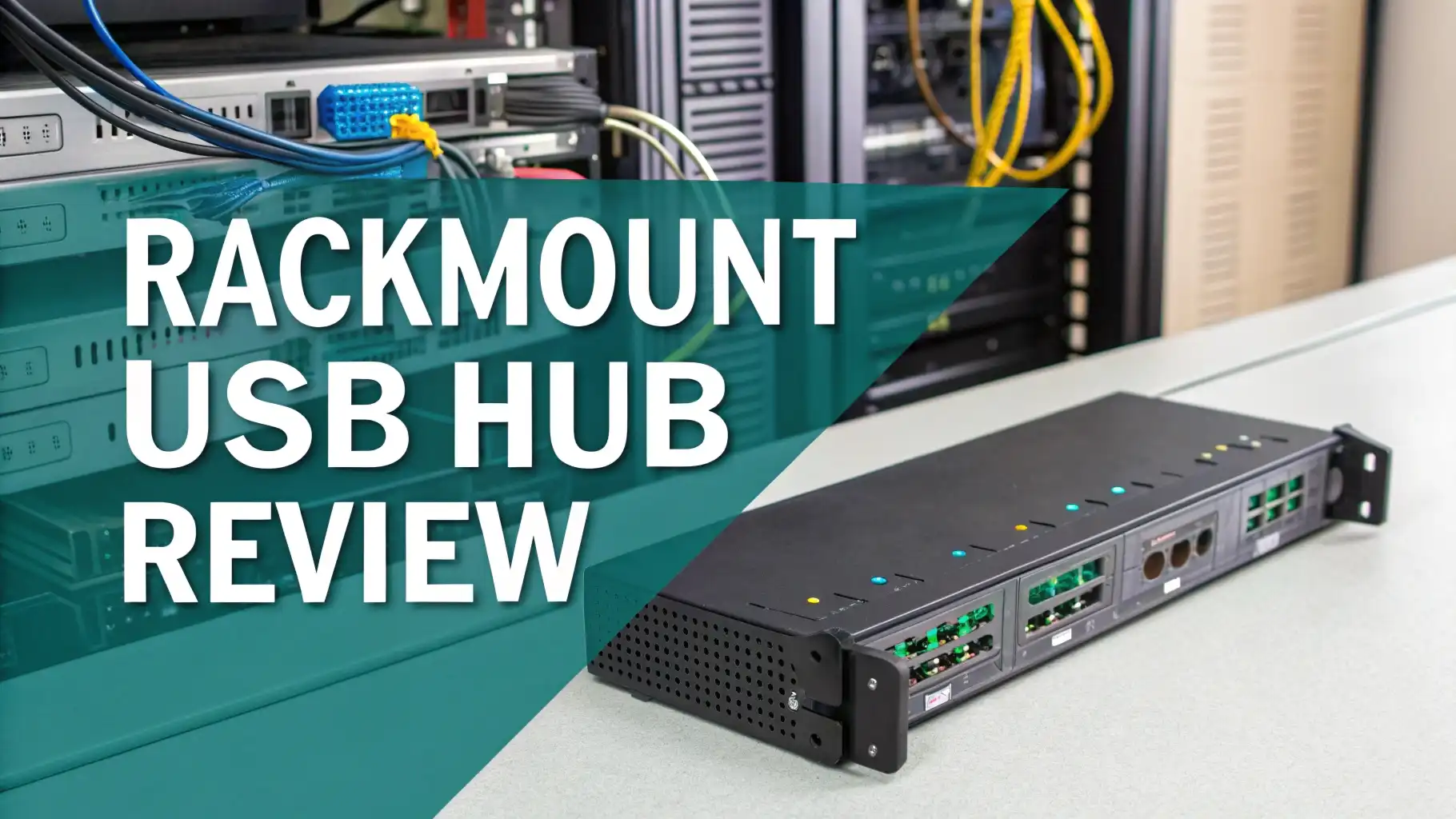
These devices typically occupy one rack unit of space. They mount securely using standard rack screws and brackets. This integration keeps everything organized and within reach when you need to connect peripherals for maintenance, updates, or troubleshooting.
The beauty of rackmount hubs lies in their convenience. Instead of reaching behind servers or crawling under desks, you have all your USB connections readily accessible on the front panel. This saves significant time during routine tasks and emergency situations.
Modern data centers and professional setups demand reliable connectivity. A quality rackmount USB hub provides stable, consistent connections that don’t drop during critical operations. This reliability makes them essential infrastructure components rather than optional accessories.
Sabrent 16-Port Aluminum USB Hub
The Sabrent 16-Port hub stands out as a powerhouse option for serious setups. This aluminum-constructed device provides an impressive sixteen USB 3.0 ports, giving you connectivity options for virtually any scenario.
What makes this hub exceptional is its individual power switches for each port. You can turn specific ports on or off without affecting others. This feature proves incredibly useful when troubleshooting devices or managing power consumption across your setup.
The aluminum chassis provides excellent heat dissipation. Heavy usage scenarios generate heat, and this hub handles thermal management beautifully. The construction feels solid and durable, exactly what you want in rack-mounted equipment.
Installation takes minutes with standard rack mounting holes. The hub includes a powerful 90-watt power adapter that delivers sufficient current to all ports simultaneously. You won’t experience voltage drops even with power-hungry devices connected across multiple ports.
StarTech 10-Port Industrial USB Hub

StarTech delivers professional-grade equipment, and this 10-port industrial hub exemplifies their quality standards. The metal housing and ESD protection make it suitable for demanding industrial and commercial environments where reliability cannot be compromised.
This hub features USB 3.0 connectivity with backward compatibility for older USB 2.0 devices. The transfer speeds reach up to 5 Gbps, which handles data-intensive operations smoothly. Whether you’re connecting external storage arrays or peripheral devices, performance remains consistent.
The industrial design includes mounting flexibility beyond standard rack mounting. You can attach it to walls, under desks, or anywhere your setup requires. This versatility makes it adaptable to changing infrastructure needs.
Power delivery comes through a robust external adapter that supplies adequate current for all connected devices. The hub includes over-current protection, which prevents damage from power surges or faulty peripherals. This protection feature saves you from costly equipment failures.
Tripp Lite 7-Port USB Hub with Rackmount Kit

Tripp Lite brings their networking expertise to this compact 7-port solution. The hub ships with everything needed for immediate rack installation, including mounting brackets and hardware. No additional purchases or modifications required.
Seven ports might seem modest compared to larger hubs, but this capacity suits many professional applications perfectly. The hub maintains excellent performance consistency across all ports without the complexity of managing sixteen connections simultaneously.
The compact 1U design occupies minimal rack space while providing essential connectivity. If you’re working with limited rack units, this efficiency matters tremendously. The front-panel layout keeps ports easily accessible during maintenance operations.
USB 3.0 support ensures modern transfer speeds for contemporary devices. The hub includes activity LEDs for each port, providing visual feedback about connection status. These indicators simplify troubleshooting and help identify problematic connections quickly.
Top 3 Alternatives for Rackmount USB Hubs


Choosing the Right Port Count for Your Setup
Port count represents one of your most important decisions when selecting a rackmount USB hub. More ports aren’t always better if you’re paying for capacity you’ll never use. Assess your actual needs before making this choice.
Consider your current devices and future expansion plans. Count keyboards, mice, external drives, USB dongles, and any other peripherals. Add at least three extra ports for unexpected needs and temporary connections during maintenance.
Larger port counts typically mean higher prices and increased power consumption. A 16-port hub costs significantly more than a 7-port model. If you genuinely need those extra connections, the investment makes sense. Otherwise, you’re spending unnecessarily.
Remember that USB bandwidth is shared across connected devices. A hub with sixteen active connections will divide available bandwidth accordingly. For data-intensive applications, fewer ports with dedicated bandwidth might actually perform better than many ports sharing limited resources.
USB Version Compatibility Matters More Than You Think
USB standards have evolved significantly over the years. USB 2.0 provides 480 Mbps transfer speeds, which sounds reasonable until you’re moving large files. USB 3.0 jumps to 5 Gbps, a massive improvement that dramatically reduces transfer times.
Backward compatibility ensures older devices work properly. Quality hubs automatically detect device capabilities and adjust accordingly. You can connect USB 2.0 peripherals to USB 3.0 ports without issues, though transfer speeds remain limited by the slower device.
USB 3.1 and USB-C represent newer standards offering even faster performance. These technologies deliver up to 10 Gbps transfer rates and higher power delivery capabilities. If you’re working with cutting-edge equipment, investing in these newer standards makes sense.
Consider your typical use cases when evaluating USB versions. Connecting keyboards and mice doesn’t require blazing speeds. External storage arrays and video capture devices absolutely benefit from USB 3.0 or better connectivity. Match your hub’s capabilities to your actual device requirements.
Power Delivery and Current Requirements
Power delivery separates functional hubs from frustrating nightmares. Insufficient power causes intermittent connections, device resets, and data corruption. Every USB device draws power from the hub, and total consumption must stay within the hub’s capacity.
USB 2.0 ports deliver up to 500mA per port. USB 3.0 increases this to 900mA, allowing more power-hungry devices. Calculate your total power requirements by adding up all connected devices. Ensure your hub’s power supply exceeds this total with comfortable headroom.
External hard drives and high-power peripherals need reliable current delivery. Cheap hubs with inadequate power supplies cause these devices to disconnect randomly or fail to initialize properly. Quality hubs include robust power adapters that handle simultaneous high-power demands.
Look for hubs with per-port power management features. These systems monitor current draw and protect against over-current conditions. Intelligent power distribution ensures one problematic device doesn’t affect other connections on the same hub.
Build Quality and Metal Construction Benefits
Professional rackmount equipment endures challenging conditions. Temperature fluctuations, vibration, dust, and constant use test every component. Metal construction provides durability that plastic housings simply cannot match in these environments.
Aluminum and steel chassis offer excellent electromagnetic interference shielding. This shielding prevents signal degradation and maintains connection stability. Professional environments often have numerous electronic devices operating simultaneously, creating potential interference issues.
Proper ventilation keeps internal components cool during extended operation. Heat degrades electronic components over time, shortening device lifespan. Quality hubs incorporate ventilation slots or active cooling to manage thermal loads effectively.
Mounting stability matters tremendously in rack environments. Cheap brackets bend or break, causing hubs to sag or become misaligned. Industrial-grade mounting hardware keeps everything secure and properly positioned regardless of cable tension or rack movement.
Installation Tips and Cable Management Best Practices
Installing a rackmount USB hub takes more planning than plugging in a desk hub. Start by selecting the optimal rack position based on cable routing and accessibility needs. Front-mounted positions offer easiest access but consume valuable front panel space.
Use quality USB cables appropriate for your distance requirements. USB 3.0 signals degrade over long cable runs. Keep connections under 10 feet when possible, or use active extension cables for longer distances. Cable quality directly impacts reliability and transfer speeds.
Implement proper cable management using rack ties, velcro straps, or cable management panels. Organized cables simplify troubleshooting and prevent accidental disconnections. Label both ends of each cable to identify connections quickly during maintenance.
Leave service loops in your cable runs for future adjustments. Tightly stretched cables create stress on connectors and limit flexibility. A small amount of slack allows repositioning equipment without complete rewiring.
Common Problems and Troubleshooting Solutions
Even quality hubs occasionally experience issues. Connection drops represent the most common complaint. These often result from power supply problems, cable defects, or electromagnetic interference. Systematic troubleshooting identifies the root cause quickly.
Start by checking power connections and ensuring the adapter delivers proper voltage. Test with different cables to eliminate cable faults. Move the hub away from potential interference sources like wireless routers or high-power equipment.
Individual port failures sometimes occur after power surges or device malfunctions. Most quality hubs include protection circuits that sacrifice one port to protect others. Identify failed ports by testing with known-good devices and cables.
Transfer speed issues usually stem from mixing USB versions or using poor-quality cables. Verify all components support the speeds you expect. Replace suspect cables with certified USB 3.0 options and retest performance.
Comparing Price Points and Value Propositions
Rackmount USB hubs range from budget options under fifty dollars to professional units exceeding two hundred dollars. Price differences reflect build quality, features, and reliability. Cheap hubs work fine for basic applications but struggle under demanding conditions.
Entry-level hubs provide basic connectivity without advanced features. They work adequately for light-duty applications like connecting keyboards and mice. For critical applications or high-power devices, these budget options often disappoint.
Mid-range hubs balance features and affordability effectively. They include quality power supplies, decent construction, and reliable performance. Most users find these options provide excellent value without unnecessary premium features.
Professional-grade hubs justify higher prices through superior components, extensive warranties, and proven reliability. Mission-critical environments where downtime costs money should invest in these premium solutions. The peace of mind from rock-solid reliability outweighs the initial cost difference.
Integration with Different Operating Systems
Modern USB hubs function as plug-and-play devices across all major operating systems. Windows, macOS, and Linux recognize standard USB hubs automatically without driver installation. This universal compatibility simplifies deployment and reduces configuration headaches.
Some advanced hubs include management software for monitoring and configuration. These utilities typically support Windows primarily, with varying support for other platforms. Basic functionality works everywhere, but advanced features might require specific operating systems.
Virtual machine environments sometimes present unique challenges. USB pass-through to virtual machines requires proper configuration and compatible hub chipsets. Research compatibility if you’re running virtualized servers that need USB device access.
Legacy systems running older operating systems occasionally struggle with USB 3.0 hubs. These systems often lack proper drivers for newer USB standards. Backward compatibility modes in quality hubs usually resolve these issues, allowing operation at reduced speeds.
Future-Proofing Your Rackmount USB Setup
Technology evolves constantly, and today’s cutting-edge quickly becomes tomorrow’s standard. USB4 and Thunderbolt technologies represent the future of high-speed connectivity. However, USB 3.0 and 3.1 remain perfectly adequate for most current applications.
Consider your upgrade timeline when selecting a hub. If you replace equipment frequently, investing in the absolute latest technology makes sense. For stable, long-term deployments, proven USB 3.0 technology offers better value and wider device compatibility.
Expandability matters for growing environments. Choose hubs that can scale with your needs. Some systems allow daisy-chaining multiple hubs to increase port counts. Modular approaches provide flexibility without complete infrastructure replacement.
Industry trends suggest USB-C will eventually dominate connectivity. However, traditional USB-A ports will remain common for years. Quality hubs offering both connector types provide maximum flexibility across device generations.
Making Your Final Decision
Selecting the right rackmount USB hub requires balancing numerous factors. Assess your specific needs honestly rather than buying the biggest or most expensive option. The perfect hub matches your requirements without excessive capabilities you’ll never use.
Create a checklist of essential features including port count, USB version, power requirements, and build quality. Compare available options against this checklist systematically. Eliminate models lacking critical features before considering other factors.
Read user reviews carefully, focusing on long-term reliability reports. Initial impressions matter less than performance after months of continuous operation. Look for patterns in reviews mentioning consistent problems or exceptional reliability.
Consider total cost of ownership beyond initial purchase price. A reliable hub lasting five years costs less than replacing failed budget hubs repeatedly. Quality equipment pays for itself through reduced downtime and maintenance hassles.
Frequently Asked Questions
What is the difference between a regular USB hub and a rackmount USB hub?
A rackmount USB hub fits standard 19-inch server racks using mounting brackets and occupies specific rack unit measurements. Regular USB hubs sit on desks or hang from cables. Rackmount versions feature more durable construction and professional cable management integration designed for data center environments.
Can I use a rackmount USB hub outside of a server rack?
Yes, rackmount USB hubs work perfectly fine without rack mounting. The mounting brackets are optional accessories. You can place these hubs on desks or shelves just like regular hubs. The metal construction and quality components actually make them excellent standalone hubs for any application.
How many devices can I safely connect to a rackmount USB hub?
You can connect devices up to the hub’s port count, but actual performance depends on bandwidth and power requirements. USB 3.0 hubs share 5 Gbps bandwidth across all ports. High-bandwidth devices like external drives work better with fewer simultaneous connections. Check power requirements to ensure the hub’s supply handles all devices adequately.
Do rackmount USB hubs require special drivers or software?
Most rackmount USB hubs function as plug-and-play devices requiring no special drivers. Operating systems recognize them automatically. Some premium models include optional management software for monitoring and configuration, but basic functionality works without any software installation across all major platforms.
What cable length limitations should I consider with USB hubs?
USB 3.0 maintains full speed up to about 10 feet with quality cables. Beyond this distance, signal degradation reduces performance or causes connection issues. For longer runs, use active USB extension cables with built-in signal amplification. These cables extend range up to 50 feet while maintaining proper speeds.
Are rackmount USB hubs hot-swappable?
Yes, modern rackmount USB hubs support hot-swapping devices. You can connect and disconnect peripherals without powering down the hub or connected computers. However, always safely eject storage devices through your operating system before physical disconnection to prevent data corruption.
How important is the power adapter wattage for a USB hub?
Power adapter wattage determines how many high-power devices the hub supports simultaneously. Insufficient power causes device disconnections and erratic behavior. Calculate total power requirements by adding all connected devices. Choose hubs with power supplies exceeding your total needs by at least twenty percent for reliable operation.