
Leviton Smart Plug Review: Worth the Price Tag?
Have you ever wished you could turn off that forgotten lamp from your bed? Or maybe you want to create the perfect lighting ambiance without getting up from your couch?
The Leviton smart plug makes these dreams a reality. This simple device plugs into your regular outlet and transforms any appliance into a smart, voice controlled gadget.
You can control lights, fans, coffee makers, and even holiday decorations with just your voice or smartphone. No complicated wiring needed.
Key Takeaways:
- Works with Multiple Platforms: The Leviton smart plug supports Matter technology, which means it works seamlessly with Alexa, Google Assistant, and Apple HomeKit. You’re not locked into one ecosystem, giving you the freedom to choose your preferred smart home setup.
- Easy Installation Process: You don’t need special tools or professional help. Simply plug the device into any standard outlet, download the My Leviton app, connect to your 2.4GHz Wi-Fi network, and you’re ready to go within minutes.
- Outdoor Options Available: Unlike many competitors, Leviton offers IP65 rated outdoor plugs that can handle rain, snow, and extreme temperatures. Perfect for controlling patio lights, fountain pumps, and holiday decorations.
- Reliable Performance: Users consistently report quick response times and minimal connectivity issues. The plug maintains a stable connection to your network, ensuring your commands are executed promptly.
- Safety Features Included: Every Leviton smart plug comes with surge protection and automatic shutoff capabilities, protecting both your devices and your home electrical system from potential damage.


What is the Leviton Smart Plug and Why Should You Care
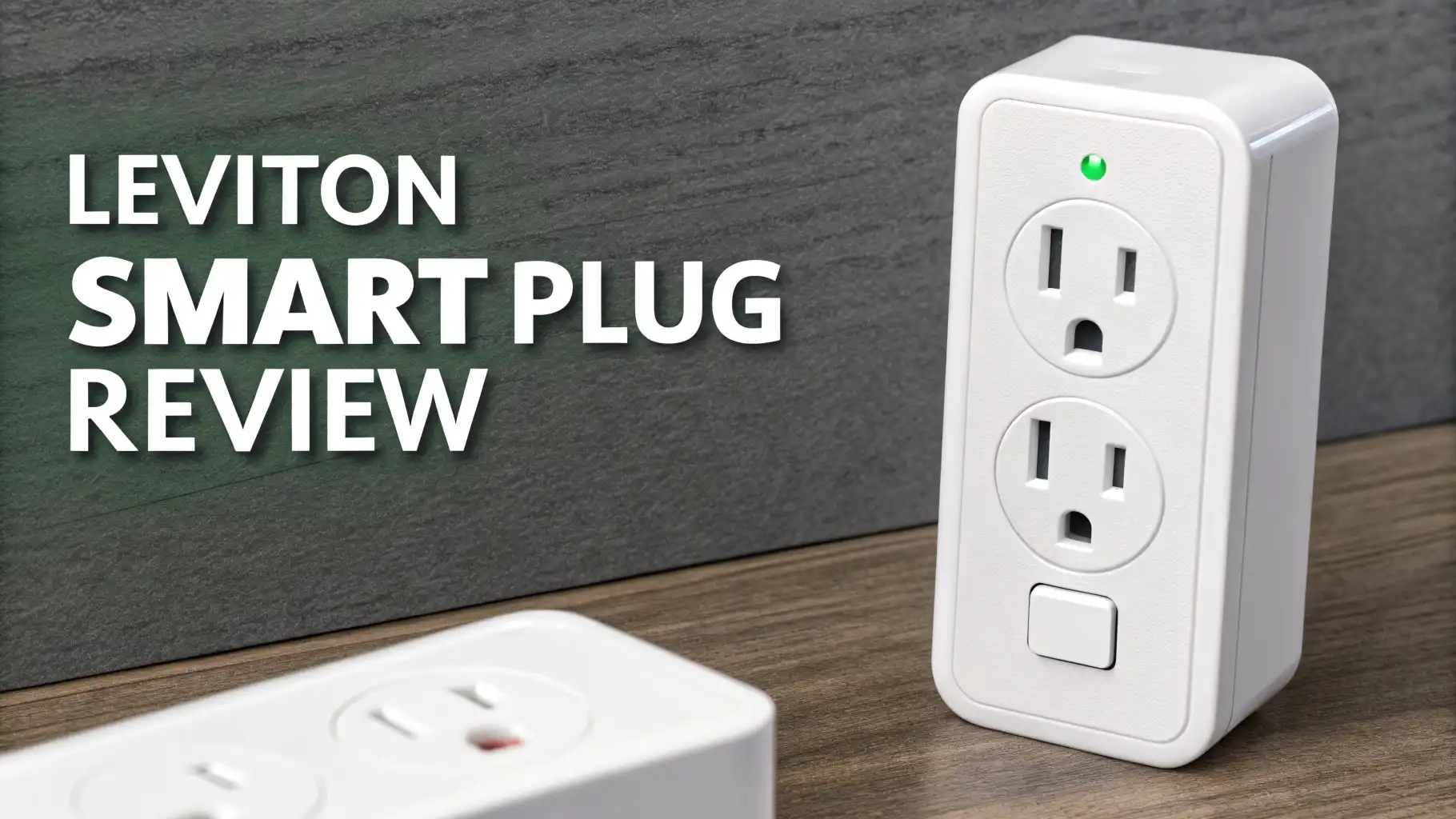
The Leviton Decora Smart Plug represents a second generation upgrade in smart home technology. This compact device fits into any standard electrical outlet and adds Wi-Fi connectivity to whatever you plug into it.
Think of it as giving your traditional appliances a smart brain. Your old table lamp becomes controllable from anywhere in the world. Your window fan can turn on automatically when temperatures rise. Your coffee maker can start brewing before you even wake up.
The device measures just a few inches and features a clean white design that blends with most home decor. The front includes a manual button for physical control when needed.
An LED indicator shows you the connection status at a glance. The plug is rated for 15 amps, which means it can safely handle most household appliances up to 1800 watts.
What sets Leviton apart is their commitment to compatibility. The inclusion of Matter support means this plug will work with virtually any smart home system you choose, now and in the future.
You’re investing in a device that won’t become obsolete when you upgrade your smart home ecosystem.
Setting Up Your Leviton Smart Plug Takes Just Minutes
Getting started with the Leviton smart plug is refreshingly simple. First, plug the device into your wall outlet. Make sure you’re using a 2.4GHz Wi-Fi network, as the plug doesn’t support 5GHz frequencies.
Download the free My Leviton app from the App Store or Google Play. Open the app and create an account if you don’t already have one.
The app will guide you through adding a new device. Press the button on the plug until it enters pairing mode, indicated by a flashing LED.
Select your Wi-Fi network and enter your password. Within 30 to 60 seconds, the plug connects and appears in your app. Give it a custom name like “Living Room Lamp” or “Bedroom Fan” to make voice control easier.
If you want to use voice control, link the My Leviton app to your Alexa, Google Assistant, or Apple Home account. The app provides step by step instructions for each platform. Once linked, you can say commands like “Alexa, turn on the living room lamp” or “Hey Google, turn off the bedroom fan.”
Voice Control Makes Daily Life Incredibly Convenient
Voice control transforms how you interact with your home. Imagine walking in with arms full of groceries and saying “Alexa, turn on the kitchen lights” without fumbling for switches.
Or picture yourself already tucked into bed, suddenly remembering you left the porch light on, and simply telling Google to turn it off.
The Leviton smart plug responds to voice commands almost instantly. There’s minimal lag between your request and the action. The device integrates smoothly with Amazon Alexa, Google Assistant, and Apple Siri.
You can include the plug in routines and scenes for even more automation. For example, create a “Good Morning” routine that turns on your coffee maker, opens the blinds, and starts playing your favorite music.
The Matter compatibility ensures your voice commands work reliably across platforms. If you switch from Alexa to Google Home in the future, your Leviton plug transitions seamlessly without requiring new setup.
Top 3 Alternatives for Leviton Smart Plug


Scheduling Features Automate Your Daily Routines
The scheduling capability of the Leviton smart plug brings automation to your fingertips. Through the My Leviton app, you can create custom schedules for any connected device.
Set your living room lamps to turn on at sunset and off at bedtime. Program your space heater to warm up your room 30 minutes before your alarm goes off.
The app allows multiple schedules per device. Your bedroom lamp might turn on at 7 AM on weekdays but 9 AM on weekends.
Your outdoor lights can follow different patterns for summer and winter. The schedules run even when you’re away from home, creating the appearance that someone is home for added security.
You can also set up countdown timers for temporary needs. Tell the plug to turn off whatever’s connected after 2 hours. Perfect for space heaters, fans, or charging devices. The timer prevents you from accidentally leaving appliances running all day.
Remote Control Works from Anywhere with Internet
One of the most practical features is remote control capability. As long as your smartphone has internet access, you can control your Leviton smart plug from anywhere in the world.
Forgot to turn off your iron before leaving for vacation? Open the app and switch it off remotely. Want to make sure your house looks lived in while you’re away? Turn lights on and off throughout the day.
The app provides real time status updates. You can see whether a device is currently on or off. This visibility gives you peace of mind. No more wondering if you left something running or second guessing yourself after you’ve already left the house.
The remote functionality also enables creative uses. Turn on a fan to cool your bedroom before you arrive home from work. Start a slow cooker remotely so dinner is ready when you walk in the door. Turn on outdoor lights as you pull into your driveway at night.
The Outdoor Smart Plug Handles Tough Weather Conditions

Leviton’s outdoor smart plug expands control beyond your home’s walls. This weather resistant model features an IP65 rating, meaning it’s protected against rain, snow, dust, and temperature extremes. The housing is designed to keep water out while allowing you to plug in outdoor devices safely.
The outdoor plug includes two independently controlled outlets. You can manage holiday lights and a fountain pump separately. Each outlet has its own schedule and can respond to different voice commands. The durable black housing resists UV damage and maintains its appearance even after years of sun exposure.
Installation follows the same simple process as the indoor model. The outdoor plug supports the same Matter technology and works with all major voice assistants. Use it for string lights, inflatable decorations, landscape lighting, pond pumps, and outdoor speakers.
Energy Efficiency Helps Reduce Your Electric Bills
Smart plugs contribute to energy savings in several ways. First, they eliminate phantom power drain from devices on standby. Many appliances continue drawing electricity even when turned off. A smart plug cuts power completely when you switch it off, preventing this wasted energy.
Second, automated schedules ensure devices only run when needed. Your outdoor lights don’t stay on until sunrise because you forgot to turn them off. Your space heater doesn’t run all night when temperatures drop enough that it’s no longer necessary.
While the Leviton plug itself consumes a small amount of electricity to maintain its Wi-Fi connection, the energy it helps you save from connected devices more than compensates. Users report noticing lower electric bills after implementing smart plugs throughout their homes.
Smart Home Integration Creates Powerful Automations
The real magic happens when you integrate Leviton smart plugs with other smart home devices. Create complex automations that respond to multiple triggers.
For example, when your smart thermostat detects you’ve left home, automatically turn off all lamps connected to smart plugs. When your security camera detects motion at night, turn on outdoor lights connected to an outdoor smart plug.
The Matter compatibility makes these integrations more reliable. Matter is an industry standard that ensures different brands of smart devices communicate effectively. Your Leviton plug works smoothly with your Samsung TV, Philips Hue lights, and Nest thermostat, even though they’re all different manufacturers.
You can also integrate with IFTTT for advanced automations. Trigger actions based on weather conditions, location, time of day, or virtually any other factor. The possibilities for customization are nearly endless.
Installation Safety and Electrical Considerations
While installation is simple, safety remains paramount. Always check that the device you’re plugging in doesn’t exceed the 15 amp rating.
High power appliances like space heaters, window air conditioners, and power tools should be checked carefully. Most manufacturers list amperage or wattage on the device label.
Never use the smart plug in damp indoor locations like bathrooms without proper ventilation. While the outdoor model handles weather, the indoor version is designed for protected environments. Don’t daisy chain multiple smart plugs or power strips together, as this creates fire hazards.
Make sure your Wi-Fi router provides adequate coverage to the outlet location. Weak signals can cause disconnections and unreliable performance. If necessary, use a Wi-Fi extender to boost signal strength in remote areas of your home.
Comparing Indoor and Outdoor Leviton Models
Leviton offers both indoor and outdoor smart plug options, each designed for specific environments. The indoor model features a compact design that doesn’t block adjacent outlets. It’s perfect for table lamps, fans, phone chargers, and small appliances. The white finish matches standard outlet plates.
The outdoor model provides weather resistance and dual outlets. It’s slightly larger to accommodate the protective housing. The black color is less visible against outdoor surfaces. Both outlets can be controlled independently, giving you more flexibility for outdoor lighting and decorations.
Both models share the same core features: Matter support, voice control, scheduling, and remote access. Your choice depends on where you plan to use the plug. For maximum versatility, many users purchase both types and deploy them throughout their property.
Troubleshooting Common Connection Issues
Most users experience smooth operation, but occasional issues can arise. If your plug won’t connect to Wi-Fi, first verify you’re using a 2.4GHz network. Check your router settings to ensure the 2.4GHz band is enabled and broadcasting. Make sure your Wi-Fi password is entered correctly, as this is a common source of errors.
If the plug connects but becomes unresponsive, try moving it closer to your router to rule out signal strength issues. Thick walls, metal surfaces, and electronic interference can weaken Wi-Fi signals. Consider using a mesh Wi-Fi system or range extender if you have a large home.
When voice commands stop working, check that the My Leviton skill remains linked in your Alexa or Google Home app. Sometimes these connections need to be refreshed. You can also try resetting the plug by holding the button for 10 seconds until it enters pairing mode again.
Real User Experiences and Performance Reviews
Actual users consistently praise the Leviton smart plug for its reliability and ease of use. Many reviewers mention the quick response time when using voice commands or the app. The device rarely shows as “not responding,” a common complaint with some competitor products.
Users appreciate the Matter support, noting that it future proofs their investment. The ability to switch between Alexa, Google, and Apple ecosystems without replacing devices saves money and hassle. The outdoor model receives particular praise for its durability in harsh weather conditions.
Some users note the price is slightly higher than budget alternatives, but most feel the quality and reliability justify the cost. The UL certification and surge protection provide peace of mind that cheaper options may lack.
Frequently Asked Questions
Does the Leviton Smart Plug Work Without Wi-Fi?
The plug requires Wi-Fi for remote control, voice commands, and app based features. However, you can still manually control it using the physical button on the device itself. If your internet goes down temporarily, the plug maintains its last known state until connectivity is restored.
Can I Use the Leviton Smart Plug with a Power Strip?
Yes, you can plug a power strip into the Leviton smart plug to control multiple devices simultaneously. This is useful for entertainment centers or desk setups where you want to turn off several items at once. Just ensure the combined power draw doesn’t exceed the 15 amp rating.
How Many Leviton Smart Plugs Can I Have on One Network?
Your network can support dozens of Leviton smart plugs. The limitation typically comes from your router’s capacity rather than the plugs themselves. Most modern routers can handle 50 or more smart home devices without issues.
Does the Leviton Smart Plug Track Energy Usage?
The standard Leviton smart plug does not include energy monitoring features. If tracking power consumption is important to you, consider alternatives like the TP-Link Kasa plugs that include this capability.
Is the Leviton Smart Plug Compatible with 5GHz Wi-Fi?
No, the plug only connects to 2.4GHz networks. This is common among smart home devices because 2.4GHz signals travel farther and penetrate walls better than 5GHz. Most modern routers broadcast both frequencies, so simply connect the plug to your 2.4GHz network.
Can I Take My Leviton Smart Plug When I Move?
Absolutely. Simply unplug it from the outlet and take it with you. You can reset the device and set it up on your new home’s Wi-Fi network. The plug is portable and reusable indefinitely.





