
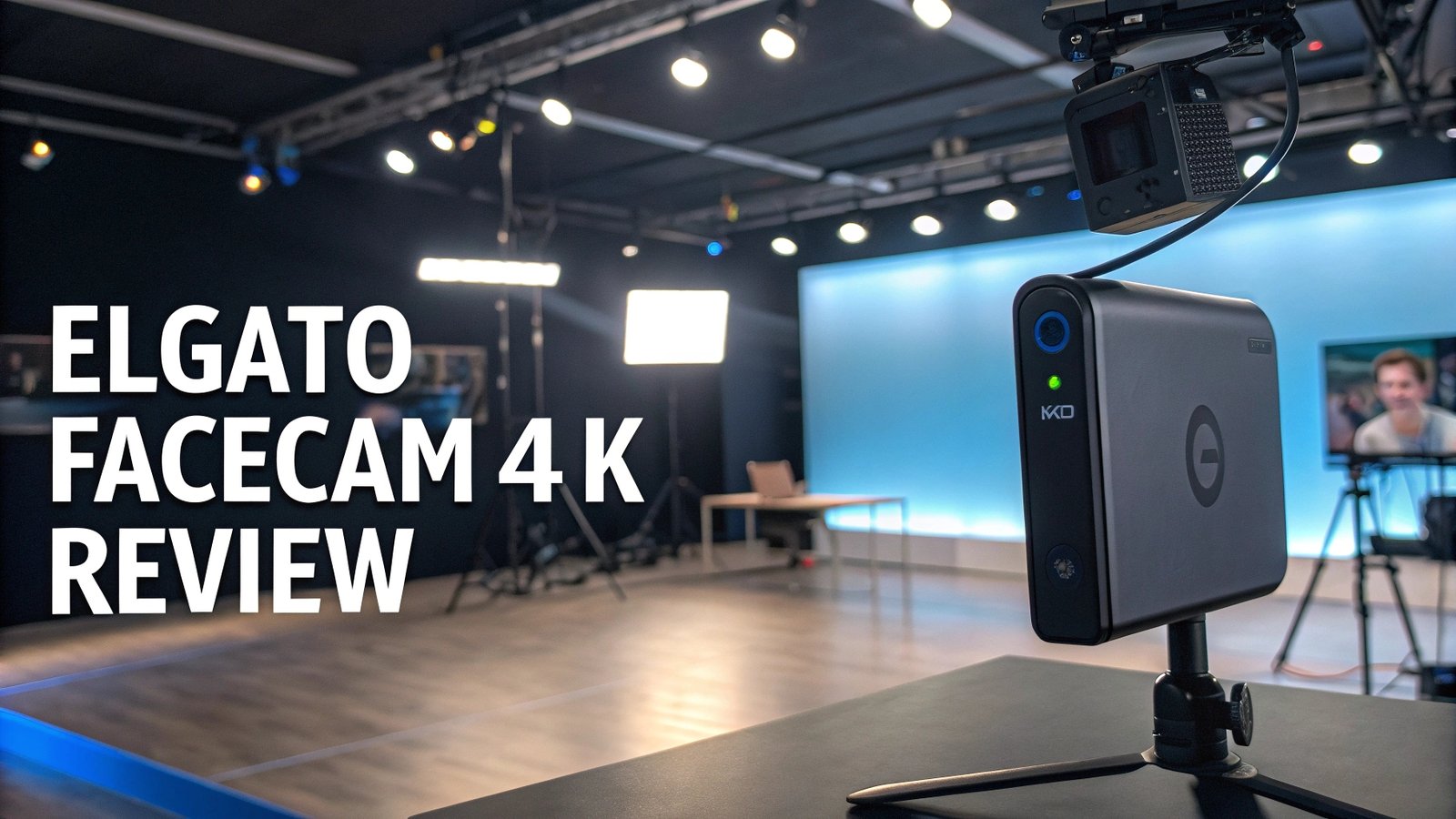
Elgato FaceCam 4K Review: Is It Really Worth the Hype?
The streaming industry has transformed dramatically over recent years. Content creators demand professional quality equipment that delivers crystal clear video without breaking the bank.
The Elgato FaceCam 4K emerges as a game-changing solution that bridges the gap between expensive DSLR cameras and basic webcams.
This revolutionary webcam captures Ultra HD video at an impressive 60 frames per second. It offers DSLR-like controls and supports lens filters – a first in the webcam industry.

Key Takeaways
- Professional 4K60 Recording: Captures Ultra HD video at smooth 60 frames per second for exceptional streaming quality
- DSLR-Like Controls: Manual ISO and shutter speed adjustments provide professional camera functionality
- Industry-First Lens Filter Support: Compatible with 49mm lens filters for cinematic effects and creative possibilities
- Advanced Camera Hub Software: Free PC and Mac application unlocks full potential with professional tools and settings
- Premium Build Quality: Studio-grade construction with USB-C connectivity for reliable performance
- HDR and Uncompressed Video: Advanced imaging features deliver true-to-life colors and exceptional detail


Elgato FaceCam 4K Overview
The Elgato FaceCam 4K stands as the company’s flagship webcam offering. This device delivers professional-grade video quality that rivals traditional cameras. The webcam features a large sensor that captures incredible detail and color accuracy in various lighting conditions.
This premium webcam supports 4K resolution at 60 frames per second, ensuring smooth motion and crystal-clear detail. The device utilizes advanced autofocus technology that keeps subjects sharp throughout recording sessions. Its wide field of view accommodates different shooting scenarios while maintaining professional quality standards.
The FaceCam 4K includes comprehensive software support through Elgato’s Camera Hub application. This powerful tool provides DSLR-like manual controls including ISO adjustment, shutter speed modification, and focus area optimization. Content creators can achieve cinematic looks previously reserved for expensive camera setups.
The 49mm lens filter compatibility sets this webcam apart from competitors. Users can attach professional photography filters to create unique visual effects and enhance their content quality. This feature opens creative possibilities that traditional webcams cannot provide.
Video Quality and Performance
The video quality delivered by the FaceCam 4K exceeds expectations for webcam technology. The device captures stunning 4K resolution with exceptional color reproduction and detail retention. Colors appear natural and vibrant without oversaturation or artificial enhancement.
Low-light performance stands out as a significant strength. The large sensor collects more light than typical webcams, producing cleaner images in challenging lighting conditions. This capability proves essential for creators who record in various environments without professional lighting setups.
The 60 frames per second recording ensures smooth motion capture during dynamic presentations or active streaming sessions. This high frame rate eliminates motion blur and provides professional-quality video that maintains clarity during movement.
HDR support enhances the dynamic range, balancing highlights and shadows effectively. This feature prevents overexposed backgrounds or underexposed subjects, maintaining detail across the entire image. The result is professional-looking video that competes with dedicated camera systems.
Build Quality and Design
The FaceCam 4K showcases premium construction quality that reflects its professional positioning. The device features a robust metal housing that provides durability and heat dissipation during extended recording sessions. This solid build quality ensures long-term reliability for professional use.
The compact form factor fits seamlessly into various setups without overwhelming desk spaces. Despite its small size, the webcam maintains substantial weight that indicates quality construction materials. The device feels premium and inspires confidence in its durability.
USB-C connectivity provides reliable data transfer and power delivery. This modern connection standard ensures compatibility with current and future devices while delivering stable performance. The included cable offers sufficient length for most setup configurations.
The adjustable mounting system accommodates different monitor types and positioning preferences. Users can achieve optimal angles for their specific recording requirements. The mount provides secure attachment while allowing easy adjustment when needed.
Top 3 Alternatives for Elgato FaceCam 4K


Software and Features
The Camera Hub software represents a significant advantage for the FaceCam 4K. This comprehensive application provides professional controls typically found in expensive camera systems. Users can adjust ISO sensitivity, shutter speed, and focus areas with precision.
Manual exposure controls allow creators to achieve consistent lighting across different recording sessions. This feature proves invaluable for maintaining professional appearance regardless of environmental lighting changes. The software provides real-time preview capabilities for immediate feedback.
Focus area optimization enables precise control over depth of field effects. Users can create professional-looking background blur while maintaining sharp subject focus. This capability adds cinematic quality to streams and recordings without additional equipment.
The software includes preset configurations for different use cases. These presets simplify setup for users who prefer automated solutions while maintaining the option for manual adjustment. The interface remains intuitive despite offering advanced functionality.
Lens Filter Compatibility
The 49mm lens filter support introduces unprecedented creative possibilities for webcam users. This industry-first feature allows attachment of professional photography filters for enhanced visual effects. Creators can experiment with polarizing filters, neutral density filters, and creative effects filters.
Polarizing filters reduce reflections and enhance color saturation, particularly beneficial for users with glasses or reflective backgrounds. These filters improve overall image quality by eliminating unwanted glare and increasing color vibrancy.
Neutral density filters enable better exposure control in bright environments. These filters allow users to maintain optimal camera settings without overexposure, particularly useful for creators recording near windows or in bright rooms.
The filter mounting system provides secure attachment without affecting the webcam’s stability. Users can quickly swap filters between recording sessions to achieve different looks and effects. This flexibility enhances creative possibilities significantly.
Performance in Different Lighting Conditions
The FaceCam 4K excels across various lighting scenarios thanks to its advanced sensor technology. The device performs exceptionally well in natural lighting conditions, producing vibrant colors and sharp details. Outdoor streaming or recording near windows showcases the webcam’s dynamic range capabilities.
Indoor artificial lighting presents challenges for many webcams, but the FaceCam 4K handles these conditions admirably. The large sensor captures sufficient light for clear images even under standard room lighting. Color accuracy remains consistent across different artificial light sources.
Low-light performance surpasses most competing webcams significantly. The device maintains usable image quality in challenging lighting conditions where other webcams produce grainy or dark footage. This capability extends usable recording hours throughout the day.
Mixed lighting conditions often cause color balance issues with standard webcams. The FaceCam 4K’s advanced processing handles these situations effectively, maintaining natural skin tones and accurate colors across different light sources within the same scene.
Streaming and Content Creation Benefits
For professional streamers, the FaceCam 4K provides broadcast-quality video that elevates stream production values. The 4K60 capability ensures viewers receive the highest quality video possible, potentially increasing engagement and subscriber growth.
Content creators benefit from the webcam’s versatility across different platforms and use cases. Whether recording YouTube videos, conducting virtual meetings, or creating educational content, the device delivers consistent professional results.
The uncompressed video output maintains maximum quality for post-production editing. Creators who edit their content benefit from the additional detail and color information preserved in the raw footage. This feature proves valuable for professional content production workflows.
Real-time streaming takes advantage of the device’s low-latency performance. The FaceCam 4K minimizes delays between action and display, crucial for interactive streaming where timing matters. This responsiveness enhances viewer engagement during live broadcasts.
Comparison with Competitors
Against the Logitech BRIO series, the FaceCam 4K offers superior software control and lens filter compatibility. While both provide 4K recording capabilities, Elgato’s solution includes more professional features and creative possibilities. The Camera Hub software surpasses Logitech’s offerings in functionality and user interface design.
Compared to Razer Kiyo Pro models, the FaceCam 4K provides better color accuracy and more consistent performance across different lighting conditions. The lens filter support gives Elgato a significant advantage for creative applications. However, Razer’s built-in lighting might appeal to users without dedicated lighting setups.
EMEET and other budget 4K webcams cannot match the FaceCam 4K’s build quality and feature set. While these alternatives offer lower prices, they lack the professional controls, lens filter support, and software sophistication that justify the FaceCam 4K’s premium positioning.
The overall value proposition favors the FaceCam 4K for serious content creators and professional users. The combination of hardware quality, software features, and creative possibilities justifies the investment for users who prioritize video quality and professional appearance.
Installation and Setup Process
The initial setup process remains straightforward despite the device’s advanced capabilities. Users connect the USB-C cable and download the Camera Hub software for optimal functionality. The webcam works immediately with standard drivers, but the full feature set requires the dedicated software.
Camera Hub installation takes minutes and provides immediate access to all professional controls. The software automatically detects the connected FaceCam 4K and loads appropriate settings. Users can begin adjusting parameters immediately without complex configuration procedures.
Platform compatibility spans Windows and Mac systems with equal functionality. The software maintains feature parity across operating systems, ensuring consistent user experience regardless of platform choice. Regular updates enhance functionality and compatibility over time.
Default settings provide excellent results for most users without adjustment. However, the software allows extensive customization for users who prefer specific looks or need to match existing setups. This flexibility accommodates both beginners and advanced users effectively.
Price and Value Analysis
At $199.99, the FaceCam 4K positions itself in the premium webcam segment. This pricing reflects the advanced features, professional build quality, and unique capabilities that distinguish it from competitors. The cost represents a significant investment for casual users but reasonable pricing for professional applications.
Compared to DSLR camera setups, the FaceCam 4K provides substantial cost savings while delivering similar video quality for streaming applications. Users avoid additional capture card purchases and complex setup procedures while achieving professional results.
The long-term value justifies the initial investment through durability and feature longevity. Regular software updates enhance functionality over time, extending the device’s useful life. The premium construction ensures years of reliable operation under professional use conditions.
Return on investment becomes apparent quickly for content creators who monetize their work. The professional video quality can increase viewer engagement, subscriber growth, and revenue potential. This makes the FaceCam 4K a business investment rather than just equipment purchase.
Pros and Cons
Advantages include exceptional 4K60 video quality, professional manual controls, industry-first lens filter support, robust build quality, comprehensive software features, excellent low-light performance, and reliable USB-C connectivity. These strengths position the device as a premium solution for serious users.
Disadvantages encompass the premium price point, requirement for dedicated software to access full features, lack of built-in lighting, and potentially complex setup for casual users. The fixed focus system might limit some creative applications compared to interchangeable lens cameras.
The overall assessment favors the FaceCam 4K for users who prioritize video quality and professional features. The advantages significantly outweigh the limitations for serious content creators and professional users. However, casual users might find simpler alternatives more suitable for their needs.
Frequently Asked Questions
Does the Elgato FaceCam 4K work without the Camera Hub software?
Yes, the FaceCam 4K functions as a standard webcam without additional software. However, the Camera Hub application unlocks the device’s full potential including manual controls, lens filter optimization, and advanced features. Most users will want to install the software for optimal results.
What lens filters are compatible with the FaceCam 4K?
The webcam accepts standard 49mm lens filters commonly used in photography. This includes polarizing filters, neutral density filters, UV filters, and various creative effect filters. Users should ensure filters have the correct thread size for proper mounting.
Can I use the FaceCam 4K for video conferencing applications?
Absolutely. The device works seamlessly with popular video conferencing platforms including Zoom, Microsoft Teams, Google Meet, and Skype. The exceptional video quality enhances professional appearance during business meetings and video calls.
How does the FaceCam 4K perform in low-light conditions?
The large sensor and advanced processing provide superior low-light performance compared to standard webcams. While dedicated lighting improves results, the device maintains usable image quality in challenging lighting conditions where other webcams struggle.
Is the FaceCam 4K compatible with streaming software like OBS?
Yes, the webcam integrates perfectly with popular streaming applications including OBS Studio, XSplit, and Streamlabs. The device appears as a standard camera source with full resolution and frame rate support. The uncompressed video output ensures maximum quality for streaming and recording.





