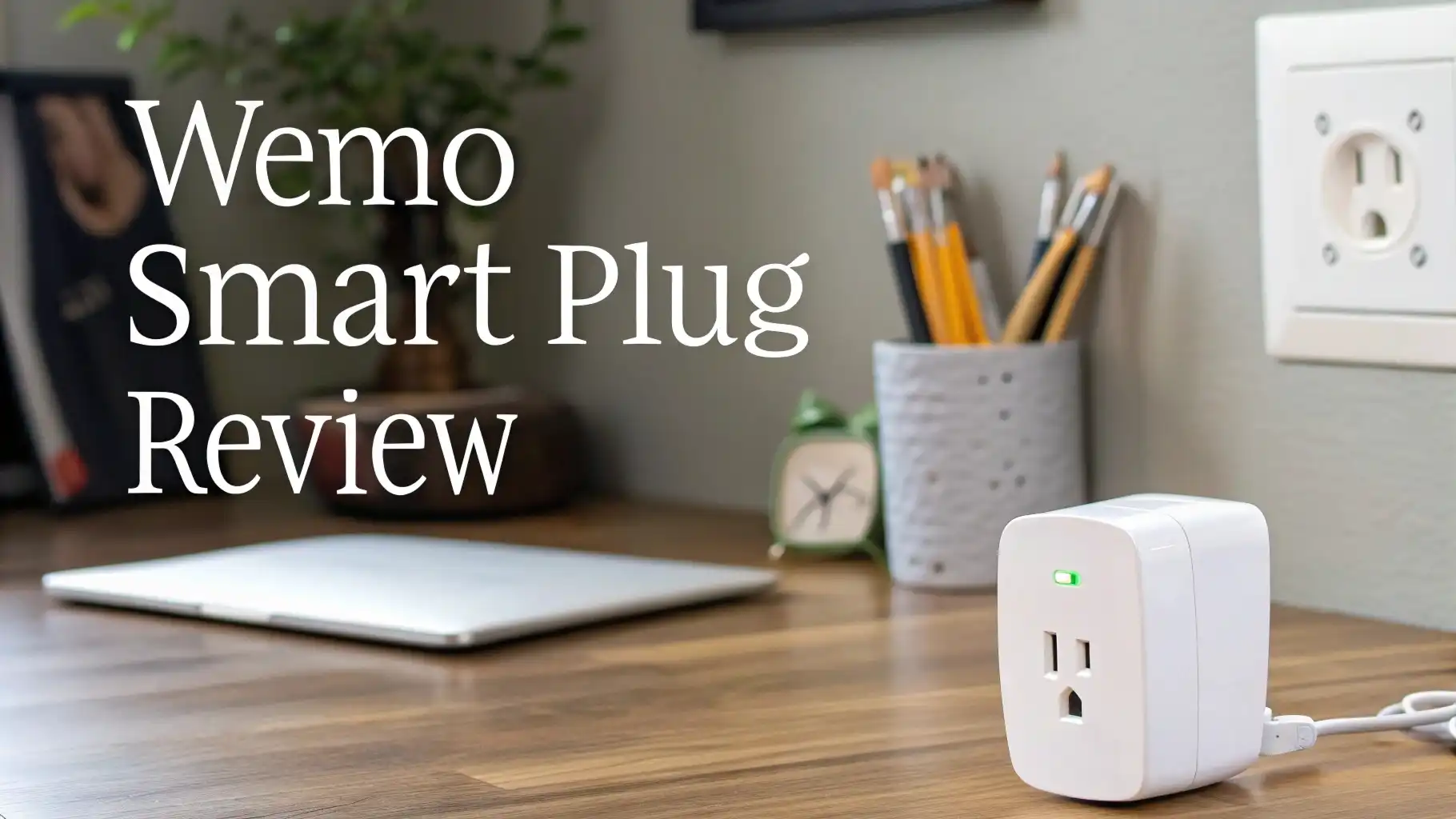
Wemo Smart Plug Review 2026: Is This Tiny Plug Still Worth It?
Picture this. You are lying in bed. The lamp in your living room is still on. You do not want to get up. But with one tap on your phone, the light goes off. That is exactly what the Wemo Smart Plug promises to deliver every single day.
Smart plugs are no longer a luxury. They are one of the easiest and most affordable ways to build a smart home in 2026. And the Wemo Smart Plug with Thread has become one of the most talked-about options for iPhone and Apple HomeKit users. But is it really worth your money? Does it live up to all the buzz?
In this review, we break down every important detail. We cover design, setup, smart home compatibility, performance, energy monitoring, and more. By the time you finish reading, you will know exactly whether the Wemo Smart Plug belongs in your home.
Key Takeaways:
- The Wemo Smart Plug with Thread is the best smart plug for Apple HomeKit users in 2026. It works with Siri, Apple Home app, and supports Thread for ultra-fast response times. If your home runs on Apple devices, this plug fits right in.
- Setup takes under two minutes. You plug it in, open the iPhone Home app, and use NFC to scan and connect. There is no separate account needed. There is no complicated process. It is one of the easiest setups on the market.
- It supports Alexa and Google Assistant as well. While Thread and HomeKit are its strongest suits, Wemo also plays nicely with Amazon Alexa and Google Home, making it flexible for mixed smart home setups.
- The design is extremely compact. It is one of the smallest smart plugs available in North America. It does not block the second outlet on a standard wall socket, which is a huge bonus in everyday use.
- Energy monitoring is not included. This is one area where the Wemo falls short. If tracking electricity usage is important to you, you may want to look at competing products like the Kasa KP125M, which includes energy monitoring.
- Thread technology makes response time impressively fast. With a Thread-enabled hub like an Apple TV 4K or HomePod Mini, the Wemo Smart Plug responds in about one second. That is significantly faster than older Wemo models and many competing plugs.

What Is the Wemo Smart Plug
The Wemo Smart Plug is a small Wi-Fi and Thread-enabled outlet that lets you control any plugged-in device from your phone or with a voice command. It is made by Belkin, a well-known name in home accessories and smart home technology.
The current flagship model is the Wemo Smart Plug with Thread, released to target Apple HomeKit users specifically. It connects to your iPhone through Apple’s Home app and uses Thread technology for faster, more reliable communication between devices. Thread is a newer smart home networking protocol that removes the need for a traditional Wi-Fi bridge.
Unlike older Wemo models that required the standalone Wemo app, this version works purely through Apple’s Home app. This keeps things simple and clean.
You do not need to juggle multiple apps to manage your smart home. The plug supports standard US outlets at 120V, 15A, and 1800W, making it suitable for lamps, fans, coffee makers, air purifiers, and similar everyday devices.
Wemo Smart Plug Design and Build Quality
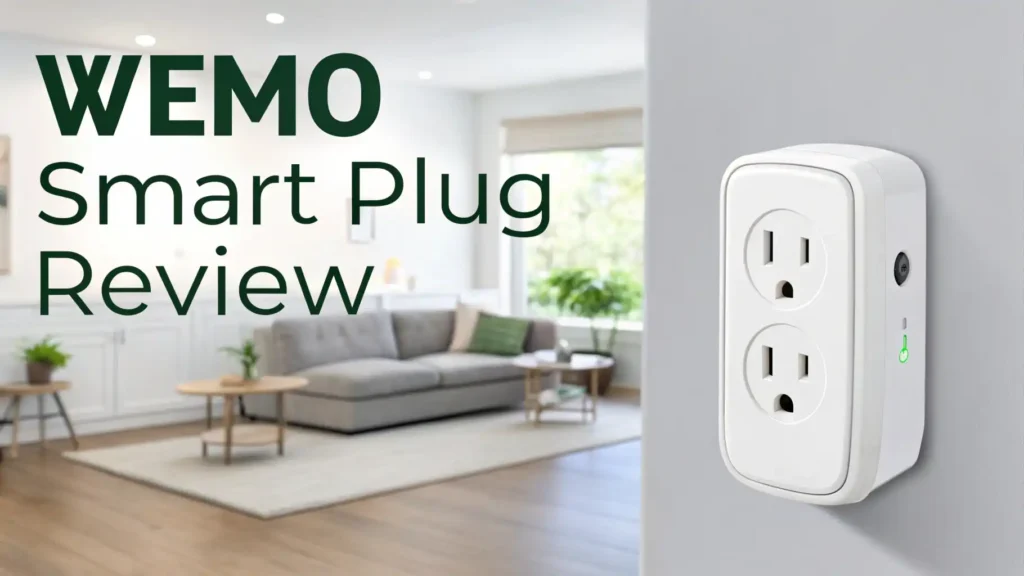
One of the first things you notice about the Wemo Smart Plug with Thread is just how small it is. At only 2.11 inches wide and 1.18 inches high, it is arguably the most compact smart plug available for the North American market.
The plug is white with a glossy front panel. It does not feature any physical on and off button, which some users may find inconvenient. However, the clean and minimal design means it does not draw unnecessary attention. It blends into any wall outlet without standing out.
Because of its size, it does not cover or block the second outlet on a standard dual-outlet socket. This is a very practical advantage that larger smart plugs simply do not offer. The build quality feels solid.
Belkin uses durable plastic that does not feel cheap. The prongs go firmly into the outlet and hold without wobbling. The plug is UL certified, which means it meets standard safety requirements.
Overall, for a device this small, the build quality is genuinely impressive. It feels like a premium product.
How to Set Up the Wemo Smart Plug
Setting up the Wemo Smart Plug with Thread is one of the fastest and most straightforward processes you will experience with any smart home device. The entire process takes about two minutes from start to finish.
Here is how it works:
First, you plug the Wemo Smart Plug into any standard wall outlet. Second, you open the Apple Home app on your iPhone. Third, you hold the top of your iPhone close to the plug. The NFC chip inside the plug triggers the pairing process automatically. Fourth, you assign the plug to a room, give it a name, and you are done.
No account creation is required. No separate Wemo app is needed. The plug works entirely inside Apple’s Home app from that point forward. You can name the plug whatever makes sense, like “Living Room Lamp” or “Coffee Maker,” and control it using Siri voice commands or taps inside the app.
This NFC-based setup process is a step above the average smart plug experience. Most competitors require you to download a separate app, create an account, and manually enter Wi-Fi credentials. Wemo skips all of that.
Top 3 Alternatives for Wemo Smart Plug


Smart Home Compatibility: Alexa, HomeKit, and Google
The Wemo Smart Plug with Thread is built primarily for Apple HomeKit. This makes it the top choice for anyone who already uses Apple devices like an iPhone, iPad, Apple TV 4K, or HomePod Mini.
Through HomeKit, you can control the plug with Siri voice commands. You can also set automations using other HomeKit devices.
For example, you can connect it to a motion sensor so a lamp turns on automatically when someone enters the room. HomeKit automations work locally, which means they do not rely on an internet connection. This makes them faster and more reliable than cloud-based systems.
The plug also works with Amazon Alexa and the Google Assistant. You can say “Alexa, turn on the living room lamp” or “Hey Google, turn off the coffee maker” and the plug responds. This cross-platform support makes the Wemo Smart Plug a strong option even for homes that mix different smart home ecosystems.
Scheduling and Automation Features
Scheduling is one of the most useful features of any smart plug, and the Wemo does not disappoint here. Through Apple’s Home app, you can set up schedules with ease. Want your coffee maker to turn on at 7:00 AM every weekday? Done. Want a lamp to turn off automatically at 11:00 PM every night? Easy.
You can also create time-based automations that respond to sunrise and sunset. This is useful for outdoor lights or window lamps. The sunrise and sunset mode adjusts automatically based on your location and the time of year.
HomeKit automations allow the plug to respond to other smart home triggers. For example, you can set the plug to turn on when you arrive home or turn off when you leave.
You can also use it with a HomeKit-compatible motion sensor to activate lights only when someone is present. These automation options make the Wemo feel like a much more powerful device than just a simple remote-controlled outlet.
Performance and Response Time
In real-world testing, the Wemo Smart Plug with Thread performs impressively well. When used with a Thread-enabled hub like an Apple TV 4K or HomePod Mini, the response time is approximately one second. This is noticeably faster than older Wemo models and most Wi-Fi-only smart plugs.
Thread technology creates a mesh network between smart devices. This reduces the dependency on your router and speeds up communication between your iPhone and the plug. The result is a snappy experience that makes controlling the plug feel instant.
Without a Thread hub, the plug falls back to Bluetooth connectivity. Bluetooth works well for close-range control but is slower than Thread for automations. If you already own a HomePod Mini or Apple TV 4K, you will get the full Thread experience without any extra cost. For most Apple users, this will already be the case.
Energy Monitoring: What You Need to Know
This is the one area where the Wemo Smart Plug falls short. The Wemo Smart Plug with Thread does not include energy monitoring. You cannot track how much electricity a plugged-in device is consuming through the app.
For many users, this is not a deal-breaker. If you are using the plug for a lamp or a coffee maker, you likely do not need detailed energy data. However, if you want to monitor power consumption for air conditioners, space heaters, or gaming consoles, energy monitoring becomes quite valuable.
Competing products like the TP-Link Kasa KP125M do include energy monitoring at a similar price point. If energy tracking is important to you, the Kasa is a stronger choice. The Wemo clearly prioritizes speed and simplicity over detailed data features.
Wemo App Experience
The original Wemo app is no longer required for the Thread version of the smart plug. All controls now live inside Apple’s Home app, which is a clean and well-organized platform that most iPhone users already know how to use.
The Apple Home app lets you see all your smart devices in one place. You can group the Wemo plug into rooms, create automations, and check the plug’s current status at a glance. The interface is minimal and easy to use. You do not need to be a tech enthusiast to figure it out. Even first-time smart home users find it intuitive.
That said, the shift to the Apple Home app means some features from the original Wemo app are no longer available. There is no standalone power button widget or energy data dashboard. If you prefer a dedicated app with more detailed controls, this may feel like a step backward. But for everyday use, the Apple Home app handles everything most users need.
Thread Technology Explained
Thread is a smart home networking protocol that improves how devices communicate. Instead of all devices connecting individually to your Wi-Fi router, Thread creates a mesh network where devices communicate directly with each other. This reduces load on your router and makes the entire system more reliable.
For the Wemo Smart Plug, Thread means faster automations and lower latency. When a trigger fires, such as motion detected by a sensor, the plug responds almost instantly. This is a major upgrade compared to cloud-based smart plugs that route commands through remote servers.
To use Thread with the Wemo plug, you need a Thread Border Router. Apple devices like the HomePod Mini and Apple TV 4K (3rd generation or later) act as Thread hubs. If you already own one of these, Thread activates automatically. If you do not, the plug still works using Bluetooth, which is a decent backup option for basic controls.
Who Should Buy the Wemo Smart Plug
The Wemo Smart Plug with Thread is the right choice for a specific group of people. If you are an iPhone user with an Apple HomeKit setup, this plug is one of the best options available in 2026.
It fits Apple users who want fast automations, simple NFC setup, and seamless Siri integration. It is also great for people who do not want to manage multiple apps or create extra accounts. The plug just works inside the tools you already use.
However, if you do not own any Apple devices, this plug is not the best choice. Android users or people who rely on Amazon Alexa as their primary ecosystem will get more value from alternatives like the Wyze Plug or Kasa KP125M. Those options offer broader compatibility, better apps for non-Apple users, and added features like energy monitoring.
Pros and Cons of the Wemo Smart Plug
Every product has strengths and weaknesses. Here is an honest look at both sides of the Wemo Smart Plug with Thread.
Pros:
The design is extremely compact and does not block the second outlet. Setup is incredibly fast using NFC and the Apple Home app. Thread technology delivers one-second response times. The plug works with Alexa, Google Assistant, and Apple HomeKit. It requires no hub or extra account creation. Build quality is solid and UL certified.
Cons:
There is no energy monitoring feature. The plug works best only with Apple HomeKit, limiting its appeal for Android or non-Apple users. There is no physical power button on the device. It is priced slightly higher than some competitors that offer more features. Without a Thread hub, performance drops to Bluetooth speed.
Final Verdict: Is the Wemo Smart Plug Worth It in 2026
After reviewing every feature and testing real-world performance, the verdict is clear. The Wemo Smart Plug with Thread is an excellent choice for Apple HomeKit users in 2026. It offers some of the fastest response times of any smart plug on the market, thanks to Thread technology. The setup is effortless, the design is compact, and the HomeKit integration is flawless.
If you live in the Apple ecosystem, this plug is easy to recommend. It does exactly what it promises, and it does it better than most competitors in its price range.
However, if you need energy monitoring, want broader multi-platform support, or prefer Android, you should look at the Kasa KP125M or Wyze Plug instead. Those alternatives cover more ground for a similar price.
For Apple users who want the best Thread-powered smart plug experience, the Wemo Smart Plug with Thread earns a strong 4 out of 5 stars in 2026.
Frequently Asked Questions
Does the Wemo Smart Plug work without Wi-Fi?
The Wemo Smart Plug with Thread uses both Thread and Bluetooth for local connectivity. This means it can still respond to commands from your iPhone even without an active internet connection, as long as you are within Bluetooth range. However, remote access from outside your home requires an internet connection and a Thread hub like an Apple TV 4K or HomePod Mini.
Does the Wemo Smart Plug work with Amazon Alexa?
Yes. The Wemo Smart Plug with Thread works with Amazon Alexa. You can link it through the Alexa app and control it with voice commands like “Alexa, turn on the kitchen lamp.” While it is built primarily for Apple HomeKit, Alexa integration works smoothly for basic on and off commands.
Does the Wemo Smart Plug monitor energy usage?
No. The Wemo Smart Plug with Thread does not include energy monitoring. If tracking electricity consumption is important to you, consider the TP-Link Kasa KP125M, which offers built-in energy monitoring at a similar price.
What hub does the Wemo Smart Plug need for Thread?
To use Thread with the Wemo Smart Plug, you need an Apple Thread Border Router. This includes the HomePod Mini, Apple TV 4K (3rd generation or later), and the HomePod 2nd generation. If you do not have one of these devices, the plug will still work using Bluetooth connectivity.
Is the Wemo Smart Plug safe to use with high-powered appliances?
The Wemo Smart Plug supports up to 120V, 15A, and 1800W. It is safe for most household appliances including lamps, fans, coffee makers, and air purifiers. It is not recommended for high-draw appliances like electric heaters, stoves, or air conditioners that exceed its wattage rating. Always check the power requirements of your device before plugging it in.
Can I use the Wemo Smart Plug with an Android phone?
The Wemo Smart Plug with Thread is designed for Apple HomeKit and is best used with an iPhone. Android users can still control it through Amazon Alexa or Google Assistant, but the full setup and NFC pairing process requires an iPhone. For Android users, the Wyze Plug or Kasa KP125M are better primary choices.