SONOFF S31 WiFi Smart Plug Review 2026: The Honest Truth
You plug in a lamp. You forget to turn it off. You are already in bed. Sound familiar? That frustrating moment is exactly why smart plugs exist — and the SONOFF S31 WiFi Smart Plug has been one of the most talked-about options in the market for years.
But in 2026, with so many new players flooding the smart home space, does the SONOFF S31 still hold its ground?
Spoiler alert: it absolutely does. This review digs into every corner of the SONOFF S31. You will learn about its design, energy monitoring features, app experience, smart home compatibility, and much more.
Key Takeaways
- ETL Certified and Safe: The SONOFF S31 carries ETL certification, which means it has been tested and approved to meet North American safety standards. This is a big deal for a plug that handles 15 amps of power daily.
- Real-Time Energy Monitoring: This plug does not just turn devices on and off. It actively monitors power consumption, current, voltage, and even power factor in real time. You can track your electricity usage and get monthly bill forecasts right inside the app.
- 100 Days of Power History: The eWeLink app stores up to 100 days of historical energy data. You can even export this data for deeper analysis. That is a feature you do not always find at this price point.
- Works with Major Voice Assistants: The SONOFF S31 is fully compatible with Amazon Alexa, Google Home, and IFTTT. You can control it with simple voice commands or build powerful automations without needing a hub.
- Compact and Smart Design: Unlike taller smart plugs that block the second outlet, the S31 is designed wide and flat. Two units can sit side by side in a standard double outlet without any blocking.
- Very Affordable Price Tag: At around $11.99 per unit, the SONOFF S31 delivers a feature set that rivals products priced much higher. For budget-conscious smart home builders, this is one of the best value plugs available in 2026.

What Is the SONOFF S31 WiFi Smart Plug?
The SONOFF S31 is a US-standard WiFi smart plug with built-in energy monitoring, made by Itead, a Chinese electronics manufacturer known for its popular SONOFF product line. The device plugs into any standard wall outlet and gives you remote control over whatever device is connected to it.
What makes the S31 stand out from a basic smart plug is its power monitoring capability. Most cheap smart plugs only let you turn a device on or off. The SONOFF S31 goes further. It measures real-time power usage, voltage, current, and power factor. This level of detail makes it useful for understanding which appliances consume the most electricity in your home.
The plug runs on the eWeLink platform, which supports a wide range of SONOFF and third-party smart devices. It connects to your home network using 2.4GHz WiFi via the 802.11 b/g/n standard. Note that it does not support 5GHz networks, so you will need a 2.4GHz band available on your router.
The S31 is rated for a maximum of 15 amps at 120V AC, which is higher than older SONOFF models like the S20 and S26 that topped out at 10 amps. This makes it suitable for higher-draw appliances like space heaters, washing machines, and air purifiers.
Design and Build Quality of the SONOFF S31
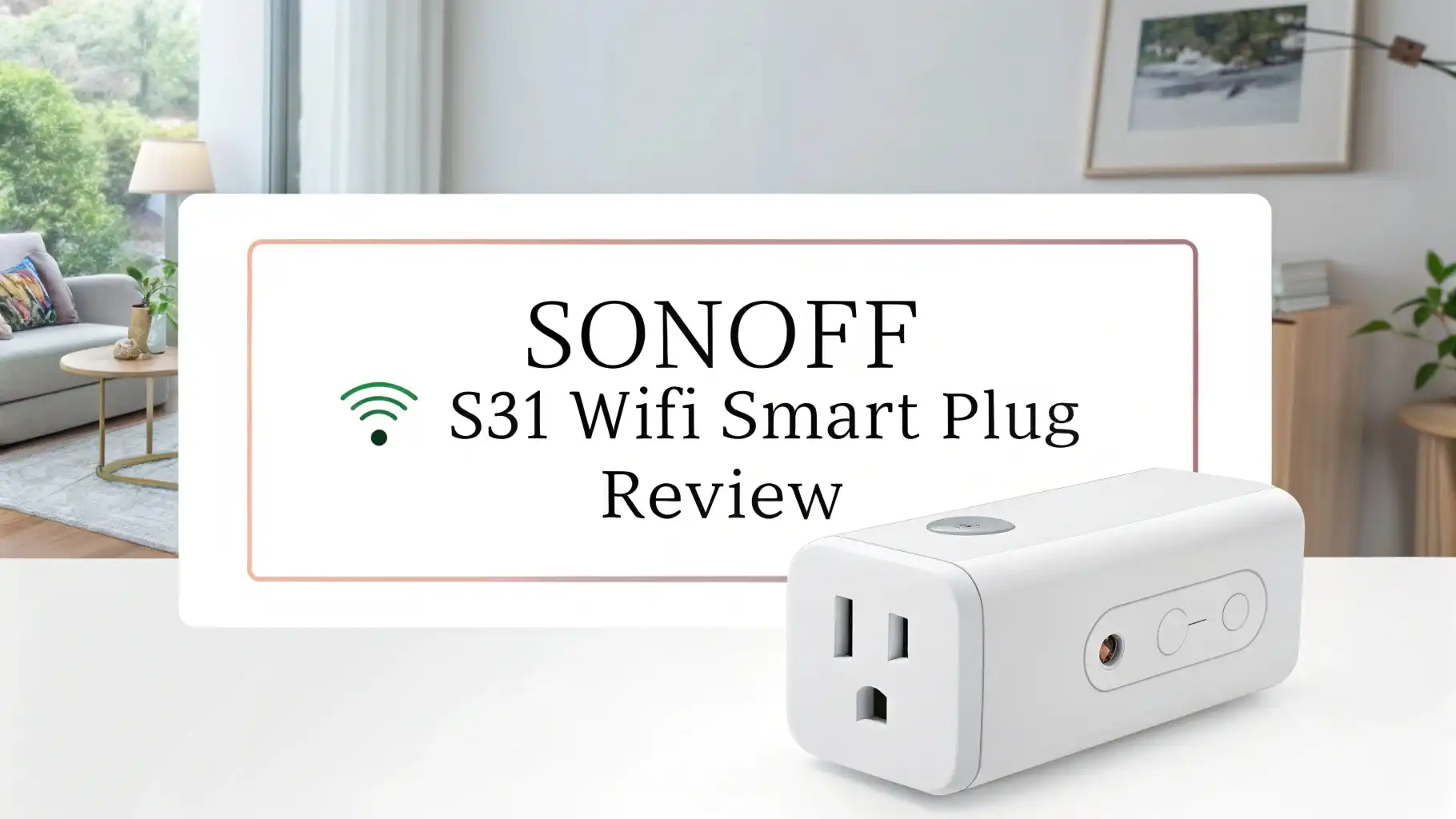
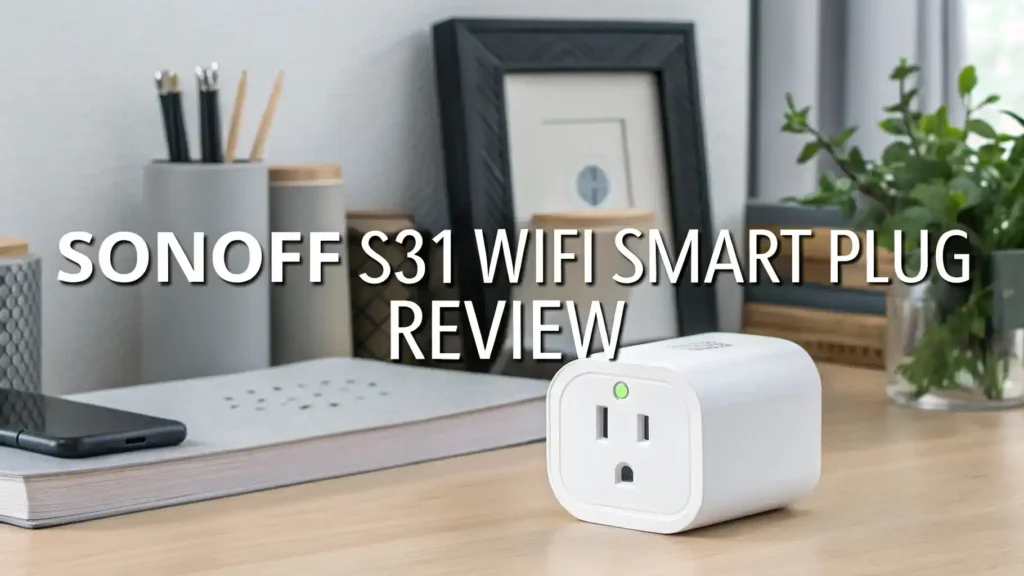
The SONOFF S31 has a clean, white polycarbonate body that blends well into most home environments. Its dimensions measure approximately 1.57 inches deep, 3 inches wide, and 1.3 inches tall. This flat and wide shape is a deliberate design choice, and it is one of the best things about this plug.
Because the S31 is wider than it is tall, two units can be used in a standard double outlet at the same time without one blocking the other. This is a problem with many taller smart plugs that take up both slots when placed in a standard outlet. The S31 solves this beautifully.
On one side of the device, you will find a small physical button that manually toggles power on or off. This is useful when your phone is not nearby or if your internet connection drops. There are also LED indicator lights on the device that show the current WiFi and power status at a glance.
SONOFF S31 Setup and Installation Process
Setting up the SONOFF S31 is a straightforward process. You do not need any technical knowledge, and the whole setup takes less than five minutes. Here is how it works step by step.
First, download the eWeLink app on your iOS or Android smartphone. Create a free account if you do not already have one. Once the app is ready, plug the SONOFF S31 into your wall outlet. The LED light on the device will begin blinking, indicating it is ready to be paired.
Open the eWeLink app and tap the “Add Device” button. The app will guide you through connecting the plug to your home WiFi network. Enter your 2.4GHz network credentials, and the S31 will connect within seconds. The entire process is guided and simple enough for someone who has never set up a smart device before.
Once connected, the plug appears in the eWeLink dashboard. You can rename it, assign it to a room, and start controlling it immediately. The pairing process supports both standard and AP mode in case the automatic pairing does not work the first time.
Top 3 Alternatives for SONOFF S31


eWeLink App Experience with the SONOFF S31
The eWeLink app is the control center for your SONOFF S31. It is available for free on both Android and iOS. The app interface is clean and easy to navigate. When you open it, you see all your connected devices listed clearly. Tapping on the S31 opens a detailed control panel.
From the app, you can turn the plug on or off with a single tap, set schedules, create countdown timers, and view energy consumption data. The real-time power readings update constantly on screen, showing you exactly how many watts your connected device is drawing at any given moment.
The scheduling feature is particularly useful. You can set the plug to turn on your coffee maker at 7:00 AM every morning and shut it off automatically after 30 minutes. You can also create weekly schedules with different settings for each day of the week. These automations run in the cloud, so they continue to work even when your phone is off.
Energy Monitoring Features Explained
This is where the SONOFF S31 truly shines. Energy monitoring is baked directly into the hardware, not an add-on or a premium subscription feature. You get it free, right out of the box.
The S31 tracks the following in real time:
The plug measures power consumption in watts, which tells you exactly how much electricity a device is using at any moment. It also measures voltage in volts, useful for checking the quality of your home’s power supply. On top of that, it measures current in amps and power factor, which is the ratio of actual power used versus the power drawn from the outlet.
Power factor is especially useful if you run devices like air purifiers, refrigerators, or other appliances with motors and compressors. These devices can draw more apparent power than they actually use, and the S31 gives you clear visibility into that.
Voice Assistant and Smart Home Compatibility
The SONOFF S31 works smoothly with Amazon Alexa, Google Home, and IFTTT. Integration with each platform is free and does not require any additional hardware or hub.
To connect with Alexa, simply enable the eWeLink skill in the Alexa app and link your account. Your S31 will appear as a device in Alexa. You can then use voice commands like “Alexa, turn on the coffee maker” or “Alexa, turn off the lamp”. You can also include the S31 in Alexa routines.
Google Home integration works similarly. Enable the eWeLink action in the Google Home app, link your account, and your S31 shows up ready for voice control. You can assign it to a room in Google Home for even more intuitive control.
IFTTT support opens up a world of creative automations. You can trigger the S31 based on weather conditions, calendar events, time of day, or actions from other apps and devices. For example, you could set up an IFTTT applet to turn on your desk lamp every time a specific calendar event starts.
Timer and Scheduling Features of SONOFF S31
Smart plugs become truly useful when you set up timers and schedules, and the SONOFF S31 handles this feature very well. The eWeLink app gives you three main scheduling tools: timers, countdown timers, and scheduled on/off times.
The timer function lets you set a specific time for the plug to turn on or off. You can create repeating schedules for every day of the week or choose specific days only. This is ideal for setting up your morning coffee routine, your evening lights, or your overnight phone charger.
The countdown timer is perfect for situations where you want a device to run for a set amount of time and then shut off automatically. You could set your space heater to run for 45 minutes before bed and turn off on its own, preventing energy waste and safety concerns.
Loop timers are another option available in the app. These allow you to cycle a device on and off repeatedly at set intervals. This can be useful for things like aquarium pumps, humidifiers, or any device that benefits from intermittent operation.
SONOFF S31 Performance and Reliability
In day-to-day use, the SONOFF S31 performs consistently and reliably. The plug connects to WiFi quickly after being powered on, typically within 10 to 15 seconds. Remote control via the eWeLink app responds quickly, with most commands executing in under two seconds even from a different location.
The physical relay inside the S31 is rated for long-term use. Users who have had multiple S31 units running for two or more years report that they continue to work without issues. That kind of long-term durability speaks well for a device at this price.
The WiFi connection stability is generally solid. However, like most 2.4GHz devices, placement near a strong router signal improves performance. If your S31 is far from your router or behind thick walls, you may experience occasional disconnections. Using a WiFi extender helps in those cases.
One thing worth noting is that Tasmota firmware compatibility is a major reason many advanced users choose the S31 over competitors. When flashed with Tasmota, the S31 works entirely on your local network without any cloud dependency. This makes it ideal for Home Assistant users who want fully offline, lightning-fast control.
Security and Safety Features of the SONOFF S31
Smart home devices connect to your WiFi network and interact with cloud servers, which raises valid security concerns. Here is how the SONOFF S31 addresses those concerns.
The device uses AES-128 encryption for data transmission through the eWeLink platform. All communication between the plug and the cloud is encrypted, reducing the risk of unauthorized access.
On the physical safety side, the S31 is ETL certified, which confirms that it has been independently tested for electrical safety standards in North America. The polycarbonate shell carries a UL94-V0 flame-retardant rating, meaning the casing is designed to resist ignition even in overheating scenarios.
The plug is also rated for a maximum of 15 amps, and the eWeLink app allows you to set overload alerts. If a connected device begins drawing more power than a specified threshold, the app sends you a notification. This is a helpful safety layer for appliances that should not exceed certain wattage levels.
For users concerned about cloud reliance, flashing Tasmota firmware eliminates the cloud dependency entirely, keeping all data local. This approach is particularly popular among privacy-focused smart home users.
Who Should Buy the SONOFF S31?
The SONOFF S31 is a great fit for a wide range of users, but it is particularly well-suited for the following groups.
Budget-conscious smart home beginners will find the S31 to be an excellent entry point. It delivers more features than most smart plugs in its price range, and the setup process is simple enough for anyone to complete in minutes.
Energy-aware homeowners will love the detailed power monitoring. If you want to understand your electricity consumption and reduce your utility bills, the S31 gives you the data and tools to do exactly that.
Home automation enthusiasts who use platforms like Home Assistant, MQTT, or Node-RED will appreciate the S31’s compatibility with Tasmota firmware. It is one of the most popular Tasmota-compatible smart plugs available, with a large and active community of developers sharing tutorials and support.
Pros and Cons of the SONOFF S31
Every device has strengths and weaknesses. Here is a clear breakdown for the SONOFF S31.
What You Will Love:
The affordable price point makes it one of the best value smart plugs available. The real-time energy monitoring at this cost is a standout feature. The compact wide design allows two plugs to fit in one double outlet.
The ETL certification gives confidence in its electrical safety. Strong Tasmota and Home Assistant compatibility makes it a favorite among advanced users. The eWeLink app offers generous scheduling and automation features for free.
What Could Be Better:
The plug only supports 2.4GHz WiFi, which can require extra router configuration for some users. The eWeLink app is functional but not as polished as competing apps. There is no Apple HomeKit support natively. Some users report that customer support from SONOFF can be slow or difficult to reach. Occasional cloud-dependent features may be a concern for privacy-focused users, though Tasmota solves this.
Final Verdict: Is the SONOFF S31 Worth It in 2026?
After examining every feature, spec, and real-world use case, the answer is a clear yes. The SONOFF S31 WiFi Smart Plug remains one of the best smart plugs you can buy in 2026, especially considering its price.
For under $12, you get a 15-amp smart plug with real-time energy monitoring, 100-day power history, monthly bill forecasts, voice assistant compatibility, flexible scheduling, and a compact design that does not hog your entire outlet. That is an exceptional value by any measure.
The device does have limitations, like its 2.4GHz-only connectivity and lack of native HomeKit support. But for the vast majority of smart home users, these limitations are minor compared to what the S31 delivers.
Frequently Asked Questions
Does the SONOFF S31 work without the internet?
The SONOFF S31 requires an internet connection for full cloud-based features like remote access, voice control, and cloud schedules. However, the physical button on the device always works locally, even without internet. Advanced users can flash Tasmota firmware onto the S31 to enable full local operation without any internet or cloud dependency.
Can I use the SONOFF S31 with Apple HomeKit?
No. The SONOFF S31 does not natively support Apple HomeKit. It works with Amazon Alexa, Google Home, and IFTTT. If HomeKit support is important to you, consider the Meross Smart Plug Mini, which is listed in the alternatives section of this review.
Does the SONOFF S31 support 5GHz WiFi?
No. The SONOFF S31 only supports 2.4GHz WiFi using the 802.11 b/g/n standard. If your router uses a combined 2.4GHz and 5GHz SSID, you may need to separate the bands in your router settings to connect the S31 successfully.
How much power can the SONOFF S31 handle?
The SONOFF S31 is rated for a maximum of 15 amps at 120V AC. This is sufficient for most household appliances, including washing machines, space heaters, dehumidifiers, and air purifiers. It is a higher rating than the older SONOFF S20 and S26 models, which were limited to 10 amps.
Is the SONOFF S31 safe to use?
Yes. The SONOFF S31 carries ETL certification for North American safety standards and features a flame-retardant polycarbonate shell rated at UL94-V0. It also supports overload alerts through the eWeLink app. These features make it a safe and reliable choice for everyday household use.
How many days of energy history does the SONOFF S31 store?
The eWeLink app stores up to 100 days of historical energy data for the SONOFF S31. You can view this data by day, week, or month, and you can export it for detailed analysis. The app also provides a monthly electricity bill forecast based on your actual usage patterns.
Can I use multiple SONOFF S31 plugs in one outlet?
Yes. Thanks to its wide and flat design, two SONOFF S31 units can be used in a standard double wall outlet at the same time without one blocking the other. This is one of the key design advantages of the S31 over taller competing smart plugs.