Sensibo Smart Air Conditioner Controller Review 2026: Ultimate Guide
Are you tired of walking into a hot house after work? Do you want to control your air conditioner from anywhere in the world? The Sensibo Smart Air Conditioner Controller might be your answer.
This small device transforms your regular AC into a smart system. You can control it from your phone. You can set schedules. You can even talk to it using Alexa or Google.
Smart home technology has changed how we live. Air conditioning control is one area that has seen major improvements. The Sensibo controller sits at the front of this revolution. It works with almost any AC unit that has a remote control. The setup takes just minutes.
Key Takeaways:
- Universal Compatibility – The Sensibo works with over 95% of air conditioners and heat pumps worldwide. You don’t need to buy a new AC unit. Your existing system becomes smart instantly.
- Energy Savings – Users report saving between 20% to 40% on their energy bills. The device learns your patterns. It optimizes cooling and heating automatically. Smart scheduling prevents energy waste.
- Remote Control Anywhere – Control your AC from across the world. The smartphone app works on iOS and Android. You can adjust temperature, mode, and fan speed remotely. Perfect for vacation homes or getting your house cool before you arrive.
- Voice Assistant Integration – Works seamlessly with Amazon Alexa, Google Assistant, Apple HomeKit, and Samsung SmartThings. Just speak your commands. No phone needed.
- Climate React Technology – The built-in sensors monitor temperature and humidity. The system adjusts automatically to maintain perfect comfort. Set your preferences once. Let Sensibo handle the rest.
- Easy Installation – No technical skills required. No wiring needed. Just plug it in, connect to WiFi, and point it at your AC. The whole process takes less than five minutes.

What Is The Sensibo Smart Air Conditioner Controller
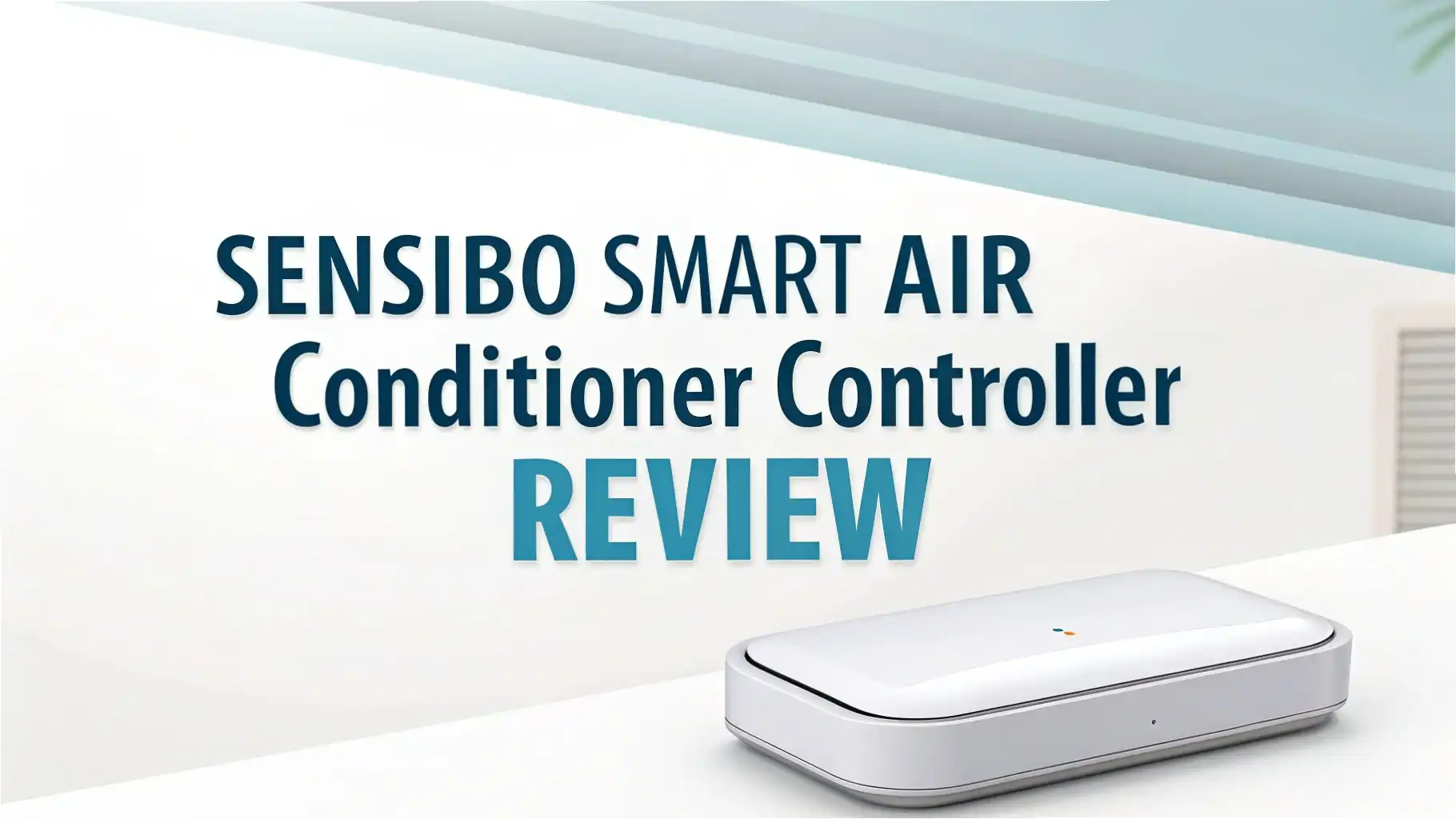
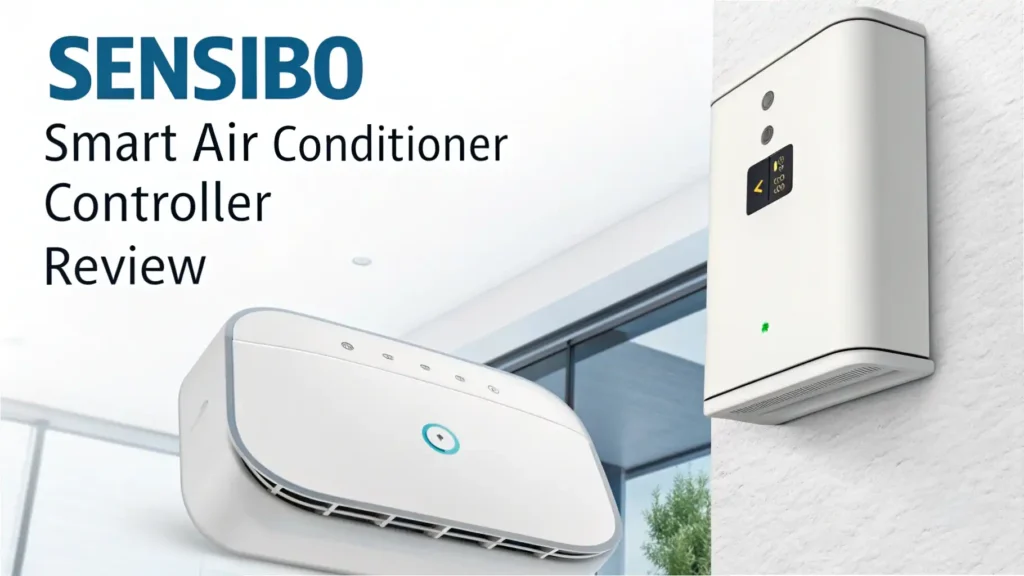
The Sensibo is a small white device that connects to your home WiFi network. It acts as a bridge between your smartphone and your air conditioner. The device uses infrared signals to communicate with your AC unit. This is the same technology your remote control uses.
The controller measures about 3 inches square. It plugs into any standard wall outlet. A built-in sensor tracks temperature and humidity levels in real time. This data helps the system make smart decisions about when to run your AC.
The Sensibo app is the command center. You can see current conditions in your home. You can change settings with a few taps. The interface is clean and simple. Even people who struggle with technology find it easy to use.
Multiple sensors work together to create the perfect environment. The temperature sensor is accurate to within half a degree. The humidity sensor helps prevent that sticky feeling on hot days. Some models include an air quality sensor that detects pollution and allergens.
Top 3 Alternatives for Sensibo Smart Air Conditioner Controller


Unboxing And First Impressions
The Sensibo arrives in compact packaging. The box contains the main controller unit, a USB power cable, a wall adapter, and quick start instructions. The device feels solid despite its light weight. The white finish matches most home decor styles.
The front features a small LED indicator light. This light shows connection status and activity. A subtle Sensibo logo sits at the top. The back has a USB port for power and mounting options for wall installation.
Setup instructions are printed in multiple languages. A QR code links to video tutorials. The quick start guide walks you through each step. Most users complete installation without looking at instructions.
Setting Up Your Sensibo Device
Download the Sensibo app from the App Store or Google Play. Create a free account using your email address. The app guides you through each setup step with clear instructions.
Plug the Sensibo into an outlet near your air conditioner. The device needs a clear line of sight to your AC unit. The LED light blinks blue when ready for setup. Open the app and tap “Add New Device.”
The app searches for your Sensibo controller. Select your home WiFi network from the list. Enter your WiFi password. The device connects within seconds. The LED turns solid blue when connection succeeds.
Next comes AC pairing. The app shows a list of thousands of AC brands and models. Select your brand. The app tests different remote codes. Point the Sensibo at your AC unit. Press the test button. Your AC should turn on. If it doesn’t, try the next code. Most users find the right code within three attempts.
Name your device based on its location. Kitchen AC, Bedroom AC, or Living Room AC works well. Set your preferred temperature units. Choose between Celsius and Fahrenheit. Your Sensibo is now ready to use.
Key Features That Make Sensibo Stand Out
Climate React is the star feature. This intelligent automation system uses sensor data to control your AC. You set your ideal temperature range and humidity level. Sensibo maintains these conditions automatically. The system turns your AC on when the room gets too hot. It turns off when conditions reach your target.
Scheduling lets you create custom programs for different days. Set your AC to cool the bedroom before bedtime. Have it warm up the living room before you wake up. Different schedules work for weekdays and weekends. This feature alone can cut your energy bill significantly.
Geofencing uses your phone’s location. The system knows when you leave home. It can automatically turn off your AC to save energy. When you head back, Sensibo turns the AC on. You arrive to perfect temperature every time. You can set the trigger distance based on your commute time.
7-Day History shows your usage patterns. Colorful graphs display temperature, humidity, and AC runtime. This data helps you understand your cooling costs. You can spot unusual patterns that might indicate AC problems.
Performance And User Experience
The Sensibo responds instantly to commands. Tap the temperature up in the app. The AC changes within seconds. Voice commands through Alexa work just as fast. Say “Alexa, set bedroom AC to 72 degrees.” The change happens immediately.
The Climate React feature works beautifully. Set it to maintain 72 degrees with 50% humidity. The system keeps these conditions all day. Temperature never varies more than one degree. The AC runs in short, efficient cycles rather than continuous operation.
Range has never been an issue. The infrared signal reaches across large rooms. Mounting the device higher improves signal strength. Users report reliable operation up to 30 feet away from the AC unit.
Smart Home Integration Options
Amazon Alexa integration is seamless. Link your Sensibo account in the Alexa app. Discover devices. Your AC units appear as smart home devices. Use any Alexa device to issue voice commands. “Alexa, turn on the bedroom AC” works perfectly. You can include AC controls in Alexa routines.
Google Assistant offers similar functionality. Connect through the Google Home app. Use Google speakers or your phone. “Hey Google, set living room AC to 70 degrees” adjusts temperature instantly. Google routines can trigger AC changes based on time or other smart home events.
Apple HomeKit support means Siri control. Add Sensibo through the Home app. Create scenes that include AC settings. “Hey Siri, good night” can lock doors, dim lights, and cool the bedroom. The HomeKit integration feels native and responds quickly.
Energy Monitoring And Savings
The energy monitoring dashboard shows detailed usage statistics. Daily, weekly, and monthly views help track patterns. Compare different time periods to see improvement. The graphs are colorful and easy to understand.
Sensibo estimates your energy costs based on usage hours. Enter your electricity rate in the settings. The app calculates approximate running costs. This feature helps budget for monthly expenses. You can see exactly how much each degree of temperature costs.
The Pure Boost technology optimizes AC operation. It analyzes your usage patterns over time. The system learns when you typically need cooling. It makes micro-adjustments to reduce energy waste. This happens automatically in the background.
Smart scheduling creates the biggest savings. Most people cool their homes when nobody is there. Set schedules to reduce cooling during work hours. Lower temperature settings when sleeping. These small changes add up to major savings.
Mobile App Deep Dive
The iOS and Android apps are nearly identical. Both offer the same features and layout. The design follows modern mobile guidelines. Navigation is intuitive. First-time users find everything without tutorials.
The home screen shows all your AC units. Each displays current temperature, target temperature, and mode. Tap any unit to access full controls. A large circular interface adjusts temperature. Buttons below change mode, fan speed, and swing direction.
The settings menu provides deep customization. Adjust temperature display units. Set your energy costs. Configure geofencing radius. Enable or disable specific features. Everything is clearly labeled and explained.
Notifications keep you informed. Get alerts when temperature exceeds your limits. Receive reminders for filter cleaning. Know when geofencing triggers AC changes. Notification settings let you control what alerts you receive.
Comparing Sensibo Models
Sensibo offers several models at different price points. The Sensibo Sky is the entry-level option. It includes basic smart controls and scheduling. No built-in sensors mean you can’t use Climate React. This model works well for budget-conscious buyers.
The Sensibo Air adds temperature and humidity sensors. This is the most popular model. Climate React functionality makes it worth the extra cost. Most users choose this option. It offers the best balance of features and price.
The Sensibo Air Pro includes everything in the Air model. It adds an air quality sensor that measures PM2.5 particles. This sensor detects pollution, smoke, and allergens. The device can trigger air purifiers or adjust ventilation automatically. Best for people with allergies or air quality concerns.
The Sensibo Pure is different. It’s a smart air purifier with AC control built in. This device cleans the air while managing temperature. It costs more but serves two purposes. Great for smaller spaces where you need both functions.
Real User Experiences And Testimonials
Sarah from Texas uses Sensibo in her vacation home. She turns on the AC before driving down for weekends. “The house is perfectly cool when we arrive,” she says. “We used to waste energy running the AC all week. Now we only cool when needed.”
Mike installed Sensibo in his elderly mother’s home. He monitors temperature remotely. “Mom sometimes forgets to adjust the AC,” he explains. “I can check the app and fix temperature from my office. It gives me peace of mind.”
Jennifer appreciates the energy savings. “Our summer bills dropped by $90 monthly,” she reports. “The Climate React feature is amazing. Set it once and forget about it. The house stays comfortable automatically.”
Tom had concerns about compatibility. His AC is 15 years old. “I was shocked when it worked perfectly,” he says. “The setup took three minutes. My ancient AC unit is now smart. Best $100 I’ve spent this year.”
Rachel loves the voice control. “I tell Alexa to cool the bedroom every night,” she shares. “Hands-free control is more convenient than I expected. My husband uses Google Assistant. Both work great.”
Most complaints involve WiFi connectivity issues. These problems usually stem from router settings or signal strength. Sensibo support helps users troubleshoot effectively. Very few people report hardware failures.
Troubleshooting Common Issues
AC Not Responding usually means wrong remote code. Open the app settings. Select “Change AC Model.” Try different codes for your brand. Test each one. The correct code makes your AC respond properly.
WiFi Connection Drops often relate to router settings. Sensibo works on 2.4GHz WiFi only. Many modern routers combine 2.4GHz and 5GHz bands. Separate the bands in router settings. Connect Sensibo specifically to the 2.4GHz network.
Sensor Readings Seem Wrong might indicate poor placement. Direct sunlight affects temperature sensors. Heat from the device itself can skew readings. Move the Sensibo away from heat sources. Mount it on a wall for better air circulation.
Geofencing Not Working requires location permissions. Check your phone settings. Grant the Sensibo app “Always Allow” location access. Background app refresh must be enabled. Both settings are necessary for geofencing to function.
Value For Money Analysis
The Sensibo Air Pro costs around $140. The regular Air model runs about $120. The Sky model costs approximately $90. These prices position Sensibo in the middle of the smart AC controller market.
Compare this to replacing your entire AC with a smart model. New smart AC units cost $800 to $3000. Sensibo gives you similar features for a fraction of the cost. Your existing AC becomes smart for under $150.
The energy savings justify the purchase quickly. Save $30 monthly on electricity. The device pays for itself in four months. Every month after that is pure savings. Over five years, you could save $1800 or more.
No subscription fees add long-term value. Some competitors charge monthly fees for cloud features. Sensibo includes everything for free forever. All features work without additional costs. This matters significantly over time.
Installation Tips For Best Results
Mount the Sensibo at AC unit height or slightly higher. This improves infrared signal reliability. Use the included mounting tape for wall installation. Clean the wall surface before applying. Press firmly for 30 seconds.
Keep the device away from direct sunlight. Temperature sensors read high when exposed to sun. Place it on a shaded wall if possible. Curtains or blinds help protect the sensor.
Ensure clear line of sight to your AC unit. Furniture or decorations can block infrared signals. Test the positioning before permanent mounting. Use the app to turn AC on and off. Confirm reliable response before securing the device.
Place the Sensibo in the area you want to control. If you care most about bedroom temperature, install it there. The sensor measures conditions at its location. This affects Climate React performance.
Advanced Features For Power Users
API Access lets developers create custom integrations. Sensibo provides detailed API documentation. Build your own applications. Connect to home automation systems. Create custom dashboards or mobile apps.
Multi-Room Climate Control coordinates multiple AC units. Set rules that affect several rooms together. Cool the entire house before bedtime. Adjust all units based on outdoor temperature. This level of automation improves overall comfort.
Location-Based Modes go beyond simple geofencing. Create different behaviors for different situations. Use one mode when leaving for work. Use another when heading out for quick errands. The system learns your patterns over time.
Weather Integration adjusts settings based on forecasts. Sensibo checks local weather data. It can pre-cool your home before a hot afternoon. It adjusts temperature goals based on outdoor conditions. This feature optimizes comfort and efficiency.
Frequently Asked Questions
Does Sensibo work with portable air conditioners?
Yes, Sensibo works with portable AC units that have infrared remote controls. The device communicates using the same infrared technology as your remote. Check that your portable AC responds to a remote control. If it does, Sensibo will work with it. Mount or place the Sensibo device pointing at the AC’s infrared receiver. The setup process is identical to window or split units.
Can I control multiple air conditioners with one Sensibo?
No, each Sensibo device controls one air conditioner. You need separate Sensibo units for each AC you want to control. However, the app manages multiple Sensibo devices easily. You can control all your AC units from one app. Group controls allow adjusting multiple units simultaneously. The cost of multiple units still beats buying new smart AC units.
Will Sensibo work during internet outages?
The Sensibo requires internet connection for smartphone control and voice commands. During internet outages, you cannot control the device remotely. However, scheduled automations stored locally continue working. Your regular AC remote control still functions normally. Sensibo doesn’t block your original remote. Once internet returns, full functionality resumes automatically.
How much does Sensibo increase my electricity bill?
The Sensibo device itself uses very little power. It consumes approximately 2 watts of electricity. This costs less than 50 cents per year in electricity. The device actually reduces your overall electricity costs. Users report saving 20% to 40% on cooling costs. The energy monitoring and smart scheduling eliminate wasted AC operation.
Is Sensibo compatible with central air conditioning systems?
Sensibo works with mini-split systems and ductless AC units that use infrared remotes. Most central air systems use wall-mounted thermostats instead of remote controls. These systems require smart thermostats like Nest or Ecobee. Check if your central AC has a remote control unit. If it does, Sensibo may work. Contact Sensibo support with your specific system model for confirmation.
Can I use Sensibo without a smartphone?
You need a smartphone for initial setup and configuration. After setup, you can control Sensibo using voice assistants. Amazon Alexa and Google Assistant work without touching your phone. You can also access controls through a web browser on computers. The smartphone app provides the best experience. But daily control is possible without constantly using your phone.
Does Sensibo collect or sell my data?
Sensibo collects usage data to provide features and improve the service. This includes temperature readings, usage patterns, and device settings. The company states it does not sell personal information to third parties. Data collection enables features like energy reports and usage history. You can review the privacy policy on the Sensibo website. Most users find the data collection reasonable for the features provided.
What happens if my Sensibo device stops working?
Sensibo offers a one-year manufacturer warranty. Contact support if your device fails within the warranty period. They provide troubleshooting assistance first. If the device is truly defective, they replace it. Beyond warranty, replacement devices cost less than the original purchase price. Your AC continues working normally with the original remote even if Sensibo fails.
Can Sensibo help if my AC doesn’t cool properly?
Sensibo cannot fix mechanical problems with your air conditioner. If your AC has refrigerant leaks or compressor issues, you need professional repair. However, Sensibo can identify problems early. Temperature and usage data shows unusual patterns. If your AC runs constantly without reaching target temperature, this indicates a problem. The data helps you describe issues to repair technicians.
Is professional installation required for Sensibo?
No professional installation is needed. The setup process is completely DIY-friendly. You plug the device into an outlet. You download the app. You follow simple on-screen instructions. No wiring or technical skills are required. Most users complete installation in less than ten minutes. The savings from DIY installation add to the value proposition.